Although your request sounds simple, usually, a feature request requires naming why you want something, what it will bring as advantage(s), so, how the users will profit from it, and how you think it should be implemented. Also, you are requested to show (a) mockup(s) to display how you imagine this to be implemented, if it helps to display your request better.
One could say, you are requested to present and sell your request as good as possible to display its usefulness to the devs and the user base to get supporters that also want it. Why? Because you need to convince other user that they want it too, the more, the better.
We even have a chapter for this in Krita’s manual, And you won’t believe it, but the argument: ‘I’m used to getting this from software XYZ!’ is one of the least popular arguments.
Here you can read the according chapter of our manual:
This answer is beside of your first request:
If you are sure that you released both buttons at the same time, and don’t take away one finger slower than the other, so it is not a coordination issue, then the switching time sounds to me like a hardware issue, perhaps caused by a wireless keyboard.
But as said above, that has nothing to do with your request, which may be an addition some would really like to have, so relative mode added to the Zoom Tool Options.
By the way, when you create a feature request, then please create only one request for each feature you ask for.
This will allow the users to answer directed to the only one request in a feature request topic. With your request, which in fact is a two-in-one request, the answering users theoretically always have to say for which part of your two-in-one request their answer is meant, which is at least uncomfortable.
But okay, since there already exist solutions for your second request, even one that will be native in Krita and is in fact already implemented in the nightlies, we can consider that part as solved. →→
So, and now to your second request:
For your last request, there will be the option to select the direction in one of the next releases of Krita, the current Krita NEXT nightly versions (Krita 5.3.x) already have it:
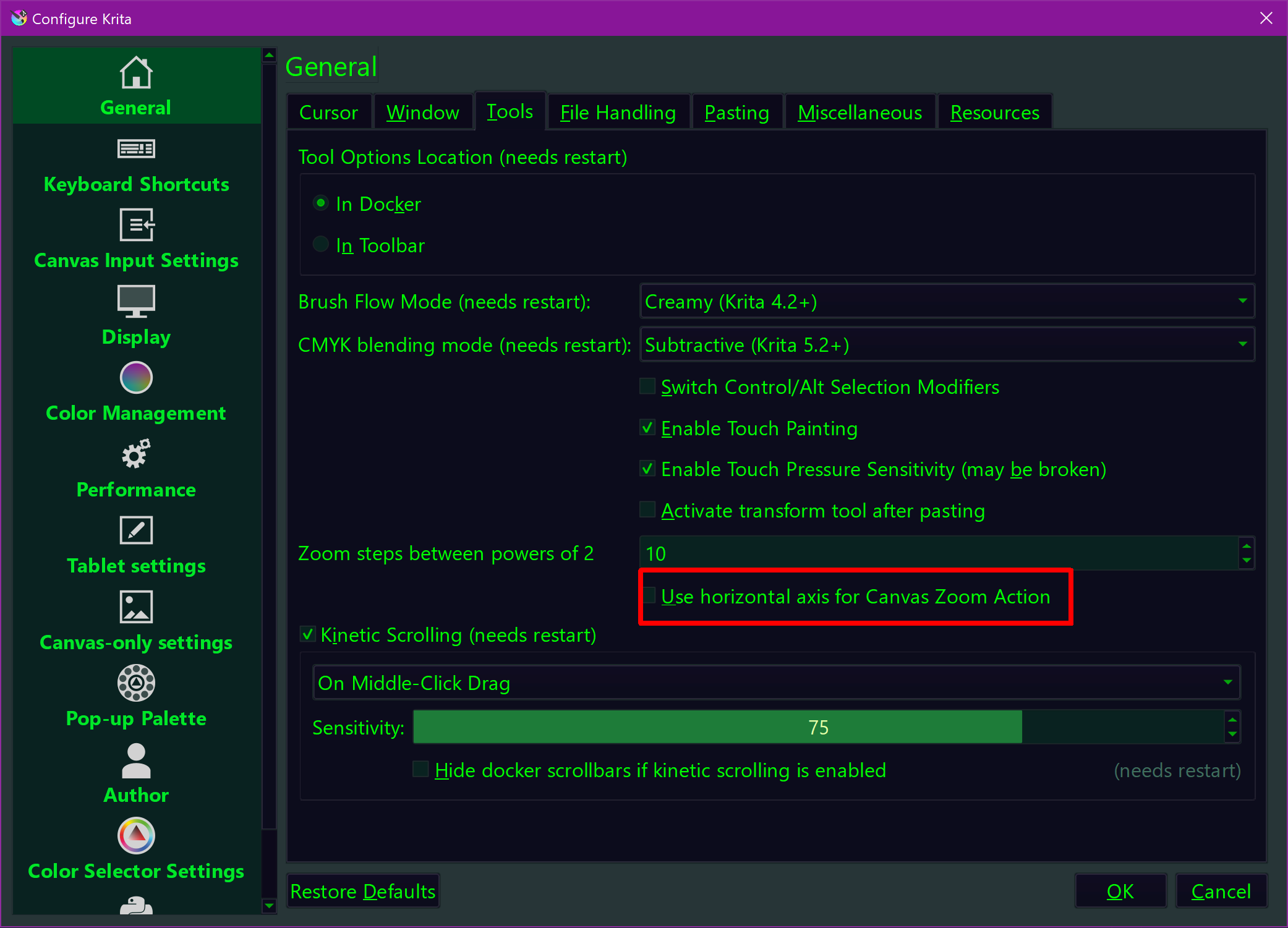
But there is actually a plugin which will offer you a completely free configurable assignment for the Zoom-Tool.
It is presented in the next post, and a compiled and installable version is found in the post below the first post:
The presentation
The compiled and in Krita importable version:
Alternatively, you can download it via this link (which is the same you find above (both are in my cloud)):
or this link in another cloud of mine:
Michelist