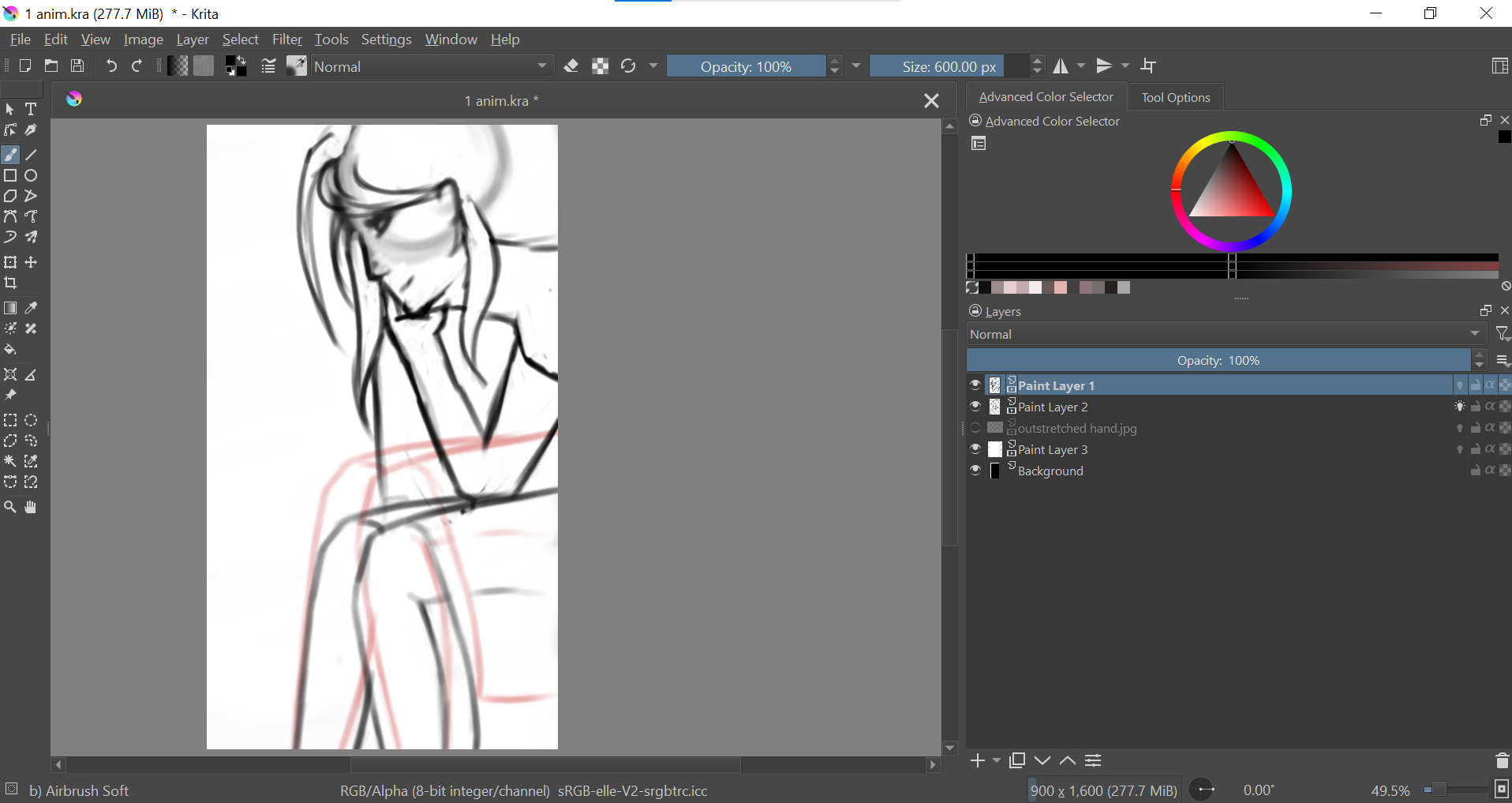
Dockers are all zoomed out, how do I fix their size?

I just downloaded upgraded to Krita 5.0 (was using 4.4 before) and all the dockers are weirdly sized. For example, the icons are tiny on the toolbar, and the layers are very thin and hard to see.


(Please let me know if the image isn’t loading, this is my first time on here!)
Is it possible to resize the dockers or the icons in the dockers? Thank you!

1 Like

For the vertical toolbox on the left side, you can increase the icon size by right clicking on the toolbox and choosing a larger icon size.

For the dockers, is it the dockers themselves that you want to resize or is it the text within the dockers?

PS - Welcome to the community.

1 Like

Thank you!!

For the dockers, it’s the text within the dockers I’d like to resize (for example the strips with the layer names and thumbnail, is it possible to make them thicker?)
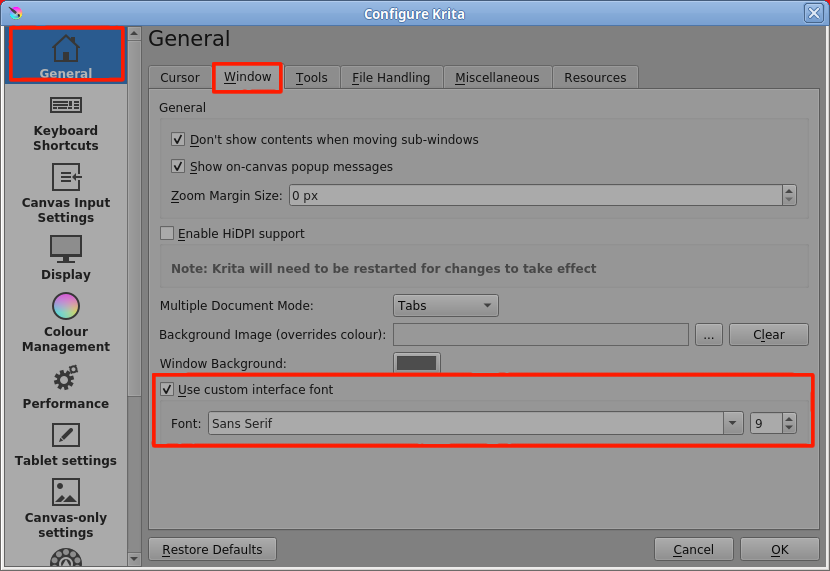
I’ve never tried it but there are these options in Settings → Configure Krita:

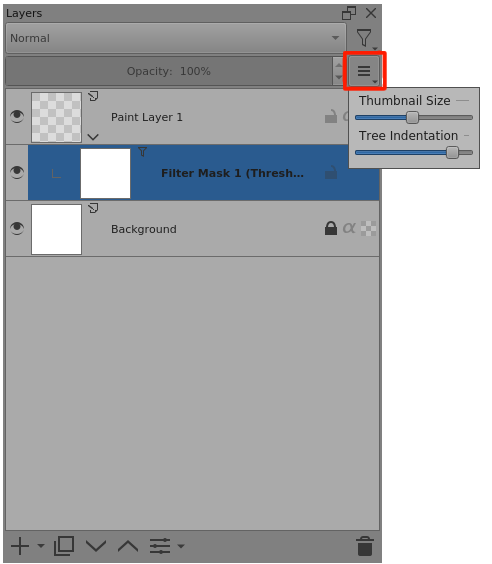
There’s also this, for detailed customisation of the Layers docker:

… and the little ‘dragger’ icons to adjust the size of the dockers areas (with some minimum size limits depending on the dockers there):

3 Likes

Alright! Thank you both so much :slight_smile:

2 Likes

This topic was automatically closed 30 days after the last reply. New replies are no longer allowed.