To Export a picture, which is the standard action you should use instead of Save or Save as at least as long as you are working on any artwork of yours, because it ensures your layer-stack stays intact, and you won’t lose any “picture-information”, so applied filters, effects, whatever.
The thing is, if you save a picture via Save or Save as, you will change the file type of your document to the file type you have chosen to save in, and if that format is not KRA or KRZ¹, you will lose image information, how much depends on the chosen format, TIFF or PSD already come with limitations since they offer not all functions Krita supports but may be acceptable for some situations, but if you then go for formats that only support a single layer per document, you can destroy your whole artwork only for pulling a copy you want to show to someone else. So, as long as something isn’t really finished, you should never save that work in a format different from KRA or KRZ (KRZ=KRA without a large preview picture embedded) and use Export instead!
Now to your question where to find the option to preserve transparency, which usually is called Alpha or Alpha Channel in the world of digital images, no matter if you want to save a single layer out of your document or export your document’s full view you will get this dialog for saving it as PNG, I marked it in this screenshot:
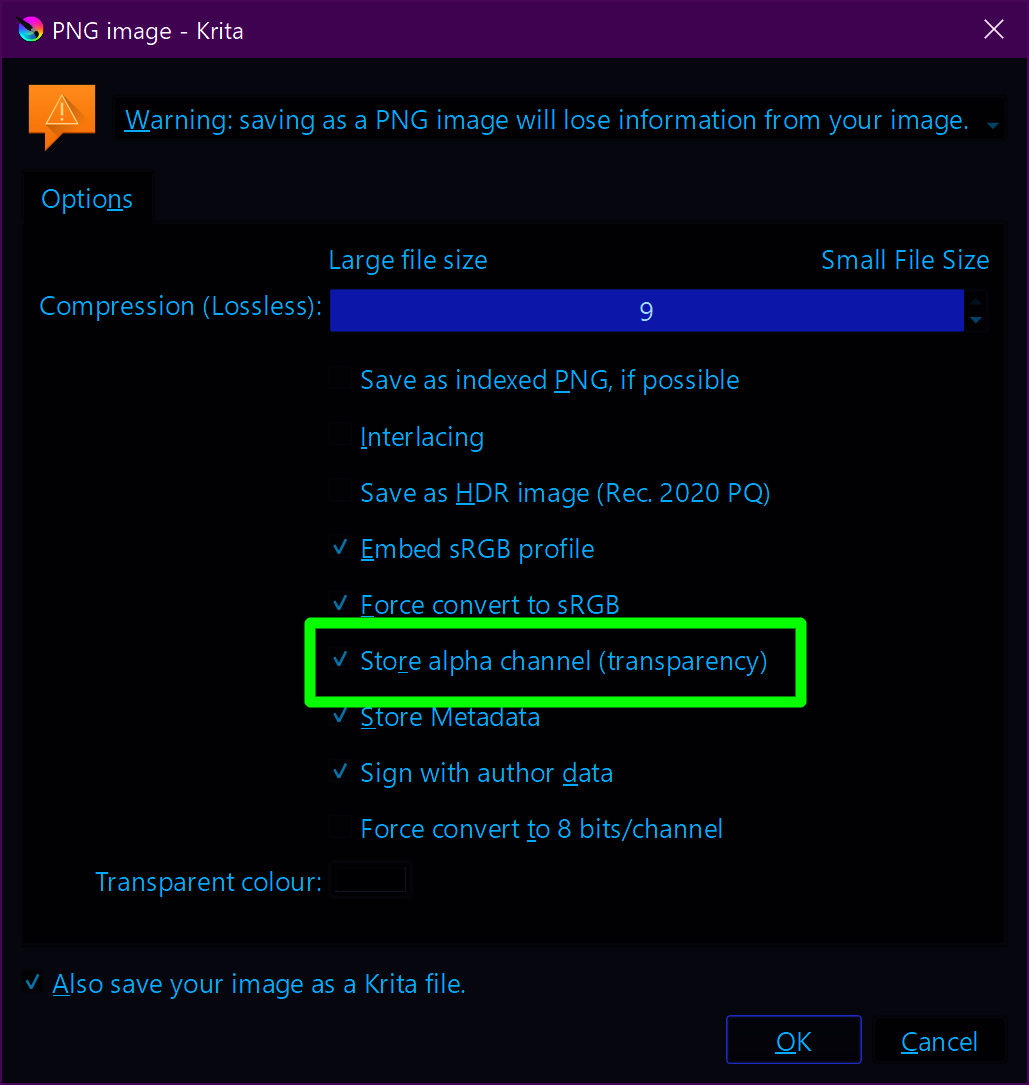
In this screenshot, you can see my standard options to save something as PNG, depending on the use case it is possible that I’ll use the option “Save as indexed PNG, if possible” as well as “Interlacing” too. If these options and their use cases make you curious, then I ask you to read them up yourself, their description is far out of scope.
For the two options to Export a whole picture or Save a Layer out of it, the menus where you’ll find these options are these:
For file export:

And for layer export:
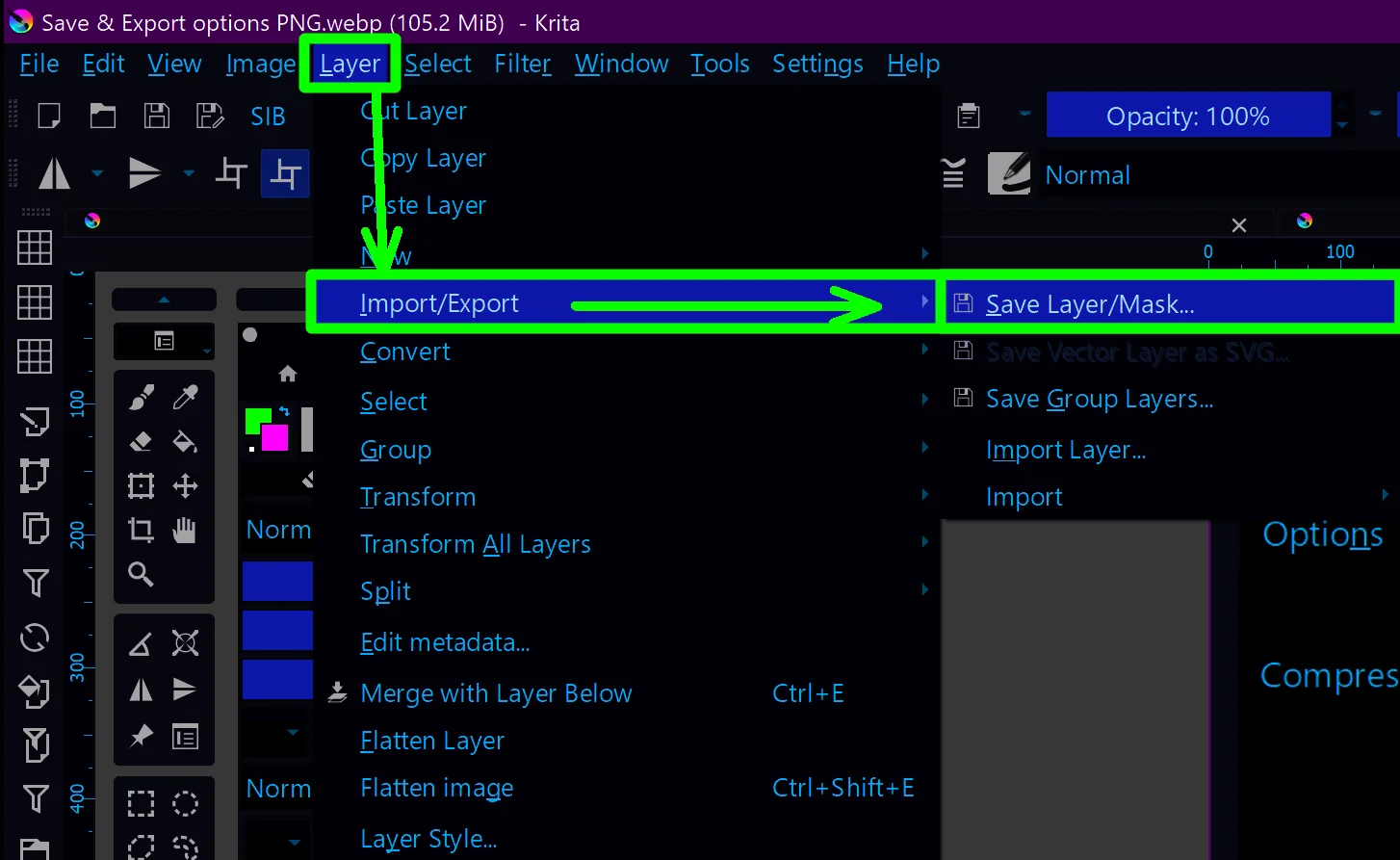
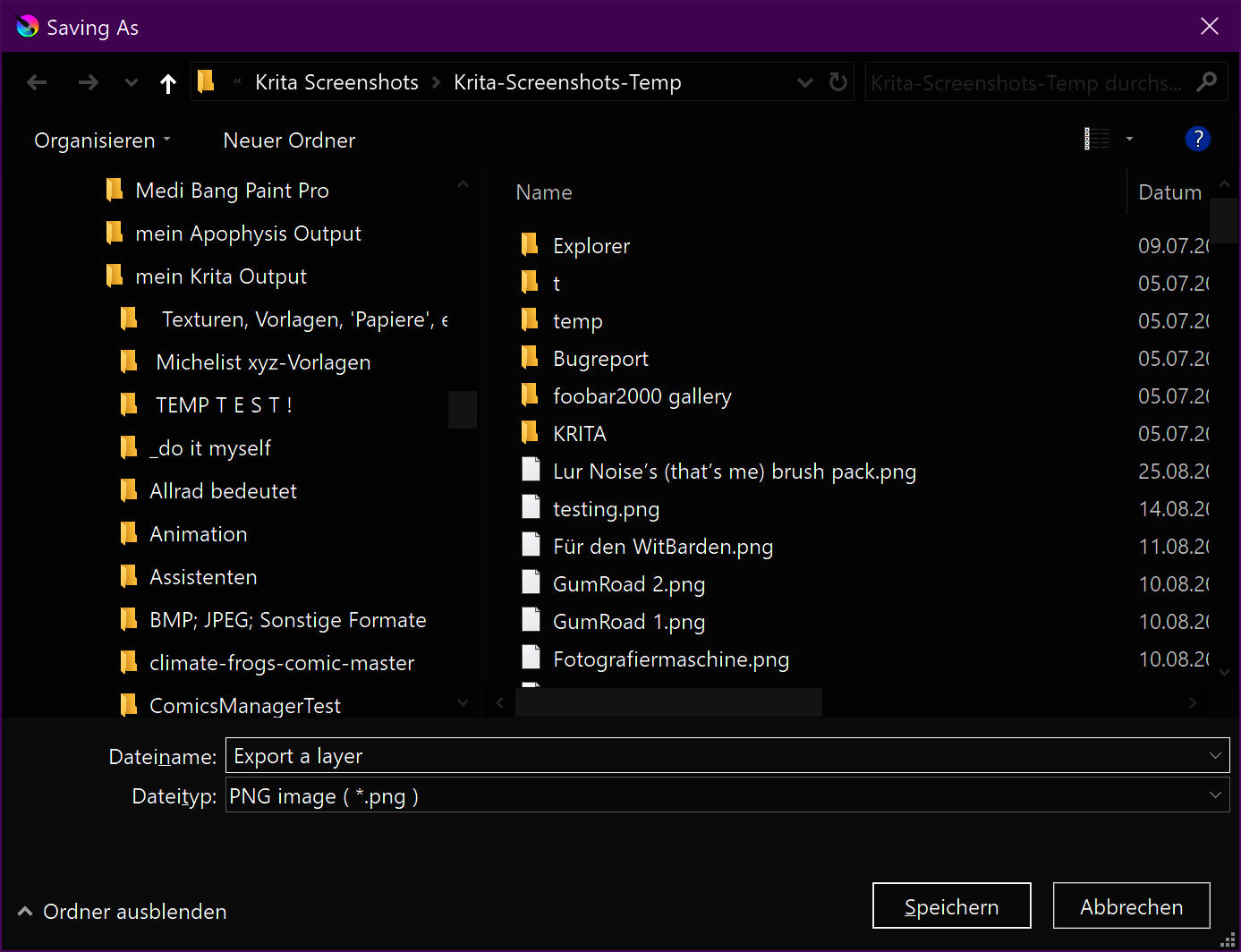
And both menus will lead you first to the file manager dialog, where you define the file name and the file format to save in, like this one for Windows:
In case of further questions, feel free to ask.
Michelist
¹ These should be the only formats you use with Save and Save as.