Hello,
I work in windowed mode because the tab bar will never disappear no matter what option I use, even if I have only one document.
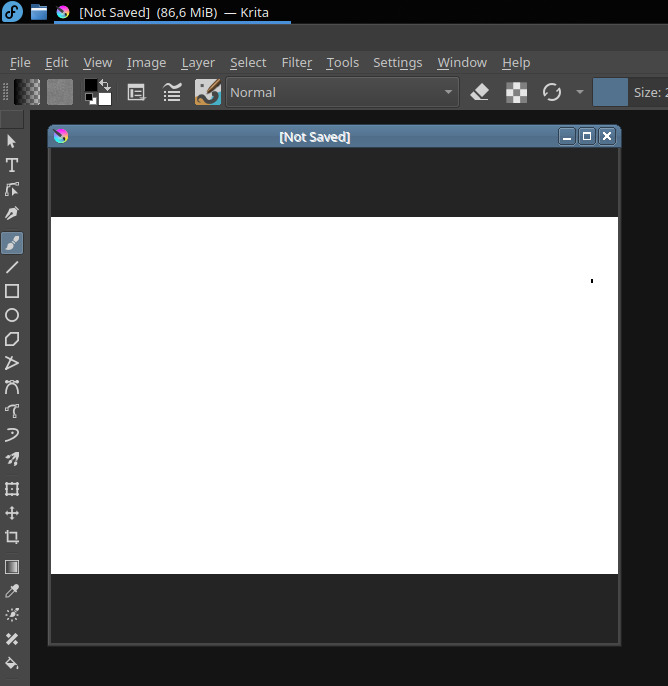
In windowed mode, I can get rid of any title bar in canvas only or not, which is cool. The problem is when I have several windows opened. I have that very eye-catching blue title bar appearing (the one with ‘[Not Saved]’ written in the middle). It annoys me so much (especially in canvas-only mode…), I usually force myself to have only one document opened…

1 Like
Oh yes, that’s annoying. I have that too on Linux, and it is not new. It exists since the subwindows mode was introduced.
If you switch the color theme; you’ll see the color of the header follows the ‘color accent’ of the theme. (eg. Krita dark orange). I wish them to be the same color as the user interface; with just the windows title brighter maybe when it is the subwindows in focus.
Edit: After a search, I saw an issue on LMMS that looks similar, and it mentions how authors solved the issue Title Bar Theming Support · Issue #2450 · LMMS/lmms · GitHub
3 Likes
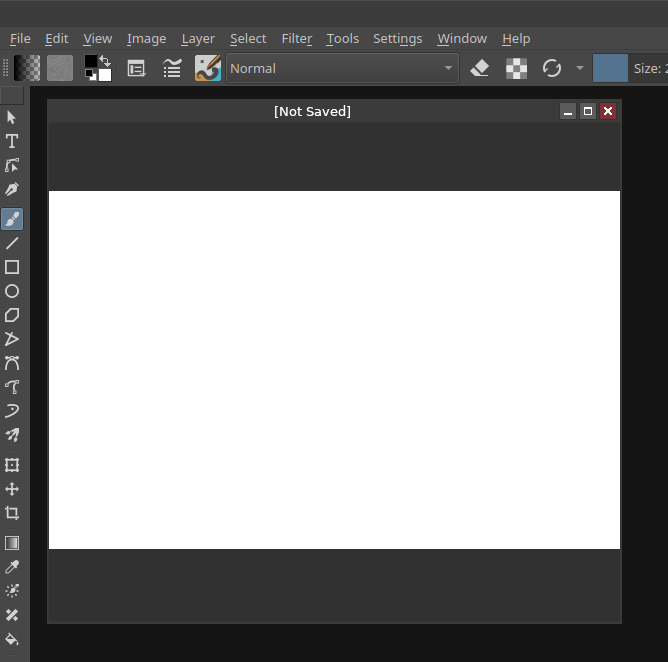
Sorry, but none of this is changeable: it’s how Qt’s mdi support works. You’ll have to live with it. Trying to change this using stylesheets causes other bugs to appear.
1 Like
Can the tab bar be hidden when only one doc is open then in tab mode?
Not without awful and buggy hacks.
1 Like
How about this, create 2 Ten Scripts with shortcuts.
- Gets rid of titlebars altogether
from krita import *

qwin = Krita.instance().activeWindow().qwindow()
wobj = qwin.findChild(QMdiArea,'')

for subwin in wobj.subWindowList():
    subwin.setWindowFlags(Qt.FramelessWindowHint)
and restores the titlebars when you need to move something
from krita import *

qwin = Krita.instance().activeWindow().qwindow()
wobj = qwin.findChild(QMdiArea,'')

for subwin in wobj.subWindowList():
    subwin.setWindowFlags(subwin.windowFlags() & ~Qt.FramelessWindowHint)
Then set shortcuts
2 Likes
Thanks I’ll definitely try that out. I just vaguely remember I could not use shortcut binded scripts on macOS
This topic was automatically closed 3 days after the last reply. New replies are no longer allowed.