Hello,
I recall that there is a way—specifically by holding down Ctrl while sampling a color—to either decrease or increase the opacity each time. However, I’ve forgotten exactly how to do it…
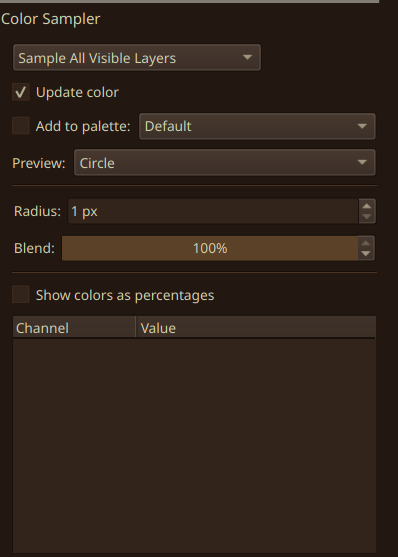
I know the color sampler has a way to only pick up a percentage of the color and mix with the current one, that can be set up in the tool options docker of the color sampler. But I don’t think there is a shortcut for this.
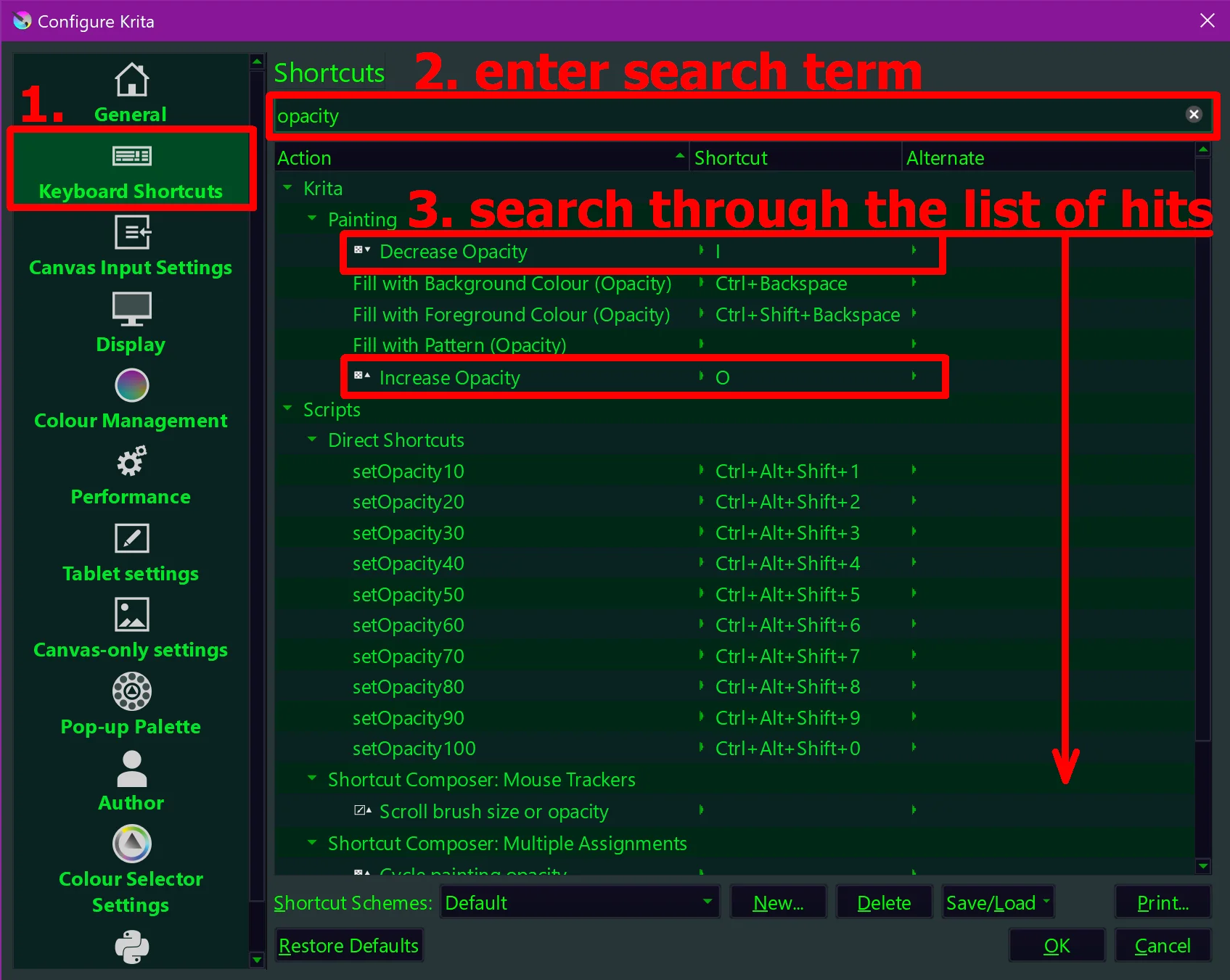
There are however shortcuts for changing the current color like K and L to make it darker or lighter and there are also shortcuts for making it redder, greener or more blue. You can look all up in the Krita shortcuts settings. There is no way to make the color more or less transparent because in Krita this is not a property of the color but of the brush. There should be a shortcut to change brush opacity though.
Okay, both are very helpful, but I’m referring to the Pinpete.
I recall that they also absorb color based on a percentage—meaning they appear lighter or darker.
“Radius” is the sampling size, while “blending” will blend your current color with the color you’re picking.
Even so, Krita does not pick “alpha” of a color; you can see the value of alpha, sure, but you can’t really “paint” with it. That’s only set through brush settings.
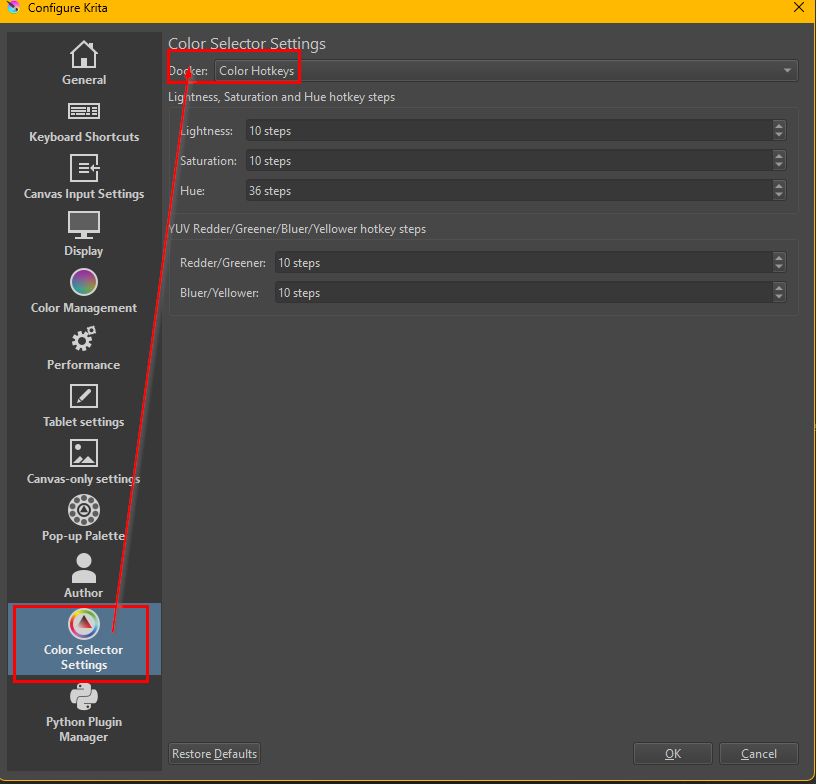
That’s really brilliant—using K and L for the colors… much more pleasant. However—haha—is it possible to adjust the step size when you press them? To make it more precise?
Keep in mind that entering a smaller number makes the steps larger because that is the number that the range gets divided by. So if you would want the K-key to make it only half as dark as before you need to double the number to 20.