Yes you can achieve the same thing with global selection mask. But it is a layer type, you need to switch to it and then paint on it. If there is a brush selection tool you switch to the tool and paint, without bothering about which layer you are on.
Ah, I haven’t really thought of it as a layer, since I just us a shortcut to “display global selection mask”. I haven’t found myself ever having to select the mask layer.
1 Like
I believe @Deif_Lou knows a lot about this. There is a “brush mode” in the “Enclose and Fill Tool” he made, which is much more difficult than this.
In the enclose and fill tool I haven’t implemented the brush selection yet, but I was planning to make it way simpler than the brush tool, since it only needs to select a rough solid area.
But I recently saw a comment by Dmitry in a commit:
Rename Outline Selection Tool into Freehand Selection Tool
We used to have freehand selection tool, which was gone after
we allowed normal painting on selection masks using overlay.
So it seems there was a freehand (brush) selection tool that was removed in favor of painting on the selection layers/masks.
3 Likes
I think this is different. If you look at the video above in my post the plugin converts the resulting brush stroke into selection
EDIT:
Sorry missed your quote from dmitry ignore this comment
I’m still not entirely sure I understand how this is all that different from the global selection mask:
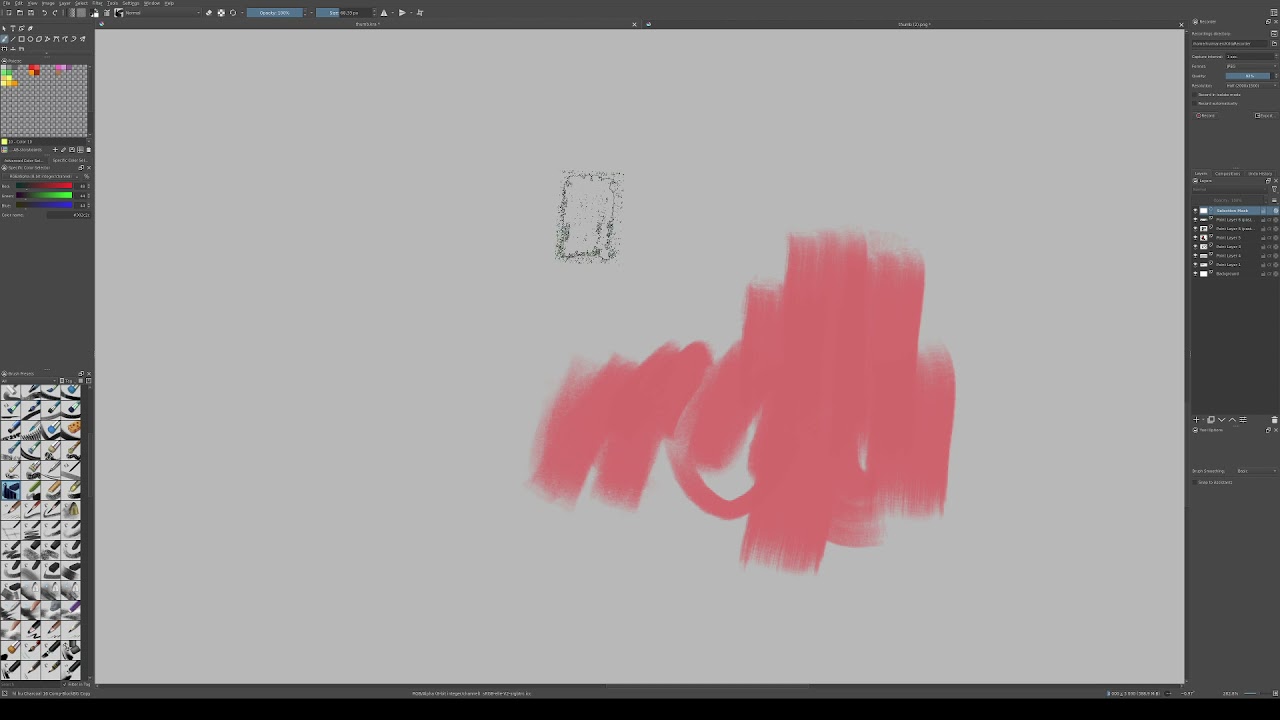
Here I invert the mask when I toggle it on, and invert it again before toggling the display off. And I apply a blur, the recording didn’t catch the filter window for that.
But apart from not being able to use any selection tools in this mode, and the colours being inverted, what’s different with this workflow?
I also don’t understand it all to well also but I think it is just using the alphas instead of the color on the brush. so you paint masks using opacity instead of the black of the color. how worth it is seems debatable to me.
From what I understand, both have their place. This feature request or request for a selection tool is for making a selection using the alpha of your painted strokes. it is like rectangle selection tool, where you draw a rectangle and a selection appears. Of course you can draw a rectangle on global selection mask too.
It doesn’t take extra steps to select the global mask layer, then invert it and then paint it and then invert it again and select your original layer back.
Steps needed in global selection mask
- Enable global selection mask to be shown
- Select all canvas
- Go to the selection mask layer
- paint on it
- Invert the selection
- Come back to the original layer you were working on
Steps required in this tool
- Select the paint brush selection tool
- Draw on the canvas to get an immediate selection out of the alpha of the stroke you painted.
- switch back to brush tool and paint
Note: in the plugin video a layer gets created for painting the stroke. From what I imagine this doesn’t need to be the case in the tool. Just like how you draw a rectangle selection by clicking and dragging on canvas you choose this selection brush and paint and it will create a selection for you.
Ah…Since the rectangle drawing tool and the rectangle selection tool exist at the same time, I think the brush selection does not conflict with the selection mask.
I remembered the bug I reported earlier. I feel that this is the reason why they deleted the brush selection tool at the time… but it didn’t solve it completely. Rectangles, ellipses, and polygons still exist… It is impossible for us to delete them all.
Therefore, after solving this bug, perhaps the brush selection will be re-added to krita
To me the 2 biggest differences between the this request and the global selection mask are:
- not needing to change the color of the brush
- no need to paint on an specific layer or mask.
The problems with the global selection mask to me are:
- having to turn it on, as i never have it on
- having to change the color of the brush to white. It makes sense when painting a mask for transparency or filter but for selections doesn’t feel like a good workflow, as most of the time you want to select something to continue painting.
To me even setting a shortcut to show and hide the global selection mask is not a good workflow, it’s too many steps:
- show selection mask
- change brush color to white
- go back to the layer you want to use the selection on
- hide the global selection
Even with shortcuts feel like too many operations, reason why i usually use the freehand selection tool and don’t touch the global selection mask at all.
Being able to use the brush alpha as the selection alpha makes sense for this use case at least to me, as it’s easier to reset a brush opacity than it is to go back to the color you want.
Yes i know there are shortcuts for color history and you can click on the color selector history. However it’s still more steps than changing to a previous brush or opacity as you can easily switch to a brush with full opacity and go back to a half opacity brush to continue painting, or just click the button to reset the brush.
I also don’t feel like using x to change between foreground color and background color is a good workflow for this case as if you are using 2 colors for like blending you need to get rid of one of your colors to select with the white.
The way i see this request is similar to the selection brushes programs like paint tool Sai and CSP have but with the addition of being able to use any brush to do the selection.
In a use case of blocking colors i usually use a basic 5 size 100% opacity, and i need to select an are to be easier to erase part of a color, using a selection would be the quickest way to avoid messing the rest of the drawing. Right now what i do is to use the freehand selection tool and then go back to the brush tool. With this new selection what i could do is select the area with maybe more precision since i am using the brush and go back to paint.
If i were to use a global selection mask i would need to change the color to white and turn it on, paint, then go back to the layer i want. In the end this request is just a quality of life improvement for making quick solid selections in my opinion. yeah you can do the same with a global selection mask, but to me the more steps it has doesn’t really fit well to my workflow. This could be an alternative solution for quick selections as i think most of the time people want to make solid selections not 50% or 25% opacity selections. I know this is not exactly what is being proposed but it would fit this workflow.
Ah, now it’s starting to click. I actually haven’t even noticed this, I guess pressing “d” “x” is reflexive to me. If you had asked me, I’d have said black was the selected colour in the global mask!
The reason I was asking about this is I think making a few changes to the global selection mask might be a better solution than a new selection tool altogether:
- A setting for toggling whether the selected or non-selected area is coloured
- A separate colour set for selections - when toggling the mask display, set brush colour to white, when exiting the mask mode, restore the previous fg/bg colours
- when the selection mask is active, use rectangular etc. selection tools on it like you would on a paint layer
- do not switch layers! I actually reported this as a bug some time ago, but is it really intended behaviour? I doubt it.
This should cover it, right? Actually, I think this would pretty much replicate the quick mask workflow in PS.
Looking at the original post in this thread, seems like the idea was to make changes to how the global selection mask works, though i prefer raghukamath suggestion more, of making it a separate selection tool. As it would work much better for a quick use.
Unfortunately i think this is intended behavior on how it works as it is a mask. This implies you need to enter the mask to paint in it, differently from a floating selection.
This could be a work around however i still think a tool would be less steps.
while your suggestions would be a quality of life improvement i still think there is a use case for this request to be its own tool. as i see it as an intermediary step between the selection tools and the global selection mask, that would fill the niche between the freehand selection and the selection mask. I feel like the intention for this request is to focus on speed to use, i dont think any change on the actual global mask will be faster than being able to select a tool.
As like i said i dont use the global selection mask at all cause i dont think i need all that for the selections i do, but sometimes i feel like the freehand selection is not enough for what i need and i think more users would benefit from this.
However one thing to note is selection tools dont have transparency variation (even though if you change the opacity on the brush with a selection tool selected it will keep that opacity recorded for the tool), its always a solid selection so i dont know if adding one tool that uses brush opacity for selection opacity would make sense for most users.
Sure krita already has this behavior of brushes affecting tools like the fill tool but dont know if it would make sense for just one selection tool to have this behavior. I guess an option to ignore brush opacity when selecting could be a way to avoid many questions to why the selection is not always solid. but at this point i am starting to think about implementation and how users would use it which i think its a bit ahead of the discussion.
This is the part I don’t quite understand. With the changes outlined - and I think all of them would improve the global selection mask display in any case - all you’d do is press e.g. ‘q’ to toggle the mask, paint or do whatever else it is you need, and press ‘q’ again to drop out of the mask mode. I don’t really see how it can get more streamlined?
I would say the tool is still quicker to use as you dont need to activate and then deactivate the global mask at all. as you press the shortcut to the tool, make your selections then go to brush, paint then deselect everything like any selection without any need to touch the global mask feature. This is what i mean by fitting the niche between the freehand selection tool and the global mask and this way no need to bother with setting shortcuts for the global mask.
And as i pointed out i dont think the whole dont make the mask the active layer is possible with the global mask, or if it were i think this change could limit the uses cases of the selection mask, so i would prefer it as its own tool.
I agree that a dedicated tool would be the least complicated option.
I really doubt that’s the case. Look at it like this: Some layer must be selected after the global mask is closed. Having it be the top one is entirely arbitrary. I don’t think it’s likely to be a conscious choice, nor can I see what kind of workflow would depend on that. So probably just an oversight.
Of course, I might be wrong about that. I mainly think of the global selection mask as an alternative way of viewing your active selection, nothing more. So maybe I don’t understand it properly. If it really must leave the top layer active after exiting mask display, then I fully agree that a new tool is needed.
In that case, however, I must quibble with the method in this particular proposal: I don’t think using brush alpha for the selection output is good. You lose a lot of functionality if you do it that way. Brushes with pressure mapped to opacity will no longer work as expected. RGBA brushes in lightness mode won’t work as expected. You won’t be able to paste in BW images to use as masks. You won’t be able to use filters that affect RGB channels only, like add noise to your mask. Etc…
Seems like a steep price to pay to fix the colour problem, when you could just remember the colours the user had in the BG/FG slots before activating the selection tool.
Anyway, I’ll go make a feature request about getting these changes into the global selection mask tool, since it really would be better with them.
I agree with you on this i am also conflicted about using the brush alpha, in one hand makes sense for pixel engine brushes but other engines like the smudge brush it doesn’t. Though about giving an opacity slider to each selection tool but don’t know if this would be a good approach either.
In end at least to me being able to use a brush to select having the selection be 100% solid and having it work exactly like the other selection tools would be enough, though don’t know how useful it would work like this as it wouldn’t fill the use cases proposed by the plugin made.
I think it would be useful but don’t know if others think the same.
How did you create a new “global selection mask”? I can’t find such an action
I tried csp and sai’s brush selection tools. Csp does not support transparency, sai supports it.
If we want to make it as a tool, we must first answer a few questions: Why does it require some delicate operations? Why can’t it coexist with the selection mask? The answer is no, otherwise we can delete the rectangular selection tool and draw with the rectangle tool directly on the selection mask.
If you ask me to design it, first of all, various selection tools contain Boolean logic (addition, exclusion, intersection). Therefore, each stroke of the “Brush Selection Tool” is independent. Secondly, I assume that the brush is white (considering the texture) and multiply the alpha
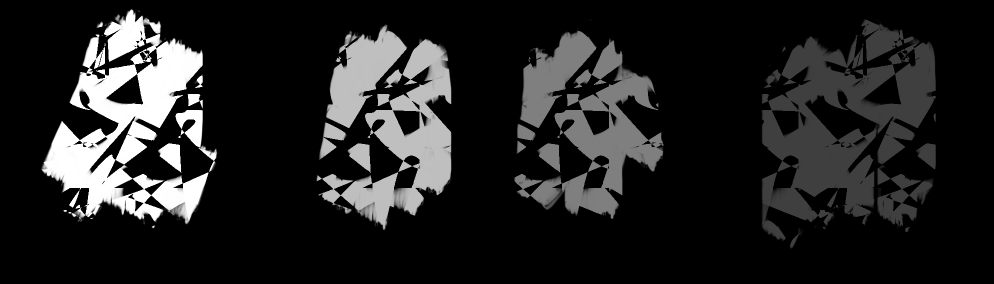
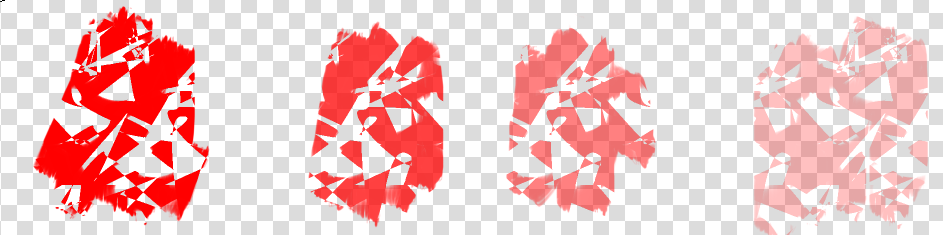
It looks like the result is painting on a black layer with white. This is the shape it will build on the selection mask. Then perform a Boolean operation on it (addition, exclusion, intersection)
1 Like
Select > Show Global Selection Mask
I just have a shortcut bound to it.
Select → Show Global Selection Mask doesn’t create a global selection mask, it just displays any existing global selection mask.
You create a global selection mask by performing a selection action on a layer that doesn’t have a local selection mask on it. If you perform a selection action on a layer that does have a local selection mask on it, that selection will appear in the local mask.
You can create a global selection mask by dragging a local selection mask off its layer to the top of the layer stack, but you can’t do that if a global selection mask already exists.
It is possible to get into confusing situations with multiple selection masks on a layer but this should be avoided. I have induced a crash doing this but it was so complicated that I couldn’t reproduce it.
1 Like