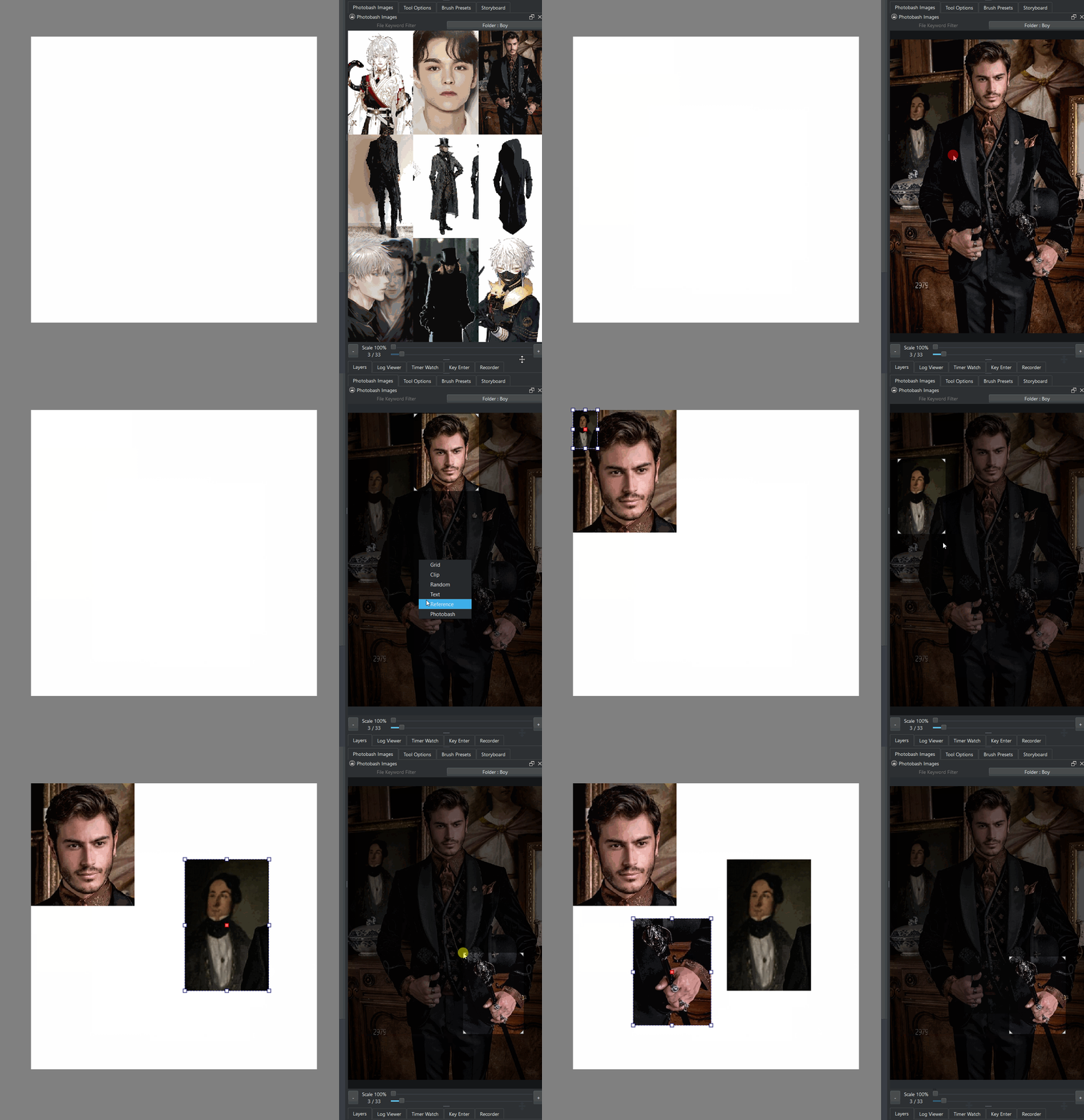
Yesterday I was really in a bit of a need for a reference image crop for my drawing as the reference was really massive and I could not see the section I really needed and draw at the same time.
But after I made a feature request I tried to give it a shot with a small test, because I saw a function not long ago that seemed made for cropping. I ended up making a little gui that sets it up before importing it in to get me by.
I did miss having something on the API for ref images to do more. Regardless I thought in sharing the demo as it might interest you in some way, maybe inspiration.
Can a new request be made here? It’s a bit far from gsoc now
Delete a single reference image. Now we can only delete all
“Hide” option. After checking, the reference image will be marked (it can be a striped line or something). When we switch to other tools, the reference image is hidden. We can hide all or individual pictures.
Shortcut buttons for “Delete” and “Hide”, just like the ruler tool
Grouping of reference images. Hidden and delete operations for the group (this group or outside of this group)
I’m trying the latest Next nightly, but the images are zooming with the canvas. Linux, SparkyOS/debian, and not sure if it makes a difference, but I already have the old reference viewer installed? Is it that it hasn’t been merged yet and I’m too fast off the block, lol?
to hide a single ref image click it go to the options and adjust it’s opacity. if you just want to toggle visibility on all of them you can go to View > Show Reference images (toggle)
does not seem needed as all those options exist on the tool Options as above
you can press SHIFT+click or box select multiple ref images and then you can move them as a group, delete, adjust opacity, saturation. all available options act on the group too.
Ah, I forgot that. But I still think it’s good to have a button. When placing the reference image, I usually use the mouse with my right hand and the left hand on the left half of the keyboard. And “delete” is in the upper left corner
I tried it and it would be completely lost. If you hide a few pictures, you may not recognize them.
Therefore, I suggest to divide it in a similar way as a stripe diagram in the reference tool, and hide it when switching to other tools.
Clicking the button is also easier than adjusting the opacity. One click of yours may be at 3%, 5% transparency
It seems that it just needs a button around “Delete All”. Otherwise, there is a high probability that users do not know that there is such a feature here
This is a more convenient adjustment. You don’t need to click on the picture and then adjust it in docker, especially when the picture is on the left
What I think is this: several references are placed in the “clothing” group, and several references are placed in the “action” group…
After we refer to the “actions”, we can hide the entire group at one time, and then display all the “clothing” groups at once
But it doesn’t seem to be easy…
you can just big box select in empty space and all reference images that are invisible will become seen with the selection active decorators. it is not hard to find them.
I think huds will make everything harder to use as those huds are always in the way.
is that not too much? that sounds like organization you should do to your reference files outside Krita. I was testing and I was able to do that with Key Enter quite easily now and Photobash reacts to it pretty well too. I don’t think you should have so many reference images that you need to catalog them inside your Krita project. but that is my view alone.
Then we need to reduce the canvas to a certain extent. Then make a large selection, and finally adjust the transparency to view.
The main purpose of using HUD is to know its contents in a “hidden” state. We also have other methods. Anyway, everything will disappear when switching to the brush tool
@knowzero has made a similar function of vector graphics as a plug-in.Replace the objects it recognizes with reference layers, and increase the grouping function. This is what i want to say
So it is really too much (it should be a standalone docker) I didn’t think about it so much before
Key Enter is used to manage all the material pictures. It is used to manage imported references, which are actually not the same
seeing floating huds as you try to hide also defeats the point of trying to hide them though. currently the canvas is very clean without huds. on the options docker it would make more sense to have everything.
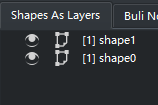
shapes and layers shows the list of vector objects inside a vector layer like normal vector applications normally display things. a list of references like that would be better than floating huds by far.
if you organize things outside it will organize things as you import them in.

 Thought I may be being a bit hasty, lol.