I’m not sure if there is a way of adding custom icons in .action files, you can specify any icon that already exists. I’m not sure if the internal icon names always match the action names (see end of post for more info)
You can can add icons with Python script by waiting until Krita loads, locate an action, and set its icons. In a plugin you would wait until either after the window is created, or a file is opened. The Notifier object has signals for windowCreated and viewCreated.
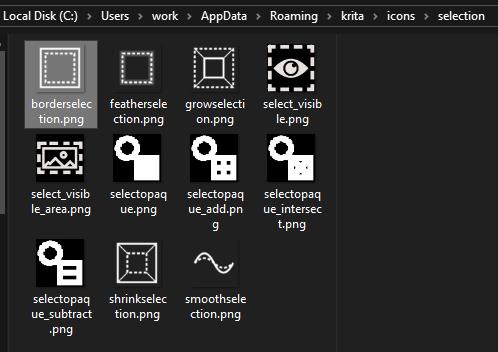
I have custom icons placed in a folder, and this script will search that location for a few image types and attempt to load them, using the file name as the name of the action i want to set the icon of. It will not work standalone it is part of a plugin and I’ve not gotten round to untangling it from some other stuff (I had an “everything” plugin which was convenient to modify and learn from but it’s a mess!).
# Make sure to import QApplication from Krita or PyQt5
# from Krita import QApplication

    def load_custom_action_icons(self):

        if self.load_custom_action_icons_connected and \
            not RELOAD_ON_NEW_DOC:
            return

        roaming_path = Path(os.getenv('APPDATA'))
        icon_folder = roaming_path / "krita" / "icons"
        log_message(f'Attempting to load custom icons from: {icon_folder}')

        def add_icon(entry):
            fn = entry.stem
            ext = entry.suffix
            if ext not in ['.svg','.png','.jpg']: return
            icon_fp = str(entry.resolve())
            try:
                relative_path = entry.relative_to(icon_folder.parent)
                if PRINT_ALL_ICONS_LOADING:
                    log_message(f"Adding icon for '{fn}' from '{relative_path}'")
                action = self.inst.action(fn)
                icon = QIcon(icon_fp)
                action.setIcon(icon)
            except Exception as e:
                log_message(e)

        def _traverse(folder):
            for entry in folder.iterdir():
                if entry.is_dir():
                    _traverse(entry)
                    continue
                #
                add_icon(entry)

        _traverse(icon_folder)
        #
        # only set action icons once
        # self.inst.notifier().viewCreated.disconnect(self.fix_action_icons)
        #
        #
        def auto_accept_dialog():
            QApplication.activeModalWidget().accept()

        #open toolbar configure window to hide the icontext on those icons...?
        QTimer.singleShot(1, auto_accept_dialog)
        self.inst.action('options_configure_toolbars').trigger()

        R'''
        #you can do this manually it does work
        from PyQt5.QtGui import QIcon
        fp = R"C:\Users\work\AppData\Roaming\krita\icons\filters\krita_filter_unsharp.png"
        inst = Krita.instance()
        action = inst.action("krita_filter_unsharp")
        icon = QIcon(fp)
        action.setIcon(icon)
        '''
        self.load_custom_action_icons_connected = True
I’m not 100% sure on why this line is used: self.inst.action('options_configure_toolbars').trigger()
I think it is because icons that don’t have an icon instead use icontext, and it persists after setting an icon.
I can’t imagine there is any limitation from where you can load icons, I put an icons folder in the resource folder as it seemed appropriate.
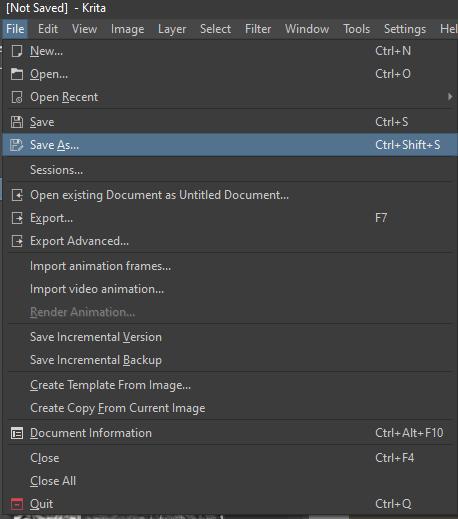
Adding icons pairs nicely with enabling menu icons. It looks like this in the menus, and not all actions have icons.
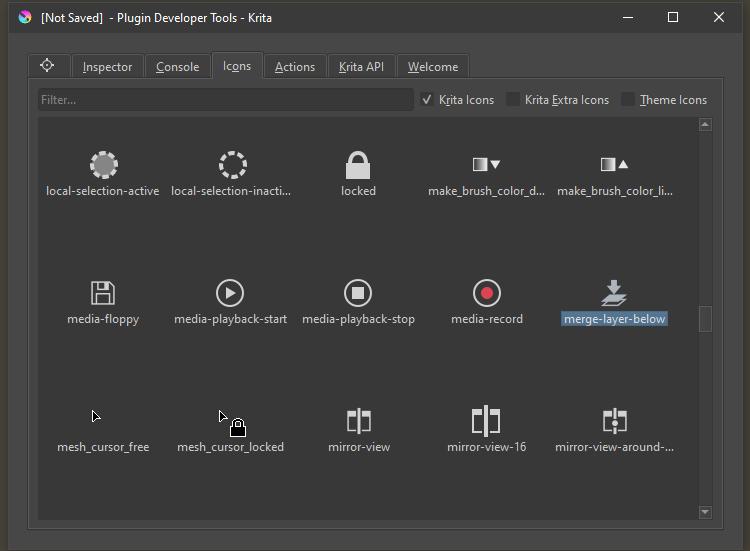
If you wanted to find more icons a good source for icons is the developer tools plugin.
Also, the Krita Scripting School has an icon library reference that is handy.