Hi
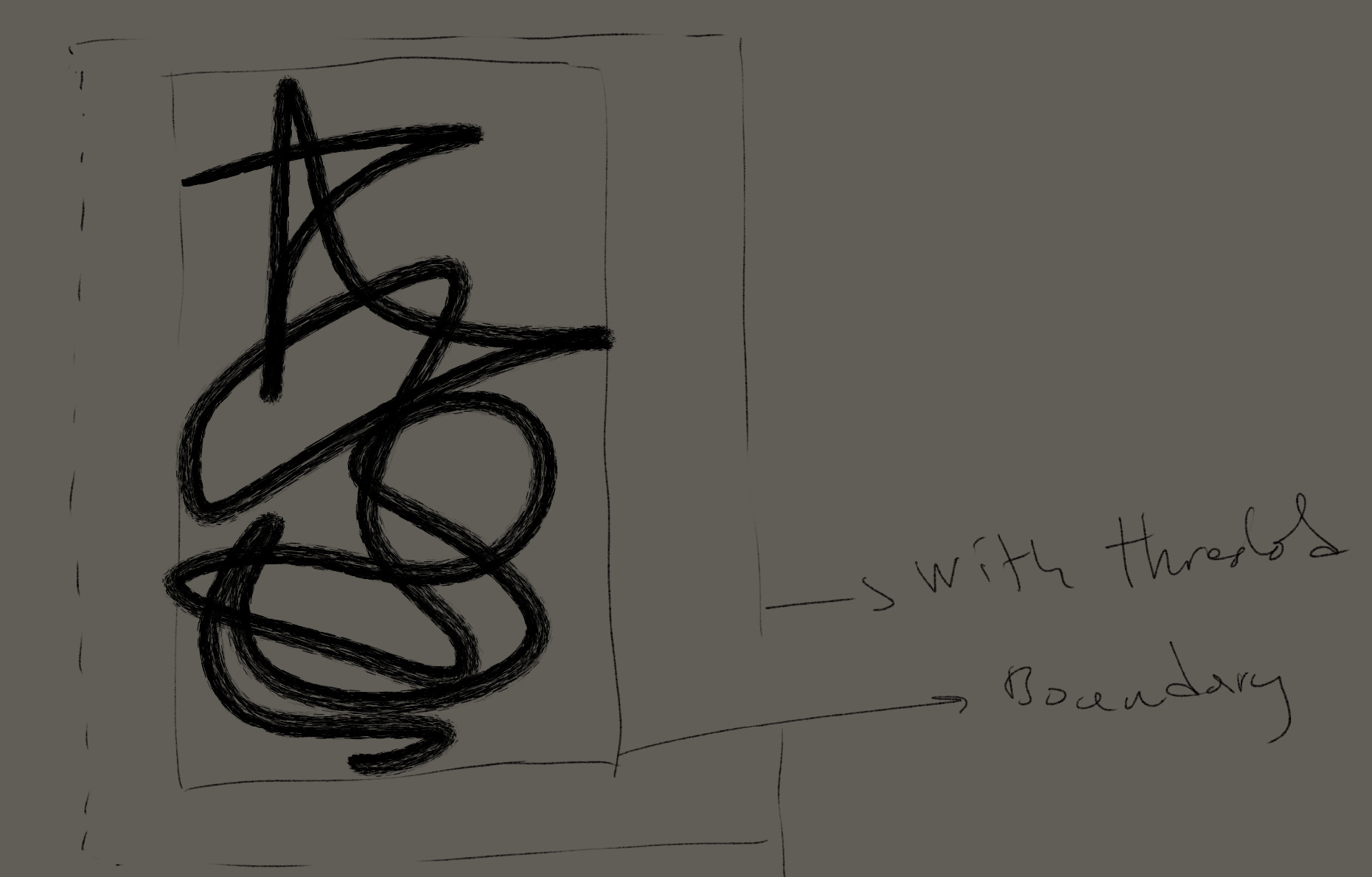
Is there a way to select the layer boundary with some threshold automatically? Maybe a plugin?
You ask for plugins, but why the heck don’t you search our section for plugins, the place where plugins reside? Do you think the plugins are hidden for the public, deep in a secret vault where you need magic spells like “open sesame, open sesame, open sesame”?


Michelist 
↓
.
.
.
.
.
.
.
.
.
.
.
.
.
But perhaps you were looking for this one?
That plugin has nothing to do with what I am asking. I am looking for a tool or a way to select the boundary of the layer, not to crop it or expand it.
I did not say it has, haven’t even tested it myself so far, but something in the back of my head said that it may be for you.
Michelist
And that is exactly why I am asking in the forum so that I can get an actually working recommendation.
Yes ctrl (cmd on mac) left-click on the thumbnail of the layer in the layer docker. It will select everything in the layer.
Maybe if you play with selection feathering etc you’ll have the threshold ? Not sure about it
That is not it, I already use it with other stuff. See my image please. Your recommendation just selects the layer and the alpha content as well, it will select boundary if your layer if full opaque with rectangular content.
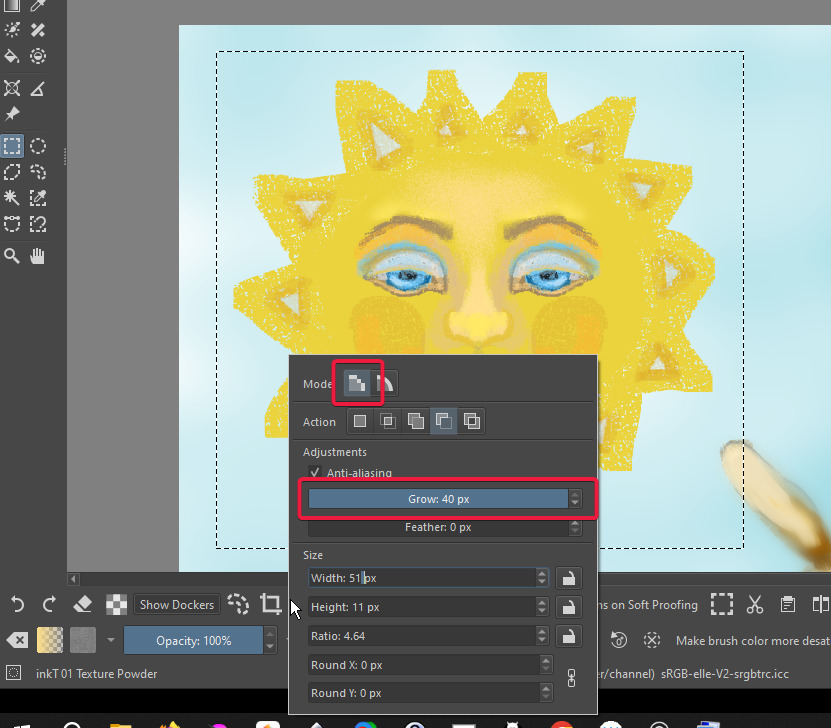
In rectangular selection you can change the selection mode to raster. That will produce a “grow” box. Mine is set to 40 which automatically adds a small margin around the original selection.
It’s not automatic and it does seem to have a 40 px limitation, but it might help you with your project.
I don’t know your use case, but when I really just want the bound, I copy the selection, and go to the create new document and create from clipboard. I get a rectangle at the exact size.
That’s an extra step, but it’s so rare for me to do that…
Yeah you can do all that but I need that in the actual document that I am working. Instead of all that I can just use the rectangle selection but I am looking for a precise pixel based bbox calculation.
Anyway thanks for the replies. It seems like this does not exists as a solution in Krita, only some stepped workarounds.
Out of curiosity what are you trying to do with the selection?
If I were to say add the functionally to my plugin to make a bounding box selections of the active layer (and such) as it already has 90% of the code required for it. Would it be satisfactory to use existing ‘grow’ ‘shrink’ ‘feather’ selection operations afterwards to dial in the desired ‘threshold’?
Couple use cases like being able to add a frame around a layer. I would be more than happy to take whatever I can from your addon if you can implement the initial functionality.
@karemuvar, done updated canvas expander (v0.1.9) now allows you to make bounding box selections with a variety of selectors (inc. active layer).
Hopefully you’ll find it serviceable for your needs, as mentioned before you’ll need to use the grow/shrink/feather/etc… actions in the selection menu if you wish to alter the selection that it makes.
Awesome, thanks that is exactly what I was looking for.
Somehow I suspected that this plugin could be (or get) interesting for you…

Michelist
This topic was automatically closed 4 days after the last reply. New replies are no longer allowed.