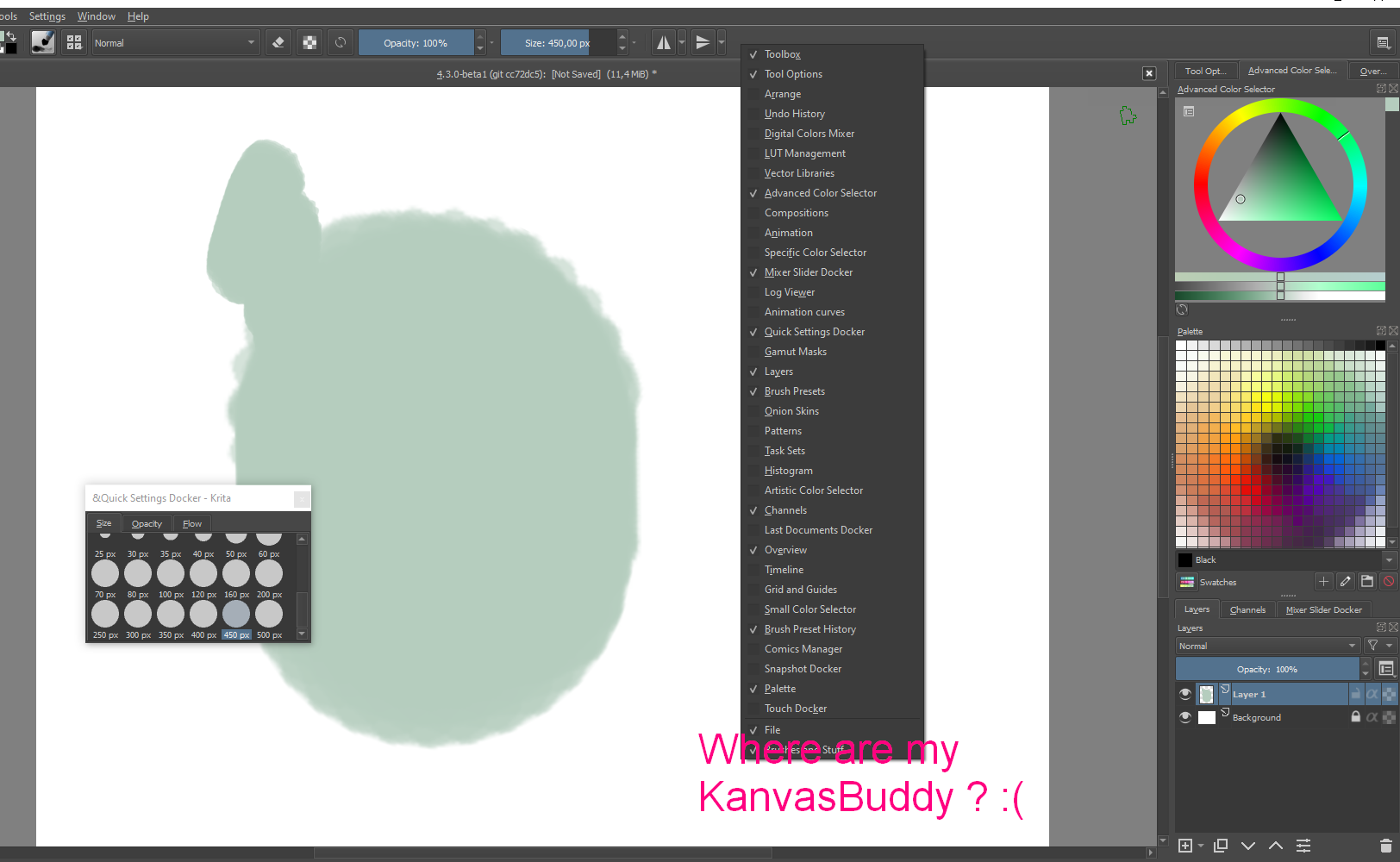
Changing the boolean values in the config.ini file lets you customize what actions/sliders/dockers KB contains The screenshot is of KB with every feature enabled.
And as @malle_yeno very nicely demonstrated, with a little bit of know-how it’s not very complicated to add in even more features from Krita
As far as I know, I think it’s possible to add every single canvas action to KB. It would involve adding the action id to data.json, and then adding the ID for the object you made in data.json to config.ini. It’s essentially what I showed in my post, but you have to find out what your action is actually ID’ed as (which is totally possible, but I’ll admit that it took me like an hour or two to find out how, and I already forgot how I did it )
Another thing that I found tricky was finding out what the default icons Krita comes with are ID’ed as. I ended up just googling it and finding a github repo for a different project that had a folder with the icon IDs, haha. Of course, you don’t necessarily need a unique icon for each action (you can just copy the icon ID from a previous action), but I find it much more navigable to have it with unique icons.
Hi, may I ask the author about this plugin? I copied KB script to proper place in Krita and then turn it on in Krita’s python settings, but then it doesn’t show as one of the addons availble. :o
Why and what should I do?
@Grum999 Thanks for fast reply, but the problem is KB doesn’t show up after several restarts of Krita. I don’t know what’s going on. :o
Krita version is 4.3.0-beta1 (night stable fixed build).
But I don’t know (but I think) if it’s a technical choice from @Kapyia due to the fact the KB window have to be displayed in full canvas only mode (this is the goal of the plugin ) and a proper docker, I’m not sure that it can be visible in canvas only mode… never tested this kind of plugin for now
But in any case, going in the menu is the way to display the plugin
@malle_yeno Could you provide these two files (ready-made) ?
I am no programmer and when trying to change in the way you descibed, I got nasty error in Krita, that says “JSONDecodeError: Expecting “,” delimiter: line 97 column 9 (char 2696).”
No idea what to fix in order to not to do it even worse[r] …
Sure! My apologies, it would have made sense for me to actually put these files in my original post rather than just describe my process
So just to make sure everything’s right:
You don’t have to do anything to data.json. Just put it into the kanvasbuddy directory and replace the old one.
Config.ini has the three things I made set to 1. If you don’t like them, or you want to turn on other modules, change the 1s to 0s to turn them off, and vice versa to turn on.
I’ve just downloaded and installed it. All the functions seem to be working as intended, and overall it’s definitely a cool thing! - I have a feeling I’ll be using it frequently
I’m experiencing a problem with moving the KB around though. When I click and drag, it shakes/judders and lags far behind the cursor. I’m not sure if anyone else has mentioned the same issue - I scanned through the thread but didn’t spot anything. I tried clicking the pin icon but that didn’t seem to change anything. I’m using it on Linux (mint cinnamon).
Also - is there any way to resize the buttons? I find the bottom row a bit of a strain!
Hey, I noticed an interesting thing with KanvasBuddy. It doesn’t seem to use Krita’s defined maximum brush size for the size slider.
I was trying to make it so the size slider would be more fine tuned at smaller brush sizes (since I use 5-8 px brushes a lot, and I found that it’s hard to change them in the KB interface at these sizes because the entire slider represents 1000px). I figured that if I made Krita’s maximum brush size smaller, then KB would adjust the slider to size increments, thus making it easier to navigate smaller brush sizes.
What’s interesting is the KB’s size slider is locked to 1000px, even when the maximum defined brush size is smaller. And, the KB size slider allows you to exceed the maximum brush size as well! I had my Krita instance set to 300px max, but I could still go to 1000px max and draw with a brush that big.
@Mythmaker
Interesting. I haven’t tested it on Mint personally, so I’ll look into it whenever I have the time! The only time I did see this problem was when running Linux on a vm, but I assume your aren’t are you using some kind of UI scaling on Mint?
@malle_yeno
I’ll be honest, I completely forgot this was a setting in Krita…
Thankfully there is a way to read Krita’s settings in the API, though I have to say that the method to do is very unintuitive. I’ll make sure to update KB to actually read the setting when I have the time!
In the mean time you can manually change this in kbsliderpresets.py.
The class is called KBSizeSlider (should be the first one in the script) and you can change the initialized max from 1000 to whatever value you like you might also like to crank the value in “self.setScaling(3)” up to 4 if you need even more granularity in the lower value ranges! (3 is what Krita uses normally though)
VM = Virtual Machine, which is a software that pretends to be a computer so you can test software on it. If you don’t know what that is then you’re probably not using one
When using a hi-res monitor (we’re talking something like 4K and upwards) software typically has to be scaled up in size to account for the much smaller pixels. This is referred to in Krita as Hi-DPI support.
Now, I’m pretty sure this shouldn’t be a problem, and that KB inherits window-scaling from Krita. I’ve tried KB on a higher resolution monitor with no problems before (though the computer ran Windows 10). But my thinking was that if the OS and KB/Krita have different ideas about how large a pixel is on the screen, things wouldn’t move around the same.
 The screenshot is of KB with every feature enabled.
 )
)



 ) and a proper docker, I’m not sure that it can be visible in canvas only mode… never tested this kind of plugin for now


 are you using some kind of UI scaling on Mint?
 I mean - I don’t really know what you’re on about, but no - I don’t think so!