Yes this is an issue and this is reported here - 473429 – New start screen in 5.2 Beta adds extra steps to docker plugins that create a new project and here 473064 – Boot with no dockers and Plugins ( Comic Book Manager and Log Viewer )
4 Likes
Ah, cool, thanks!
The macOS version of RC1 has been reuploaded, it should be signed and universal now. (Works for me.)
3 Likes
@Papernoise and @emilm check the mac os installer
2 Likes
Awesome. Runs fine for me as well. 

May i request you to test ffmpeg and audio import/scrubbing etc? We as in KA community, have not yet tested it on mac
Looks like builtin ffmpeg still crashes when exporting a timelapse recording on macOS RC1. It works fine with my own build, maybe outdated dependencies were used?
As for the animation audio, it seems to work as well as on other OSes.
I think there’s a minor issue with crackling audio if the audio is mono.
Something I just noticed, though, is when I reloaded a 2FPS animation it didn’t actually use that framerate as displayed, until I modified the FPS again. That seems worthy of investigation.
There’s also a crash on exit if audio has been loaded, I’m not sure if it’s the same one that had been reported before.
Backtrace
Thread 0 Crashed::  Dispatch queue: com.apple.main-thread
0   ???                           	       0x29d9bf3e8 ???
1   libmlt++-7.7.9.0.dylib        	       0x1065a3664 Mlt::Consumer::is_stopped() + 36
2   libkritaui.20.0.0.dylib       	       0x10465a8c8 KisPlaybackEngineMLT::Private::cleanupConsumers() + 28 (KisPlaybackEngineMLT.cpp:172)
3   libkritaui.20.0.0.dylib       	       0x10465b0f0 KisPlaybackEngineMLT::Private::~Private() + 24 (KisPlaybackEngineMLT.cpp:138)
4   libkritaui.20.0.0.dylib       	       0x104658380 KisPlaybackEngineMLT::Private::~Private() + 4 (KisPlaybackEngineMLT.cpp:137) [inlined]
5   libkritaui.20.0.0.dylib       	       0x104658380 QScopedPointerDeleter<KisPlaybackEngineMLT::Private>::cleanup(KisPlaybackEngineMLT::Private*) + 8 (qscopedpointer.h:60) [inlined]
6   libkritaui.20.0.0.dylib       	       0x104658380 QScopedPointer<KisPlaybackEngineMLT::Private, QScopedPointerDeleter<KisPlaybackEngineMLT::Private>>::~QScopedPointer() + 12 (qscopedpointer.h:107) [inlined]
7   libkritaui.20.0.0.dylib       	       0x104658380 QScopedPointer<KisPlaybackEngineMLT::Private, QScopedPointerDeleter<KisPlaybackEngineMLT::Private>>::~QScopedPointer() + 12 (qscopedpointer.h:105) [inlined]
8   libkritaui.20.0.0.dylib       	       0x104658380 KisPlaybackEngineMLT::~KisPlaybackEngineMLT() + 36 (KisPlaybackEngineMLT.cpp:319) [inlined]
9   libkritaui.20.0.0.dylib       	       0x104658380 KisPlaybackEngineMLT::~KisPlaybackEngineMLT() + 36 (KisPlaybackEngineMLT.cpp:318) [inlined]
10  libkritaui.20.0.0.dylib       	       0x104658380 KisPlaybackEngineMLT::~KisPlaybackEngineMLT() + 52 (KisPlaybackEngineMLT.cpp:318)
11  libkritaui.20.0.0.dylib       	       0x1045ef90c QScopedPointerDeleter<KisPlaybackEngine>::cleanup(KisPlaybackEngine*) + 16 (qscopedpointer.h:60) [inlined]
12  libkritaui.20.0.0.dylib       	       0x1045ef90c QScopedPointer<KisPlaybackEngine, QScopedPointerDeleter<KisPlaybackEngine>>::~QScopedPointer() + 20 (qscopedpointer.h:107) [inlined]
13  libkritaui.20.0.0.dylib       	       0x1045ef90c QScopedPointer<KisPlaybackEngine, QScopedPointerDeleter<KisPlaybackEngine>>::~QScopedPointer() + 20 (qscopedpointer.h:105) [inlined]
14  libkritaui.20.0.0.dylib       	       0x1045ef90c KisPart::Private::~Private() + 196 (KisPart.cpp:101)
15  libkritaui.20.0.0.dylib       	       0x1045e9a94 KisPart::Private::~Private() + 4 (KisPart.cpp:100) [inlined]
16  libkritaui.20.0.0.dylib       	       0x1045e9a94 KisPart::~KisPart() + 100 (KisPart.cpp:189)
17  libkritaui.20.0.0.dylib       	       0x1045e9fd4 KisPart::~KisPart() + 4 (KisPart.cpp:176) [inlined]
18  libkritaui.20.0.0.dylib       	       0x1045e9fd4 KisPart::~KisPart() + 12 (KisPart.cpp:176)
19  libkritaui.20.0.0.dylib       	       0x1045ef680 (anonymous namespace)::Q_QGS_s_instance::innerFunction()::Cleanup::~Cleanup() + 24 (KisPart.cpp:85) [inlined]
20  libkritaui.20.0.0.dylib       	       0x1045ef680 (anonymous namespace)::Q_QGS_s_instance::innerFunction()::Cleanup::~Cleanup() + 40 (KisPart.cpp:85)
21  libsystem_c.dylib             	       0x199581ec4 __cxa_finalize_ranges + 476
22  libsystem_c.dylib             	       0x199581c4c exit + 44
23  libdyld.dylib                 	       0x1996dc554 dyld4::LibSystemHelpers::exit(int) const + 20
24  dyld                          	       0x19936bf7c start + 2320
1 Like
Sure. With a new kritarc it points to the new internal ffmpeg. Otherwise it’s still the old setting.
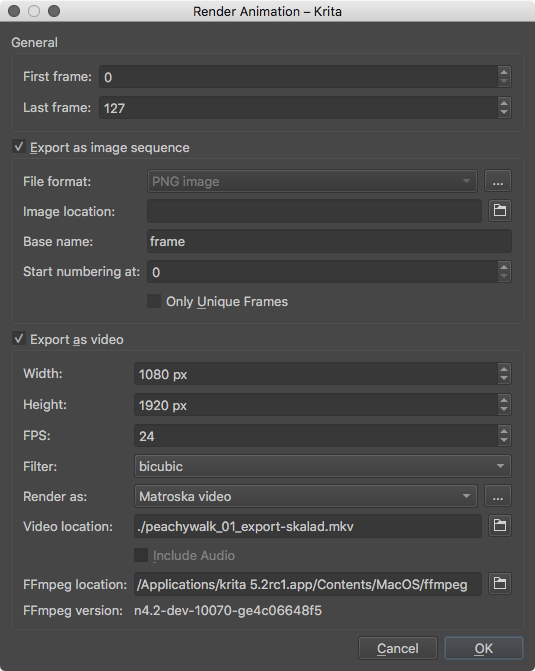
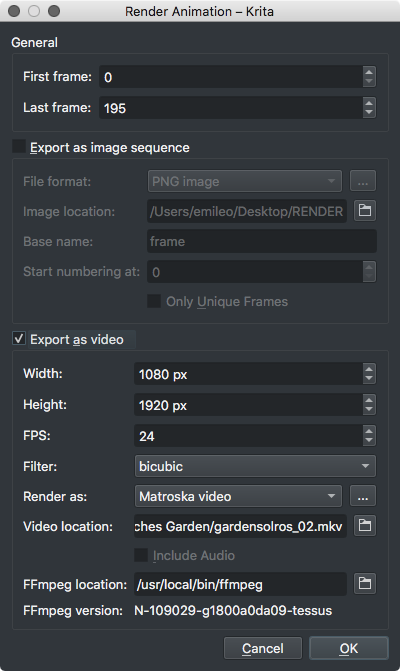
Both renders fine.
Audio scrubbing works great on my test file.
That particular file had trouble rendering for some reason though. (Same result with both internal and external ffmpeg.) I could export with the same audio file when creating a new krita document.
[image2 @ 0x7ff1e7000000] Could find no file with path '/Users/user/Desktop/namnlös mapp 2/frame%04d.png' and index in the range 0-4
/Users/user/Desktop/namnlös mapp 2/frame%04d.png: No such file or directory
Yes that is supposed to be work like that. I wish it removed the older ffmpeg but then it is a user setting so deleting it would be bad precedent I think. May be there can be a note syaing you need to clear out older ffmpeg.
1 Like
@freyalupen @raghukamath It’s working now! Thanks for the quick fix!
1 Like
I also had a problem rendering an animation but I’m running Linux. The thing is it creates the file with name and extension but fails to open it and in the properties says 0kb. Had to move back to 5.0.2
What is the dimension of your image or animation is it over 4k? Which format did you choose?
1080 x 1080 and tried both matroska (which seems now default?)and mpeg4
Hmm I could export a timelapse correctly. I will try with animation. If it a reproducible issue we may need to report it.
I found three problems in this build;
-
The text tool doesn’t accept accented letters (I’m using extended UK layout, meaning I first press ` and then a vowel to achieve things like àèìòù)
-
Some fonts don’t render (example: Komika Hands)
-
The krita home doesn’t allow me to spawn the dockers using my “show dockers” shortcut of preference; I have to either a) open a document or b) go window>workspace>select my workspace to have them spawn. Because of this I am unable to open a comic project until I do one of these two, in order to show the comic manager docker
All of them work as intended in 5.1.5 linux appimage
2 Likes
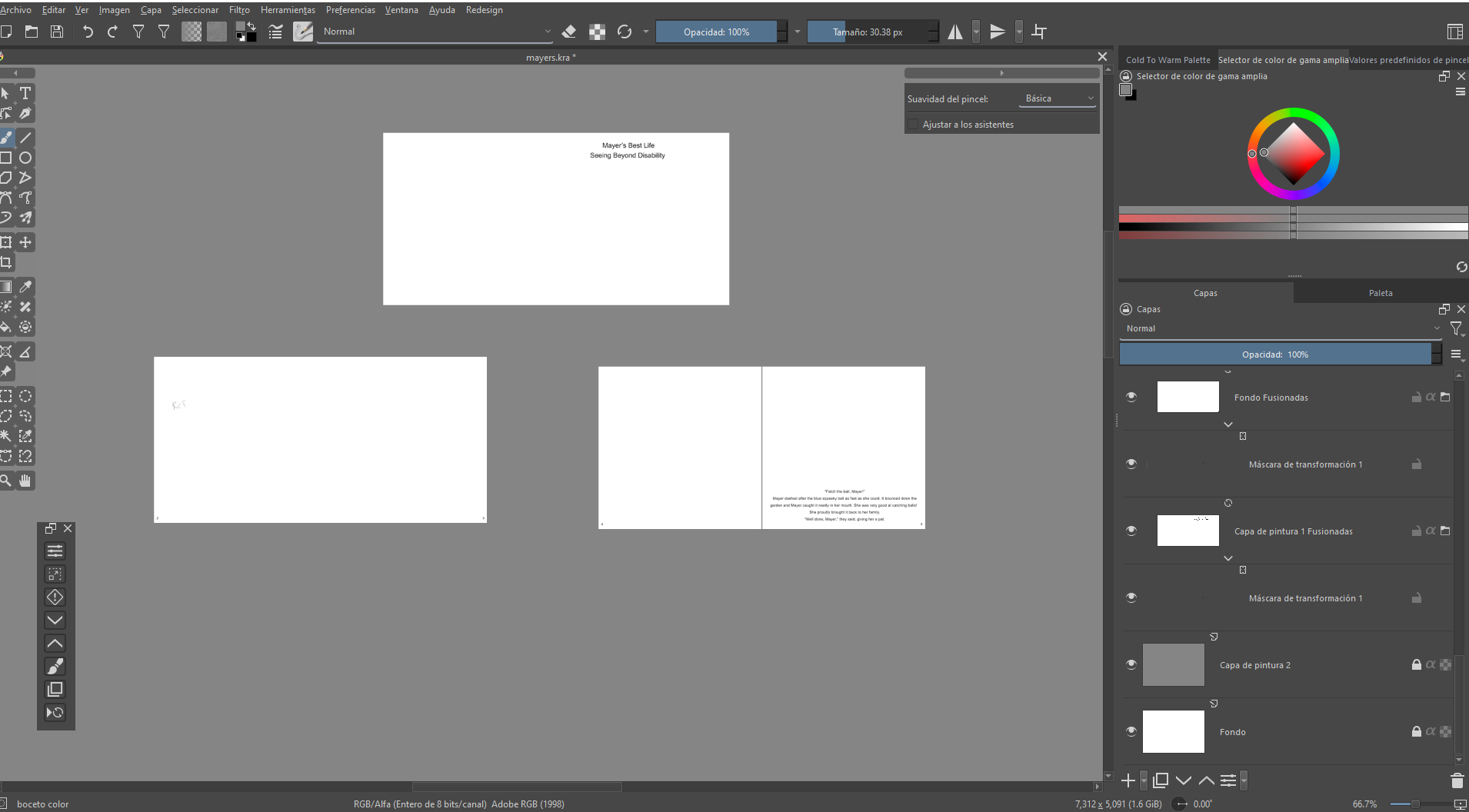
Krita closes if i copy and paste a transform mask:
Hello! Here’s another bug I found. I’m working on the storyboard for a book, so each frame is a file layer. The original files are at 350 DPI, and the file I’m using for the storyboard is at 150 DPI. To arrange these file layers (move them and resize them), I have to use the transformation mask. Krita closes when I copy the mask (Ctrl + C) and then paste it onto another layer (Ctrl + V). If I do this procedure manually, without shortcuts, it doesn’t close.
Im using the portable version for Windows 10
1 Like
Confirmed, and I’ve filed a bug report: 474673 – Pasting Transform Mask with shortcut crashes
1 Like
Brush size slider in toolbar allows for one change in size, then just locks you into the current size. Can change size with hotkey but after the hotkey for brush size is released then the stylus is lifted from the tablet, the size of the brush still adjusts a bit. For instance:
Hold down hotkey and drag stylus, adjusting brush to 3.0. Release hotkey, pick up stylus, brush adjusts up to 3.13.
Will this affect the way brushes are saved and store? The reason I am asking is that I want to make sure I wont loose my brushes for 5.1
No brushes will not be affects. But to have a peice of mind just back up your resource folder and setting files.
1 Like