In another thread the HUION 24(4K) was discussed. Its colors where one topic there. As I use that pen display as well, I wrote about my experience. I thought this might be of interest here as well (I had to use various tricks to make the Huion usable for somehow accurate sRGB colors - it was not just to create an ICC profile).
(the other thread: Huion Kamvas Pro 24 (4K) – sharing my experience - #20 by Papernoise)
My 2 cents:
The good:
- The 24 (4K) is nice for drawing.
- Pen works and feels well (I use the grey “paper-like” nibs and like them)
- Driver runs without issues on Win 10 and 11 (both wintab and windows ink work for me). I use Krita with windows ink and Affinity Photo with wintab. No issues at all. Same for other software I use.
- Parallax is so good that I am not bothering about it anymore.
- Slows lines don’t show wobble.
- Pressure works well.
- Tilt works well (though I had to adjust the brushes to my preferred setting to get the desired effect)
The bad (see also: “The solution” below):
Color accuracy is bad - I mean really bad.
I am not having the issues @Papernoise mentioned. My panel is quite uniform.
BUT:
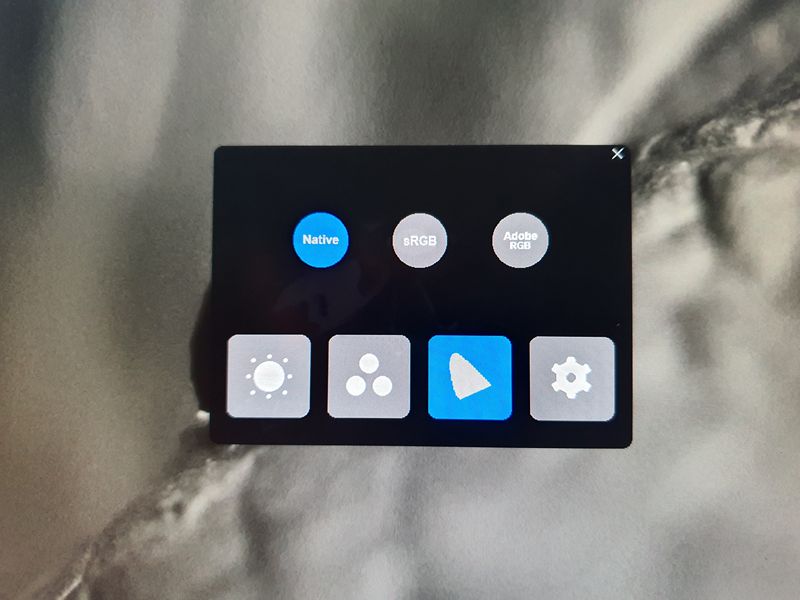
I mostly work in the sRGB color space and the preset for that, which can be selected in the Huion’s on screen menu, is way off. The RGB primaries are to saturated and way to bluish. The problem is that once that preset is selected I can’t change the rgb channels individually (and also not in ADOBE rgb preset).
Trying to solve this with a custom ICC profile did not lead to a good sRGB representation because the primaries are so far off that compensating this is nearly impossible.
The solution:
In the end I did the following:
- I set the Huion to “native” (that means the rgb primaries are using the display’s native ones and not a bad sRGB representation and the display uses its native whitepoint)
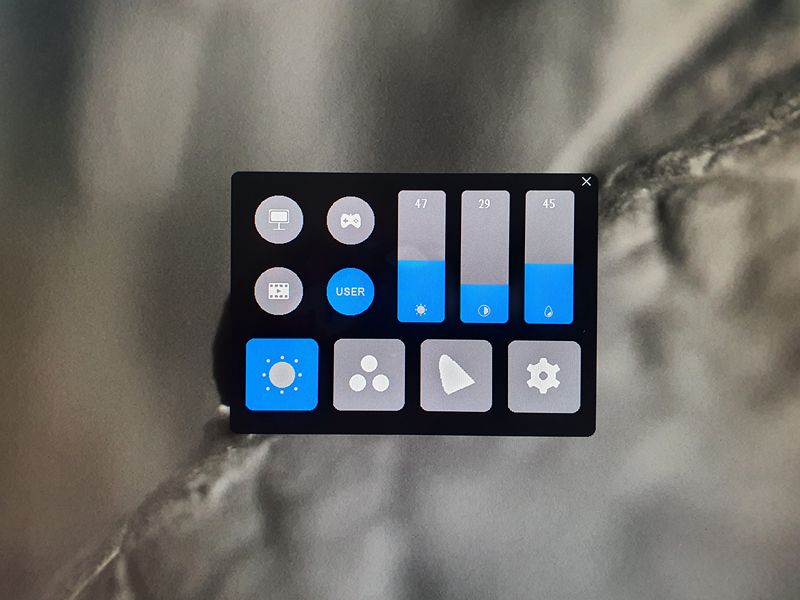
Advantage: in this mode I can adjust the individual rgb sliders
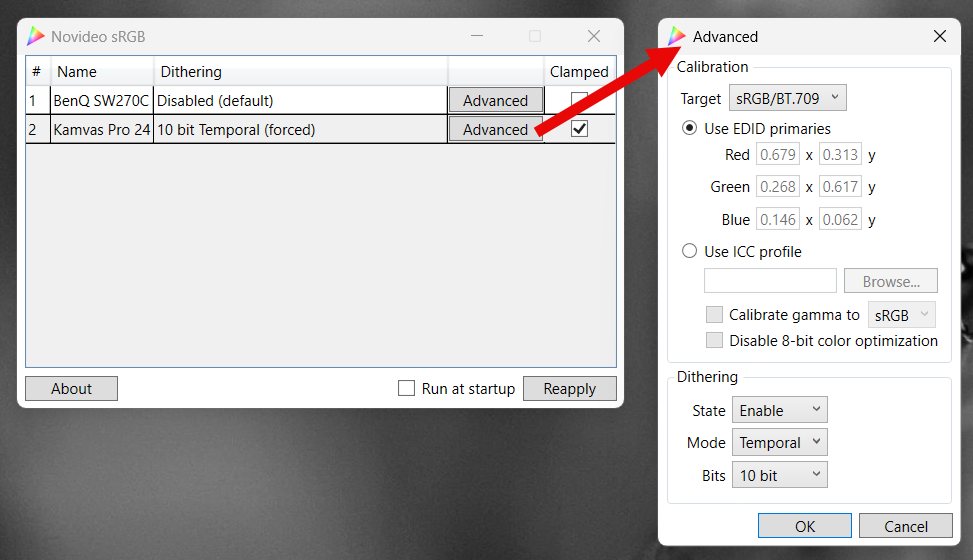
Problem: the display is now in wide gamut (super saturated colors which is also not suitable for sRGB) - But there comes the little free open source tool called “novideo srgb” to the rescue (at least for Nvidia gpus).
GitHub - ledoge/novideo_srgb: Calibrate monitors to sRGB or other color spaces on NVIDIA GPUs, based on EDID data or ICC profiles
It uses a hidden Nvida feature that allows to take native rgb primaries as input and converts those primaries into sRGB ones. This happens on the GPU side and does not need any calibration etc.
It “knows” the native rgb values from the EDID data of the display (luckily Huion writes somehow accurate data in its 24(4k) data. - So the 24 is now in its native wide gamut state but the gpu is converting that to sRGB primaries on the fly.
Of course that is still not really good. The colors are still off. - Next step was to adjust the individual rgb channels with the on screen settings. I did this visually. On the right side I had my main dektop monitor as a reference and on the left my 24. I adjusted the Huion until I got a match as close as possible. To help me I used the free software “displaycal”. This one can use a colorimeter device and show the result of the rgb adjustments as a graph in realtime. I used that to get close to my desired candela and whitepoint. Now the colors and whitepoint became better.
- Last step then was to create a custom ICC profile with displaycal.
https://displaycal.net/
Once I loaded that into Krita (and the Windows color management for other software) I had a Huion 24(4K) that is a quite good sRGB device.
I know this is a convoluted workaround but it works for my sRGB workflow.
Here is a screenshot of the Huion’s colors compared the desktop monitor reference.
(note, it also shows the difference of setting Krita’s display preference to sRGB (which is wrong) instead of to the correct custom ICC profile - see this thread for more details: Krita display ICC profile information - simplified - #4 by cgidesign
EDIT:
One more note: The 24(4K) really needs “warmup” time. After switching it on, it shows a “warmer” reddish tint. That goes away once it got to operating temperature. I didn’t use a stopwatch but guess that 15 minutes are ok.