This seems like such an absolutely phenomenal layer blending mode concept. Struggling with correctly applying both shadows and highlights while maintaining correct values and blending the different light source colors together on top of a multicolored base layer has been an absolute nightmare for me for years now. I don’t think I’ve been so excited for a concept to crop up for Krita since they announced animation tools.
By default I always work in 16 bit, just because I’ve ran into that color banding you brought up before. So I’m definitely going to give your workaround a try in the meantime.
That being said, it does have a problem. While it’s true a lot of 3d programs calculate in this way, any object is still limited in luminosity to exactly double what its base color is, while 3d programs can easily go over that if the lights add up to more than ‘2’ luminosity.
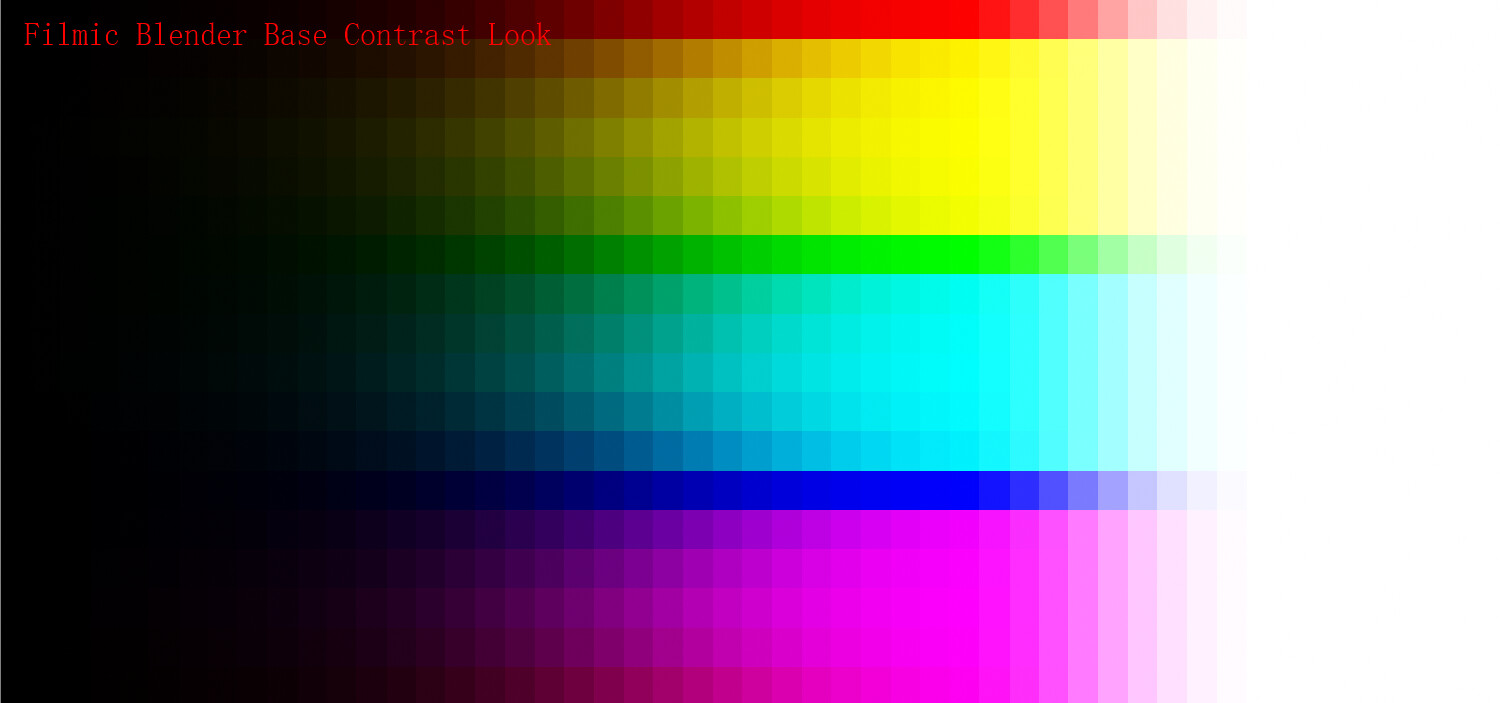
In order to truly simulate light in a blending mode, we would need to be able to fully expose the ‘camera’ with (nearly) any light color on (nearly) any base color. The color progression would go from black -> base color x light color -> white
Below is an example of a white light shining on a red ball in increasing intensity. Notice that as it overexposes the camera, it turns white. Something this blending mode alone wouldn’t be able to reproduce.
I would absolutely love if we could eventually emulate this kind of light calculation in a blending mode, or go even further.
I think Blender Filmic does something similar, but it’s not a “blending mode” as far as I know. But maybe it can be integrated to work as such somehow.
Do you have moments when you want to show something to others, but you don’t know how to present it better and try to make a picture for an hour? For the sake of my curiosity…
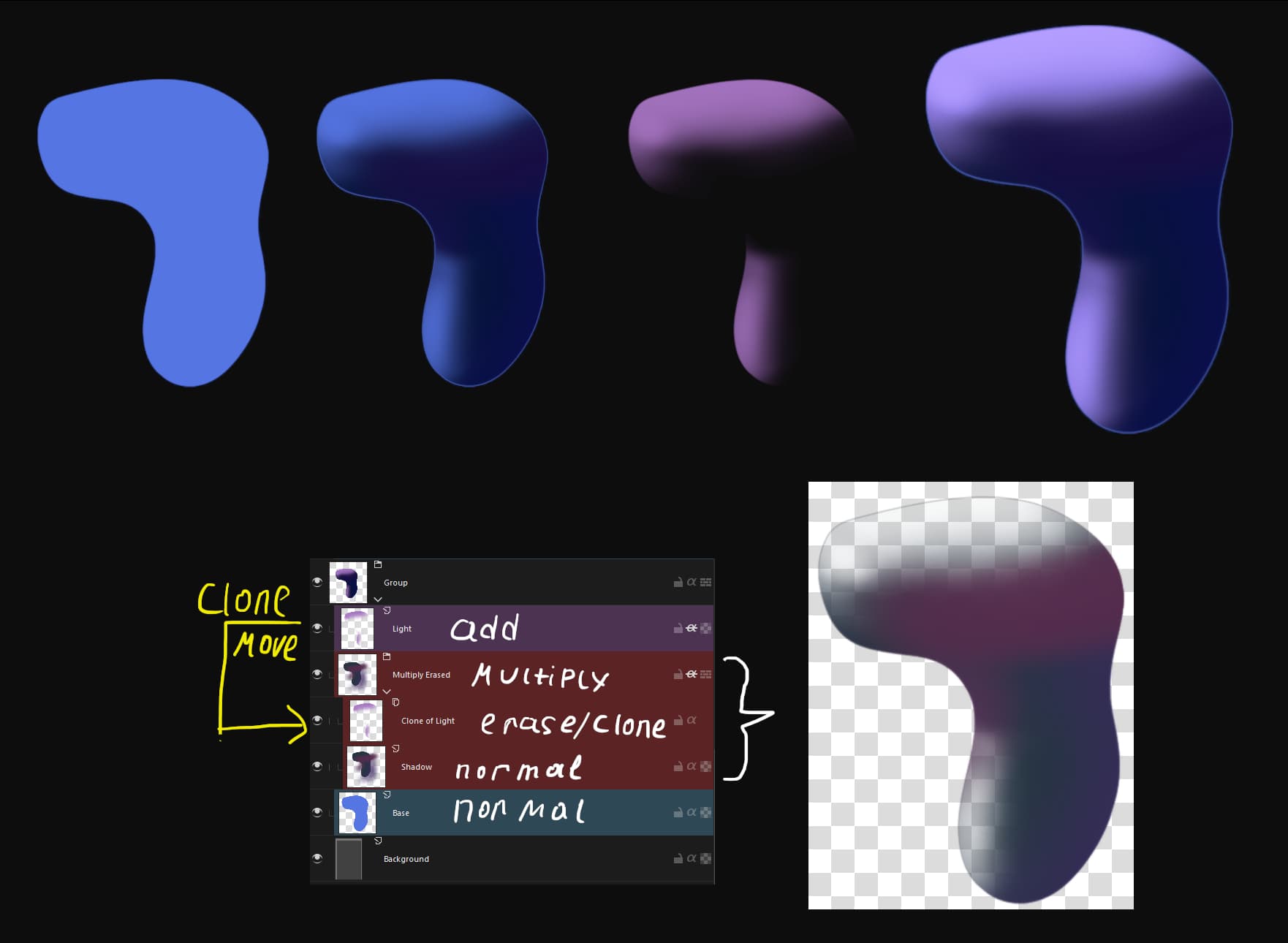
In general, you can draw with two blending modes at once so that they do not overlap (almost(maybe)). You can create a clone layer of a layer with light. And with it, cut out area of light from a layer with a shadow. So… There is a basic silhouette. Over this shadow group in multiply. The group has a layer with a shadow color in normal mode. Above this is a clone of a light layer in erase mode. And above the group is a layer with light.
However, there are some problems. It’s strange. And Krita incorrectly transforms and moves a clone layer. You will have to create a clone layer every time you change a shape and position.
Ideally, you should only draw with light. The shadows will appear by themselves. That’s how light works. But that’s another topic.
My bad if this wasn’t possible at the time and was added in an update after the time of this post, but have you guys considered using 16bit float, and only using a single multiply blend mode ?
If the color is less than white (<1.0), it’ll reduce the color of the layer underneath. (e.g. 0.5 * 0.5 = 0.25)
If the color is instead more than white (>1.0), it’ll increase the color of the layer underneath. (e.g. 0.5 * 1.5 = 0.75)
This is the approach I’ve been using for a while. And if I’m not mistaken, that should have been possible as far back as around late 2020.
Would there be any advantages to the techniques described in this thread still ?