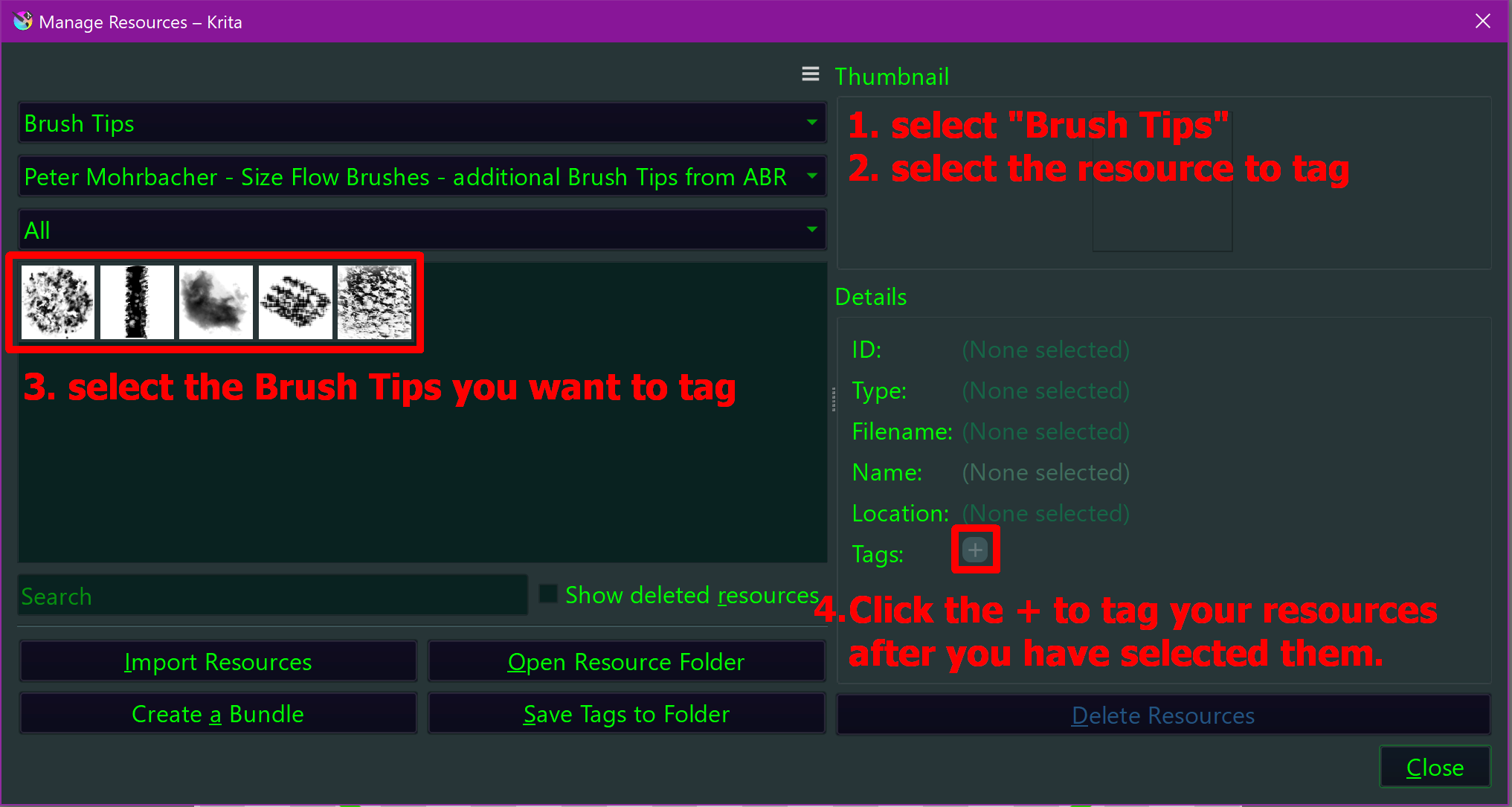
In Settings > Manage Resources... you can bulk tag brush presets, brush tips, gradients, and so on. Simply select the resource type you want to tag in the first drop-down menu, then select the resource pool from which you want to tag the selected resource type in the second drop-down menu, and then you can select the resources you want to mass tag in the window below, and then, on the right side of that dialog, you can tag them.
The resource management dialog explained:

How to apply tags 1:
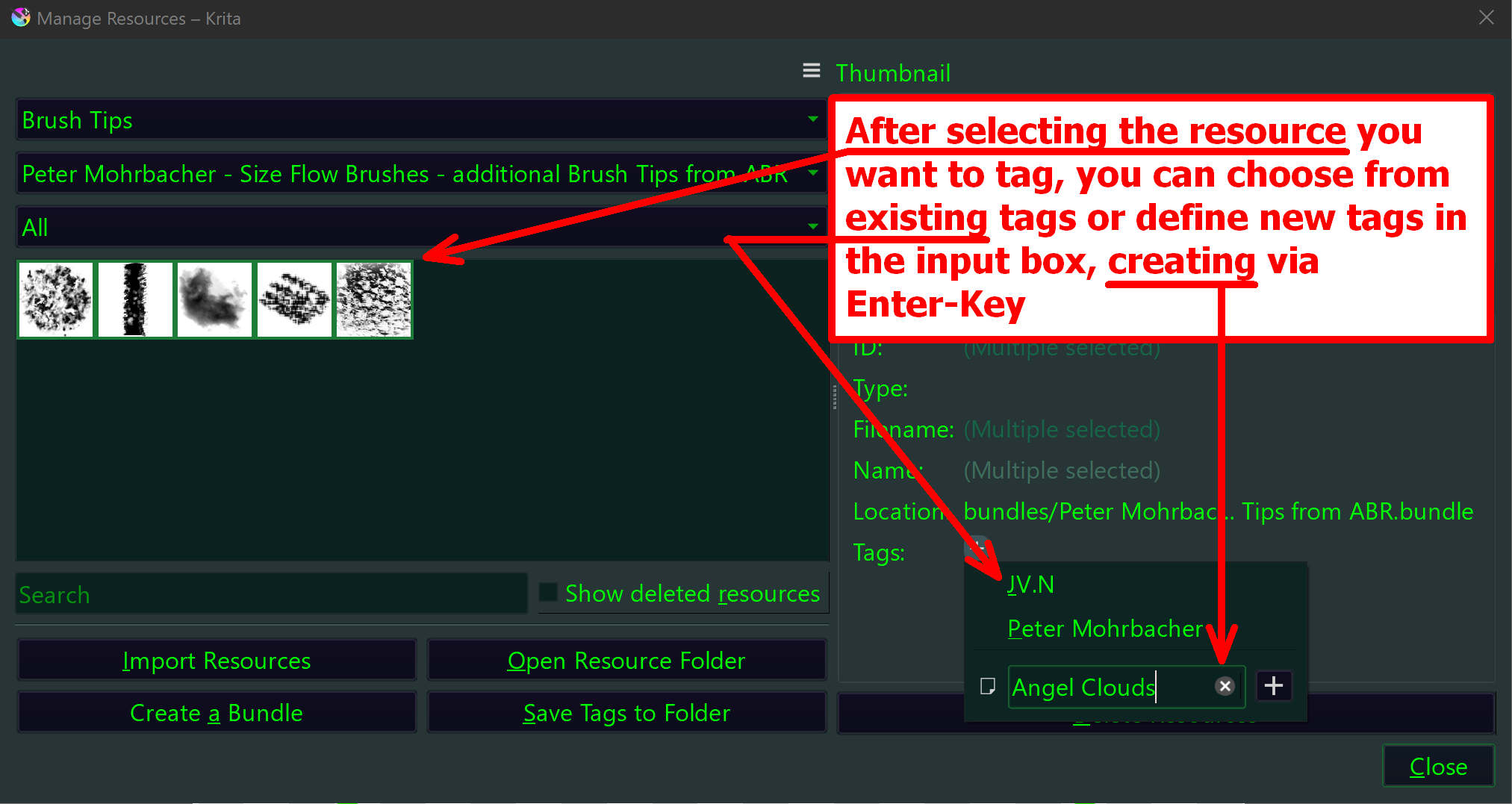
How to apply tags 2:
This shows which resource holds which tags:
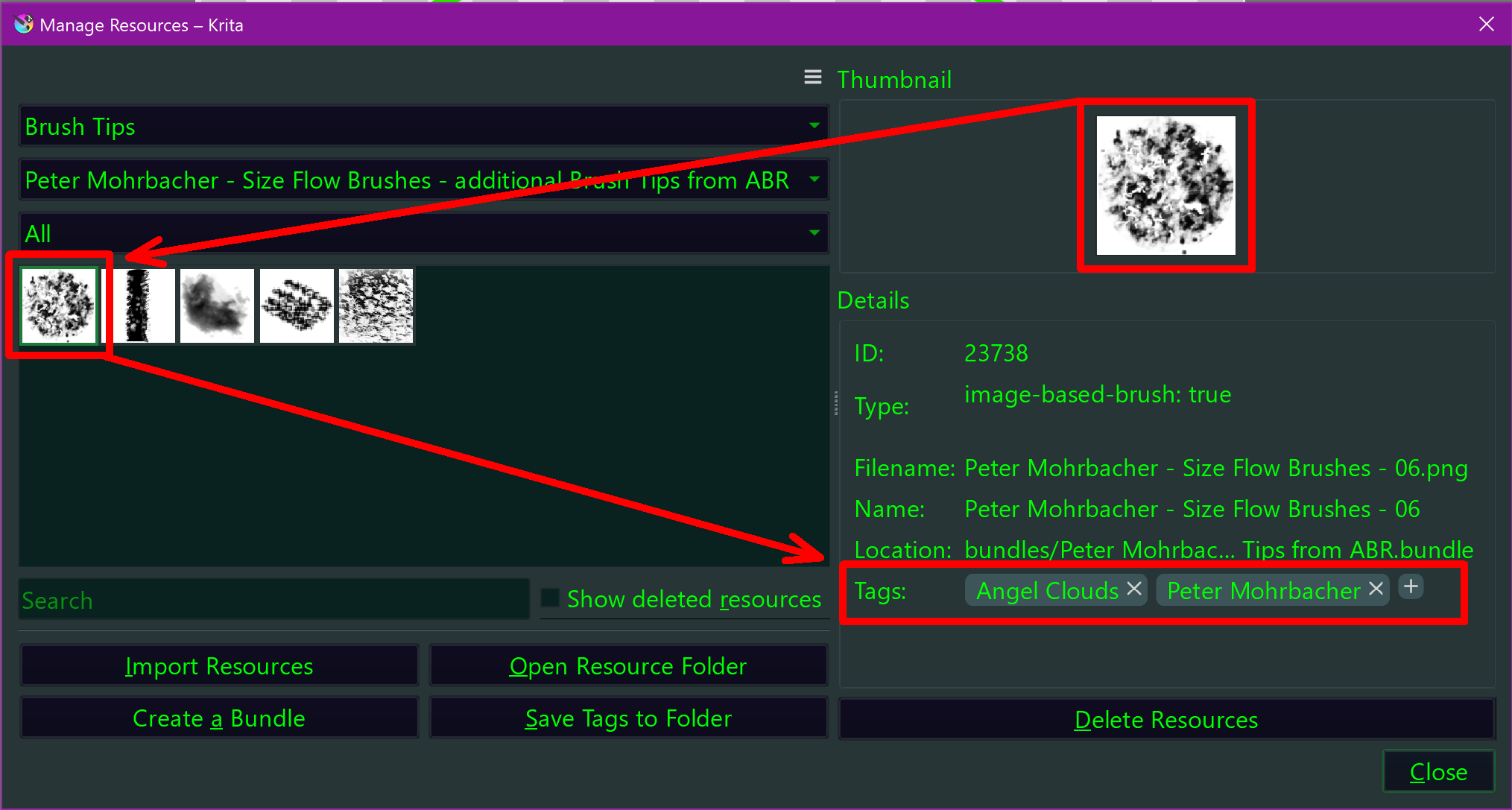
This dialog can perform all tagging you need, adding, removing, one resource or many resources at once makes no difference.
And the best: the forum search has lots of hits on how to do this, because we described it more than once, I can not even recall how often I alone did it, not to mention all the other users describing it.
Michelist