I don’t think it’s a memory issue. Usually when something like this happens it’s either a weird blending mode that was activated somewhere (like behind or something), hiding or masking all the other layers and putting a merged image in front that was maybe created at some point.
Check if all the layers have their correct blending modes. You can make it easier by setting the layer info to detailed
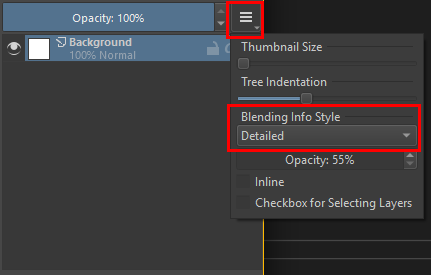
That way you don’t have to check each layer one by one and can see the blending modes in the layers docker under the layer name.
Or a layer accidentally was added as a reference image, covering the whole canvas.
Activate the Reference Image tool

And check the tool options docker. There shouldn’t be any images.

In you video I can see the thumbnails of the layers updating, so it looks like for some reason something is covering the whole canvas. The top of the layer stack is not visible so I can’t say it’s a layer. But it having a reference image is a common mistake since those are not visible in the layer stack, because they are not part of the actual image.