You need to flip your wave image. Depending on how you’ve made your brush tip, will depend on the method you can use to do this. When I’m making a brush tip designed to actively connect one end to the other, I tend to offset the image, so that the point each stamp will point at, will be the center of the stamp (I describe this in more detail here: Beads & chain brush - Resources / Brushes and Bundles - Krita Artists). If you’re doing that, you’ll need to flip the wave image and then create a new brush tip of it. If you’re not offsetting the image, then you might get away with using the “Mirror” option in the brush editor, to flip the stamp.
I figure @Solution-Beast is on the right track. Normally, the first stamp can take an odd angle when following an assistant tool (especially when offsetting the stamp, as I do). To counter it, I normally set a Distance parameter in the Opacity option, so that Krita won’t place a visible stamp, until I’ve moved my cursor more than a few pixels. This keeps the first stamp invisible, so it only begins placing visible stamps once the line has a chance to adjust to the assistant tool. You can see the settings I’ve set up, in the attached.
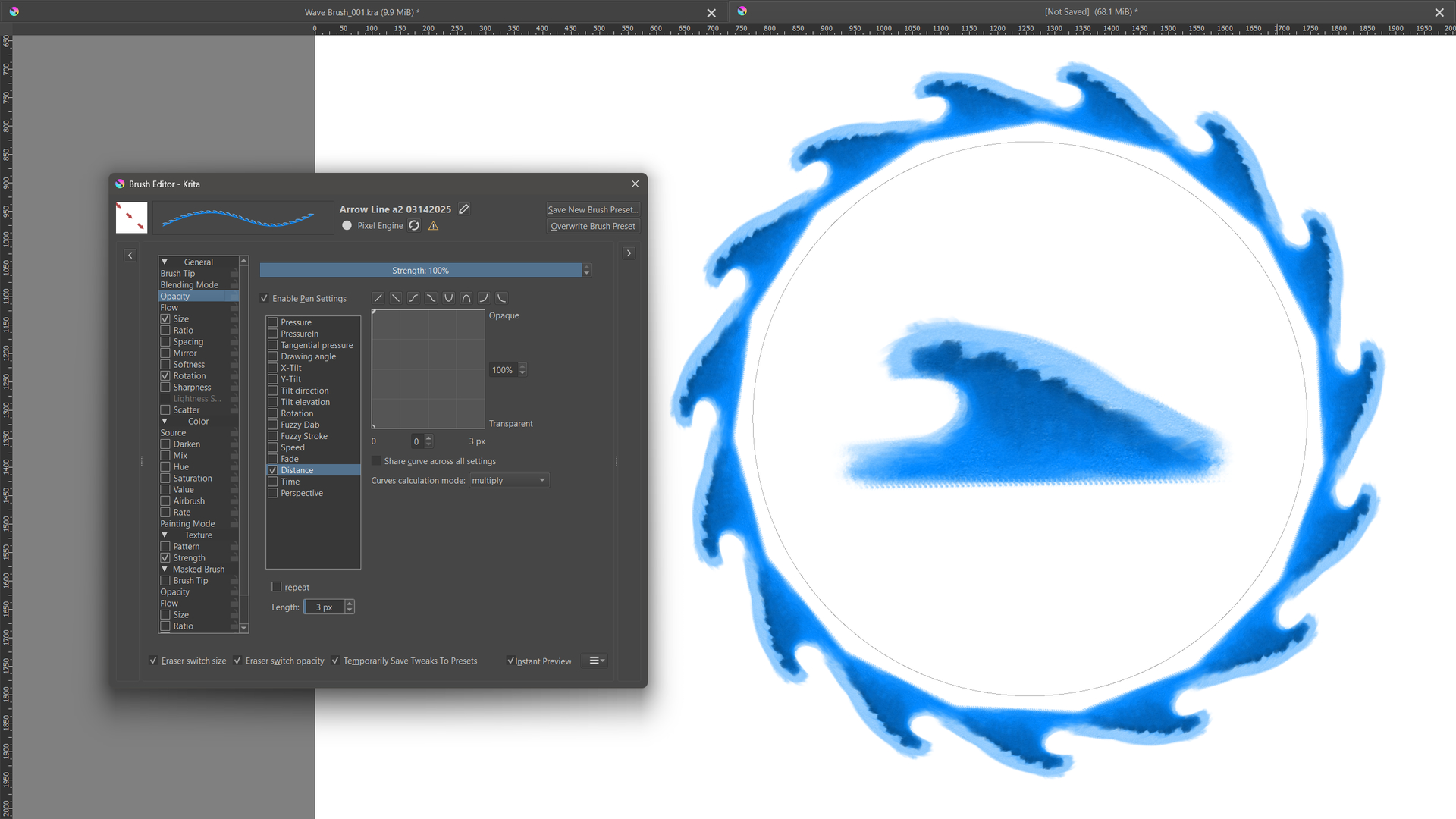
(Edit) - Here’s a PNG of the brush tip I made for this example, if you’d care to try it.