@raghukamath @Rebecca I have updated the editor widget drag decoration as you have suggested. I think it works really well!
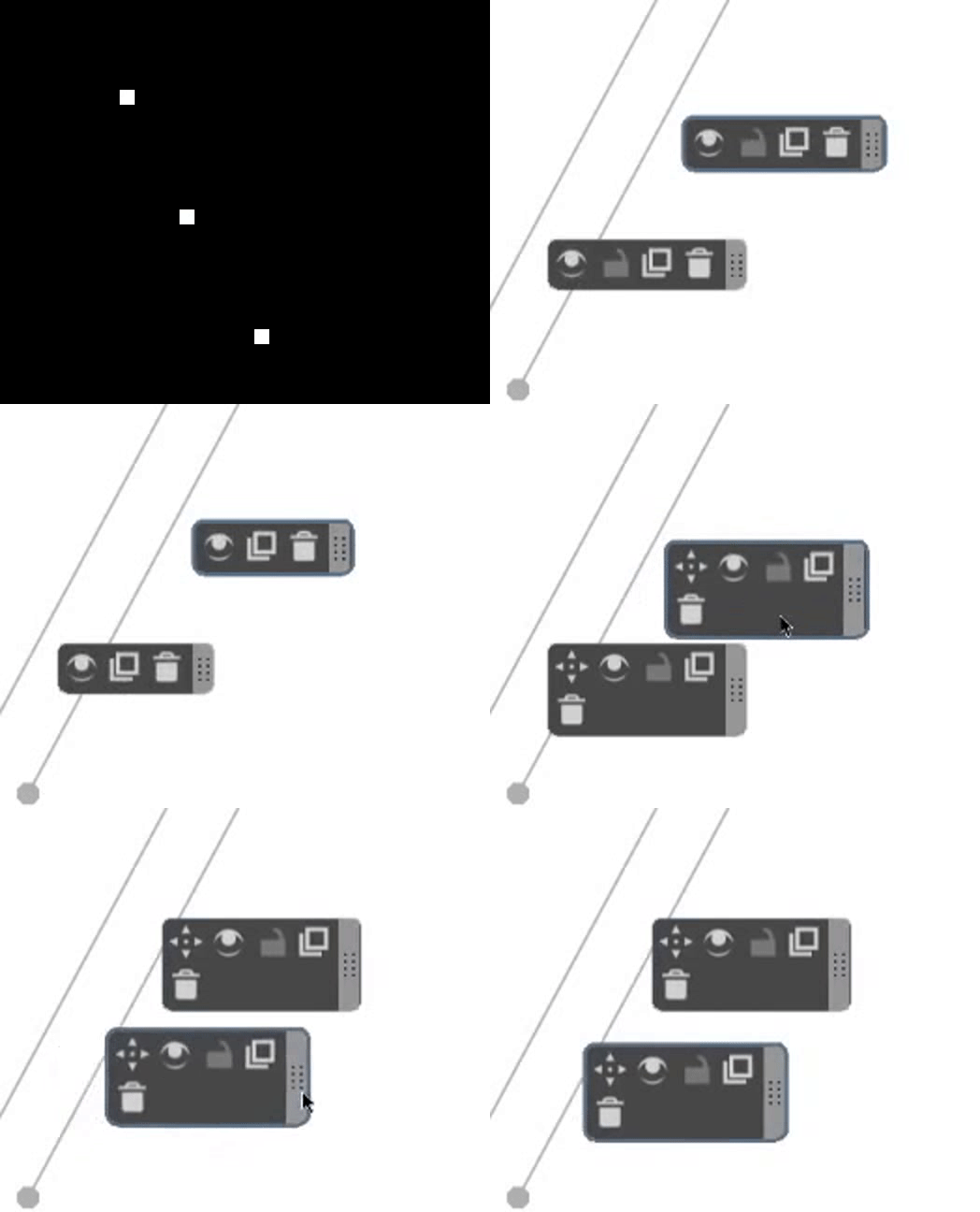
9 Likes
Can you share the link to merge request 
1 Like
Hey @raghukamath, I’m still preparing to make the merge request. If I can’t do it over the weekend, then I’m aiming for Monday. Thanks for your interest. I can’t wait for users to test it 
I’ll post here when I’ve done it.
The merge request is live. Let me know what you think.  Assistant Tool New Features
5 Likes
Thanks I’ll bookmark it. I think the MR generates an appinage to t St if builds are successful.
Also I think it was not needed to tag teams. The krita team will review the MR. But don’t worry
1 Like
Ok thanks, the documentation recommended I add them.
Looks and works great, I think! Reducing the button clutter definitely helps avoid clicking something you don’t want accidentally.
I have one piece of feedback. When using the duplicate button, if the pointer is dragged when clicked (e.g. the pen tip was put down and dragged), it will move the assistant on canvas (like the move function), rather than the assistant menu panel (like dragging on the dotted handle). This will happen even if the original assistant is locked, which makes me wonder if it’s intended or a bug.
For me it’s really difficult to press with the pen and at the same time not move the pointer just a little. As a result, the duplicated assistant no longer overlaps with the source ideally.
Ultimately, it’s probably no big deal, because there are other ways to ensure the precise positioning like snapping to guides or a grid. My main use case for duplication was to create a fisheye perspective, but there’s really no good way to rotate it 90 degrees after duplicating without moving the control points.
I think move after duplication behavior probably has more use cases than having it fixed in place. So maybe my one request would be to pin it in place if the original assistant was locked. That way we can handle both usages.
1 Like
thi si a great feature i was always having trouble using the assistant this will help a lot c:
1 Like
That’s a very interesting use case and definitely one that user’s might expect.
I shall investigate how this could be implemented during the week.
Thanks very much for your feedback!
@YRH That function was easier to implement than I thought. The new commit is pushed. Let me know how it goes!
3 Likes
Thank you, it’s working perfectly! 
1 Like
Just an update, my commit has been merged into the master branch for 5.3!
Thanks to everyone who gave input
9 Likes
Thanks for your contribution. Congratulations on getting it merged
1 Like
Thanks for your idea for the editor widget handle detail, it looks really good.
Really nice, congrats with the merge and thanks for your work on this!
1 Like
I’m late to the party, and made a post asking about duplication this morning, this is amazing! Thank you for all the extras, and the dynamic design is SO sleek. 
1 Like
Thanks very much for your feedback! I’m glad you like it and I can’t wait for the official release.
As a tip: you can simply click the duplication button to duplicate the assistant and then position it, but I prefer to click and drag the new assistant to the location I want before releasing the mouse button. Especially handy on a drawing tablet.
2 Likes