To be frank, I wouldn’t use software that changes file names in my library. For one, it would break any projects that reference those files.
If doing backups correctly on your projects, that would never be a issue. Leaving loose ends like that is playing with fire…
I don’t think this is a backup issue. Say I have published some textures, photos etc. as assets into a project, the project database now expects those files to be in a certain location under a certain file name. Now someone goes and adds a tag to one of the pictures and the file name changes. The asset is now broken.
Or say I’m using some library manager for my photos. This will break that database, too.
Please do not change file names.
I don’t save stuff like that when making backups. Regardless I am on a fork, Photobash is intact. Also if I do file renaming it will only change if you make changes.
Just added SVG import but it is a bit funky and might need some touch up. Also in preview mode you can Ctrl+mouse wheel to zoom in or out but I still need to think of a input command to move the camera with it that is compatible with the stylus too.
1 Like
No…
Take a look on Exiftool, you’ll see that many format support EXIF.
Exif is a standard, maybe deprecated now.
You can also use IPTC or XMP, that are better choice for tagging.
But the thing is, this kind of metadata have to be set in files, using the right tool (Digikam for exemple).
And using the right tool let you do it easily (IMO easier than trying to rename files)
Once files are tagged, you have to read them, and build a database dictionary to be able to get in thousand of second list of files associated with all tags.
That’s the basic of how tools like Digikam works to be able to find in real time files from keywords.
According to how you code it, it could be faster…
But that’s sure it start to became more complex too, to maintain file scans, database update, database read…
Grum999
1 Like
What I said is from what I understood of the Qt documentation on the QImageWriter supported formats that is need to write that sort of information since the previous class was void. I did not find modules for Exiff tool, IPTC or XMP to use inside Krita. I will search for it later more after sleep.
Just to make it super clear for anyone reading, these changes @EyeOdin is talking about are not in the main version of the Photobash plugin. That version did not have any update since the major 2.0 release a week ago.
4 Likes
yes. what I am doing is more like proof of concept than anything else.
1 Like
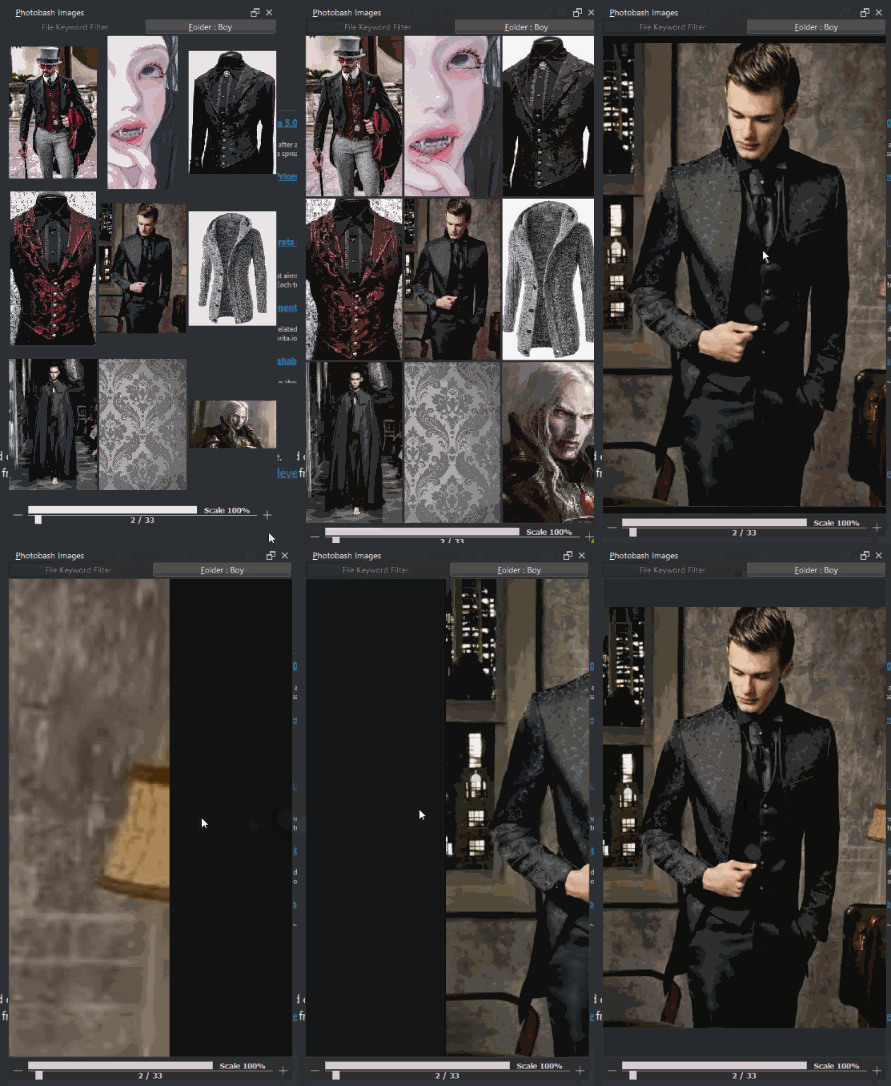
I need to think of better controls but for now:
- Ctrl+Mouse Wheel - Zooms in and out
- Ctrl+RMB - Shifts Focus
This way you can focus on the preview image on certain details without loosing the image into the void.
Changing image resets zoom and focus. 
1 Like
Thanks for sharing
i want that!
yeah I was giving it some thought and I guess I settled into:
- Shift+RMB - Reset Preview
- Ctrl+(RMB or Wheel) - Preview Zoom
- Alt+RMB - Preview Focus
Also added a reddish display for inactive buttons upon highlight.
1 Like
made tweaks here and there:
- some to the filter as I experimented on it a bit so it recognized all image files better, but I guess it is just another approach. Idea would use this to easy rename if needed. There is a hidden panel that opens a empty dialog that is for it, if I fancy the idea.
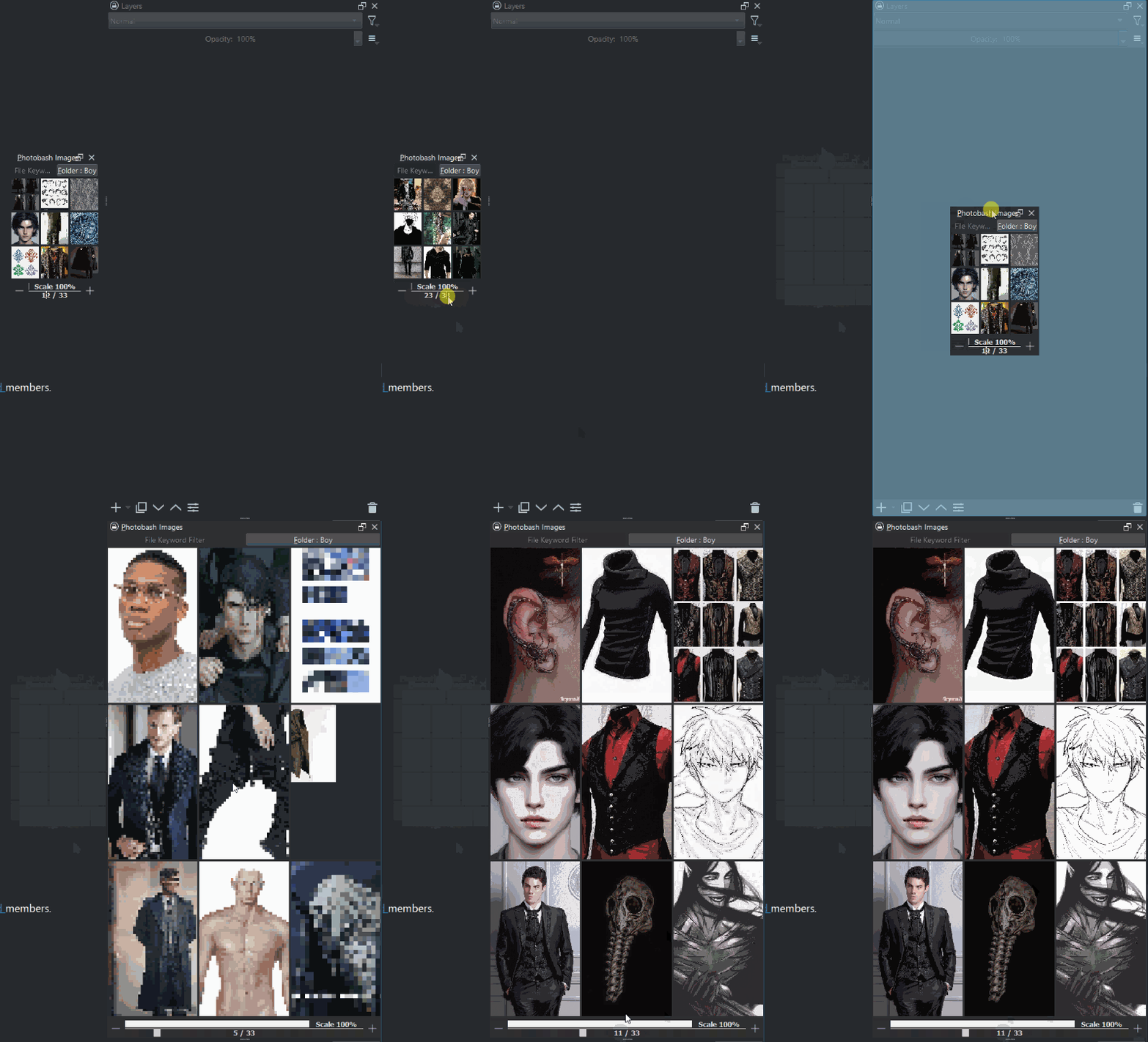
- calibration of thumbnail size. I was thinking if your thumbnail button is 120px you should not load 256px thumbnails. It made more sense than limiting by image quantity of the document. has 64, 128 and 256 sizes. So if you have tiny screen it should go faster.
- Because of threading cache dist of 500 to each side I increased the clean distance to 1000. I was using it and it did not make sense cleaning so fast. So the cached items will remain in memory longer as you scrubb around.
- When caching a loading message appears and displays the number of the image being processed. Donno if this is too much information but seems to feel nice to see how fast it is going unlike the progress bar that depends on the size of the folder. This indicates clearly which index is loaded and which are dropped. or should I display the page index instead?
I tested it on a long forgotten folder with 24k images and it seemed to hold its own pretty nicely. even responding to edits to single images rather quickly. but loading it up the first time took a bit of time that is for sure. I am not even sure if I should clean these big folders from the save to kritarc because then Krita loads very slowly as it goes through the files again.

I actually tested this as a way to improve performance. It would be slow as hell iterating over every file when first setting the references directory, but storing the file path as an index in an array can be helpful across restarts. However, this presented a lot of problems when sorting the favourites in my case, so I abandoned that idea.
If you go through the route of saving all paths for the references directory, you have to perform a sanity check before displaying or adding any image, since if an image is deleted the plugin will attempt to load an image that does not exist, and crash in the process.
Currently I am just saving the directory path. Only favourites paths are saved individually.
My idea was that if I need to sanity check I might as well rebuild the array again any way. Thing is to rebuild it in load krita will hang loading until it does because it is in the init building the array. And bigger the folder more you have to wait.
Technically I do not do sanity checks as I relay on the fact to detect changes to the files an update after but I feel I might need to do it at least once per folder. My current problem is opening image files that are corrupted. They are detected loaded into QImage as empty but opening them crashes Krita after the error message that the image was not able to be parsed.
I see the log docker detecting errors on images when it does the cache but I don’t know how to catch these error messages myself as I go through them so I may try and do something about it.
Errors like “libpng error” or “scalling on null size image failed”.
From one perspective I could just compare the result to a null image and ignore them to the list but it is usefull to detect bad files also I guess. I have been correcting broken files and deleting others that can’t be rescued.
Did a small timer. this is my time for caching 9000 images with 128px and Qt.KeepAspectRatioByExpanding at the moment. Folder had 12467 image files.
As you can see tons of error messages.
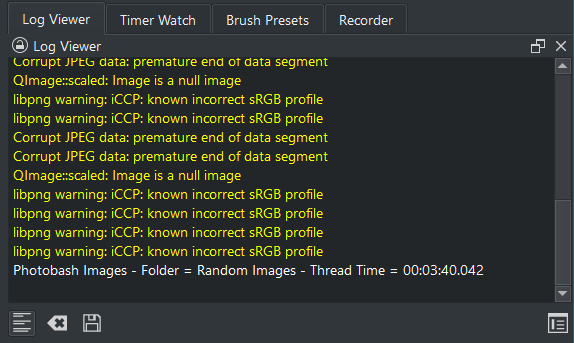
Qt.KeepAspectRatioByExpanding solves an issue where some images have bad ratios so they are presented pretty bad and scaling them just another way solves it. But works good because I am doing the expand now.
There is QImage and QImageReader 
Reader seems to have bug detection and sanity checks but no one on the internet seems to use it.
I have been trying to see how to start it from a file but no luck yet.
Not even sure if it is worth it might make things slower but I was curious to test the timings while caching. Reader could maker everything go smoother.