If you are on windows, try using krita.com instead of the exe in command line
As for the errors, yes you are correct, I used the QDialog way which doesn’t quite work on the DockWidget. Though it may have in the past since I didn’t notice, but it isn’t impossible that I missed it for one of them in a hurry
I did some fixes including to other templates, as long as I didn’t make any copy and paste errors again, it should work
As for making the tools part of Krita, I’ll ask the devs about it at one point. But I’d prefer to rewrite it a bit first and clean up the code. As you can see a lot of the parts have been rushed, and I am a bit busy with work. But when I finish the major project at work, I’ll clean up the code, and be sure to double test everything properly
But I will do any fixes if anyone finds any issues. So thanks for testing and reporting
If you are on windows, try using krita.com instead of the exe in command line
It worked, thank you so much ! (didn’t work with cmd, but it did with powershell). This makes things much easier!
Though it may have in the past since I didn’t notice, but it isn’t impossible that I missed it for one of them in a hurry
Probably it may have worked in the past (if I recall correctly, I saw you used it without a problem in your plugin (that’s why I was very confused about what was happening)).
You are welcome, I’m glad I was helpful If I ever find something else, if you prefer I can open an issue in github if it helps you to have everything more organized there (and if I can tackle any problem I found I can try fixing it by myself if it helps).
I’ve changed the contrast of the print() in the console (because with dark themes was very hard to see):
Made a little pull request in case you like it and wanted to add it.
Also, I’ve been doing some changes in my fork (they are not in that pull request). But I did an action for executing the dock as a dialog since is my favourite way of using it.
(I have sometimes a problem when the dock is attached to the panels (docked?); when is ‘undocked’ (?), depending on my panels’ position, sometimes it messes the Krita’s UI and I have to manually minimize and maximize krite to set everything correctly). The option to show as Dialog had the problem that when is closed, is docked automatically. I searched in case krita has an option to manually redraw all its interface, but found nothing.
I did an action that triggered the dialog without connecting the close signal to the docking (?) action. I thought it solved that issue, but I tried to modify the code the less as possible, and I noticed that sometimes is still messing with the Krita’s panels (I think is because it is still being added to the UI, at least for a moment).
I’m trying to work on that, but at the moment I had no luck solving it.
You can call an update() on qt widgets. But maybe that isn’t what you are looking for? Are you talking about a layout shift?
It may help if you do a video or screenshot of what you mean. I don’t have an issue here with the dialog on KDE Plasma, it may also be how you have the docker/dialog. So showing what you mean may make it easier to debug.
If you want, you can change the functionality of adding separate button to not float docker. Or set up a dialog that asks if you want it to dock or close
Sorry for the delay in getting back, been very busy unfortunately.
I don’t get that here in linux or maybe our ui is different enough that it doesn’t cause problems. What is you saveState and restoreState the mainwindow?
@KnowZero do you know if it is possible to access Krita’s classes inside the PluginDevTools.console.temp.py script used in the console tab?
I mean, for being able to do something like:
do_something_with_a_node(node_to_manipulate:None):
    # now I have autocomplete for node_to_manipulate
(I like to “stick to it” to that script the most I can and then move everything to my plugin, since is faster than adding things to my plugin and restarting Krita over and over)
I tried to generate the PyKrita inside the pykrita folder, but I’m not able to access it.
(Also tried directly copying the content in PyKrita.py to that script but for some reason I don’t know, the script stops working)
Yes I tried that, but I was having a problem* placing the generated PyKrita.py in pykrita’s folder (next to the console script,also in pykrita folder).
*It was breaking the loading of all plugins in pykrita.
But now is working (I just changed it to a different name and I’m not having that error (I remember doing that, but seems last time I forgot to restart VSCode )).
Thanks again.
First of all, I love this plugin. Very handy when altering the GUI, you’re a lifesaver!
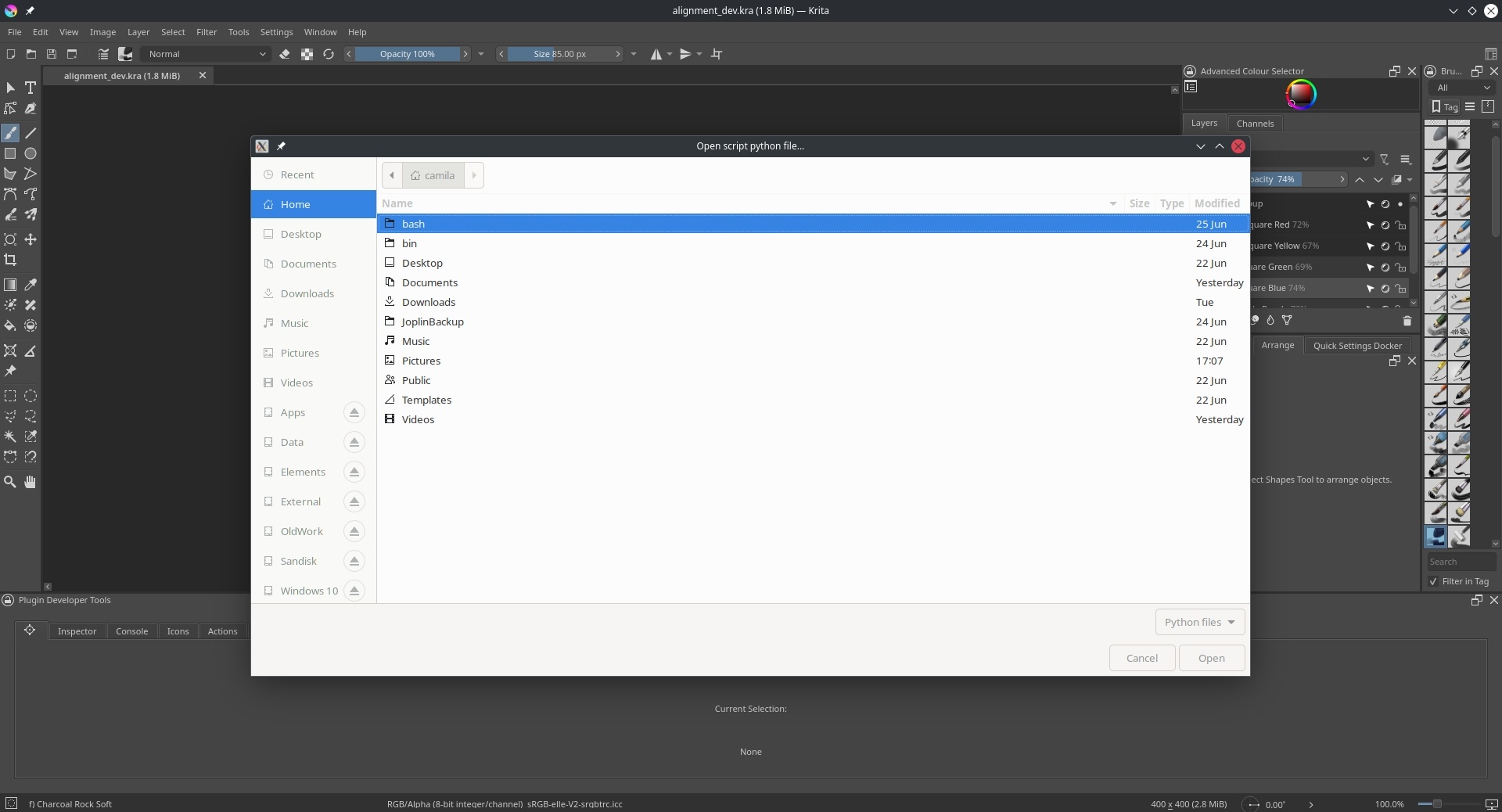
Is there a way to configure it so it won’t call the open script dialog on every restart?
I failed to find in on the GUI and couldn’t locate any easily accessible config var to turn it off in the plugin files either so I just manually sabotaged the call.
It’d be nice to have a way to properly configure it so I won’t have to worry about reapplying the change when updating.
This patch is only useful for testing the Krita 6.0.0-prealpha builds, which are only found on CI (CI pipelines) right now. (PyQt6 support should be in tomorrow’s builds.) I’m not knowledgeable enough about the plugin to test everything, so there may still be some bugs on PyQt6.
 ! (didn’t work with cmd, but it did with powershell). This makes things much easier!
 If I ever find something else, if you prefer I can open an issue in github if it helps you to have everything more organized there (and if I can tackle any problem I found I can try fixing it by myself if it helps).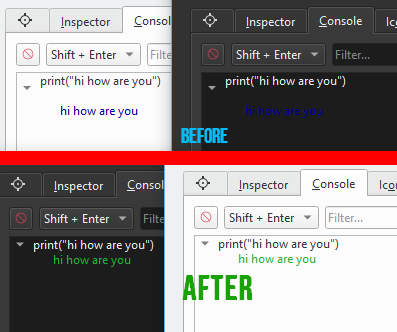
 )).
)).

 !
!