v1.2.0
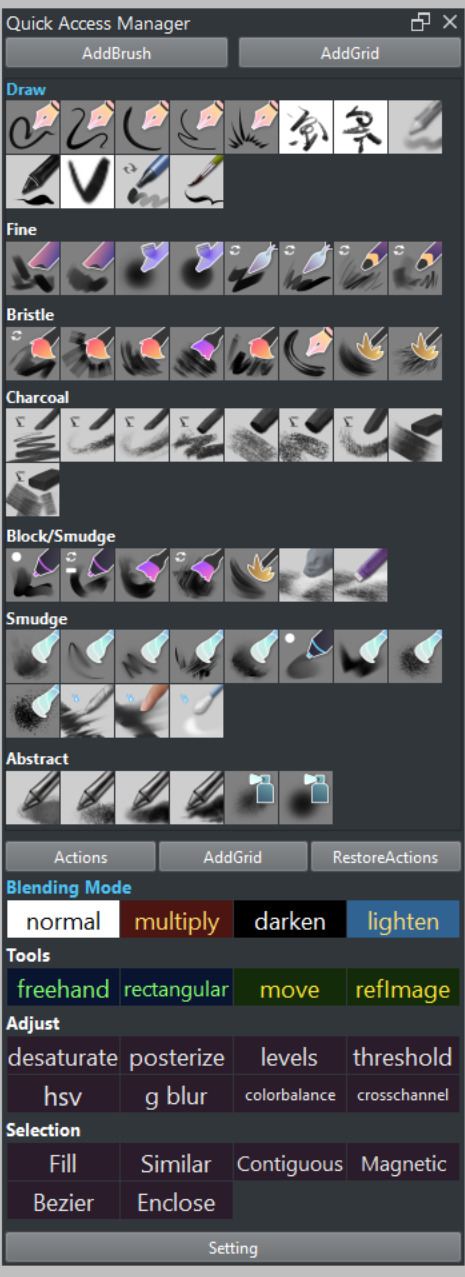
The UI has been updated: all buttons within each grid have been removed, and actions are now handled through mouse click events on the grid name.
Some button positions and names have also been adjusted.
Sort/Remove
Sort:
To reorder a brush or shortcut button within a grid or move it between grids, hold Ctrl and left-click and drag the button to the desired position or grid.
Advanced Sort:
- To move a shortcut button up by one position within the same grid, hold Shift and left-click the grid name.
- To move a shortcut button down by one position within the same grid, hold Shift and right-click the grid name.
- To move a grid up by one position, hold Shift and left-click the grid name.
- To move a grid down by one position, hold Shift and right-click the grid name.
Remove:
To remove a brush or shortcut from a grid, hold Ctrl and right-click on the button you want to remove.
Remove Grid:
To delete an entire grid, hold Ctrl + Alt + Shift and right-click the grid name.
Rename Grid:
To rename a grid, hold Alt and right-click the grid name.
Activate Grid:
To activate a grid, simply left-click the grid name.