Hi everyone,
I am having a frustrating issue with the Text Tool in Krita and I can’t find a solution anywhere.
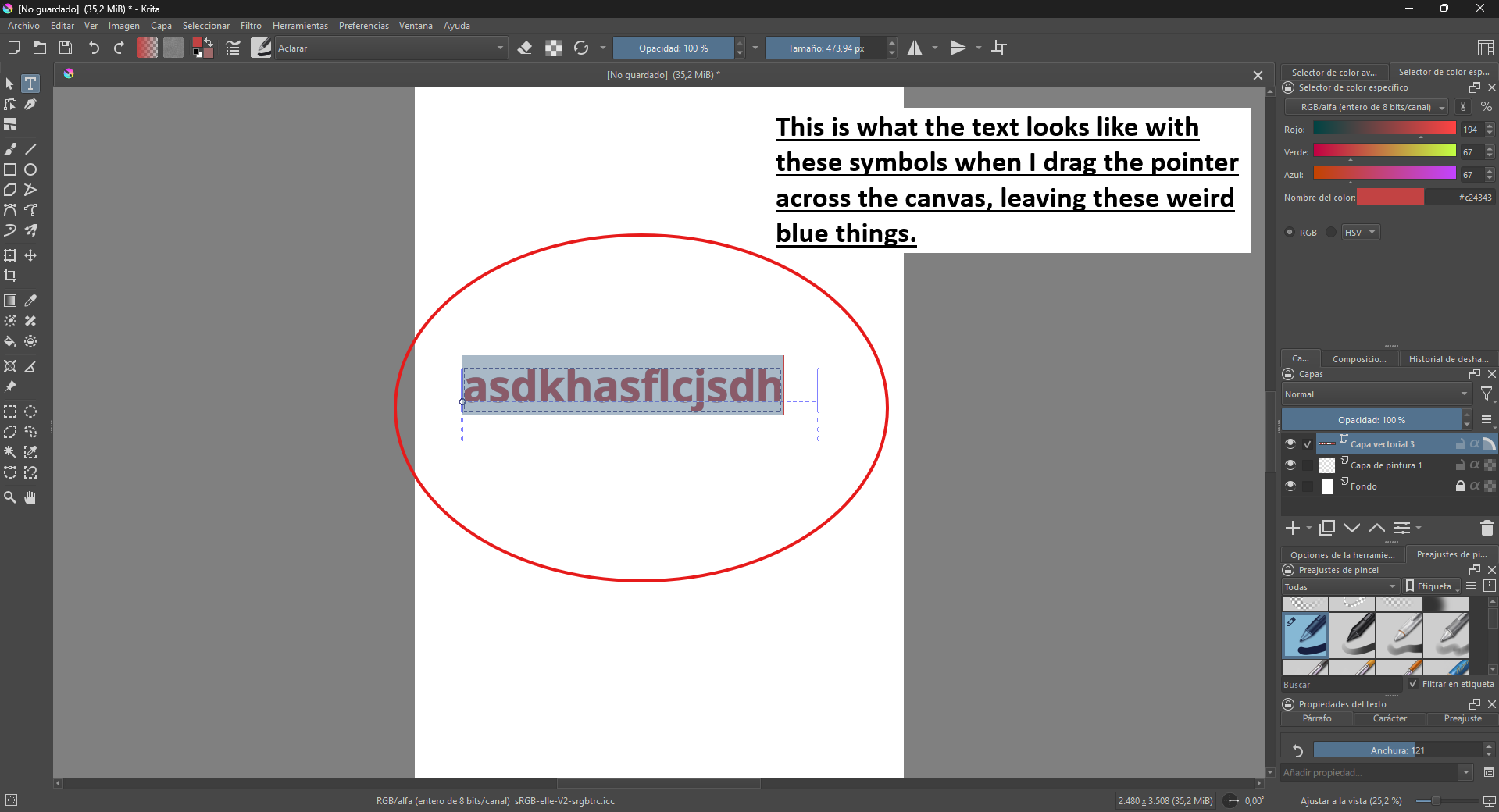
When I select the Text Tool (T) and click/drag on the canvas to add text, the editing pop-up window simply does not appear. Instead, the text placeholder (“Texto de referencia”) gets created on the canvas, and it looks like it enters an inline editing mode (the text is highlighted in blue with a blinking vertical cursor).
However, I cannot type anything, I cannot delete the placeholder text, and no editing window ever pops up. The program acts as if a window is open somewhere blocking the input, but there is absolutely nothing on my screen.
I have already checked my layers (it is a Vector Layer, not locked), and I tried activating the “Tool Options” and “Text Properties” dockers, but nothing works to actually let me edit or type the text.
Has anyone experienced this UI bug where the external text editor window completely fails to emerge? Any help or workaround to force the pop-up window back would be greatly appreciated.
Thanks in advance!
I have no clue what is causing this. You should be able to type if the cursor is blinking. If not, click the text and try to type (If the cursor is not blinking, that means that the text is not receiving keyboard events).
The external text editor was removed, there’s a source editor still in the tool options.
EDIT: How did you get that text typed to begin with, is it imported somehow? And which version are you using, like from which source did you obtain the program?
Actually, the keyboard does work—Krita lets me type and delete text just fine on the canvas. The real problem is that the pop-up window never appears, so I have no way to change the font, size, or styling. (If you are asking about the black text with the instructions in my screenshot, I added that using Paint). I am using the official Steam version, fully updated.
Ok, that’s good.
What you want to do is select text (you can use shift+arrow keys, or click+drag), and then go to the text properties docker. There select the tab “character” to only change for the current selection, then go to font size, and press the up/down arrows to change the size.. To change over the whole paragraph, use the paragraph tab, for example, you can set the font by going to the font-family dropdown and selecting a font there.
There’s a manual page that gives an overview of some of the basics of the new text tool: Working with Text — Krita Manual 5.3.0 documentation
Got it! Thanks a lot for the explanation and for clearing that up.
Since the old pop-up window is completely gone in this version, I think I’m just going to use the Steam properties to downgrade back to version 5.1.5 so I can get that editor window back and keep working.
Thanks again for taking the time to help me out!