But if you don’t decide on the right values, then when you apply the color.
The colors themselves are a little dull.
I’m new to Krita, but I know that in terms of color mixing, adding hue/saturation in most color pickers will also change your value. Yes, the color pickers lie to you. Below is an example where I didn’t change the value but I changed the hue. Look how different the values are!
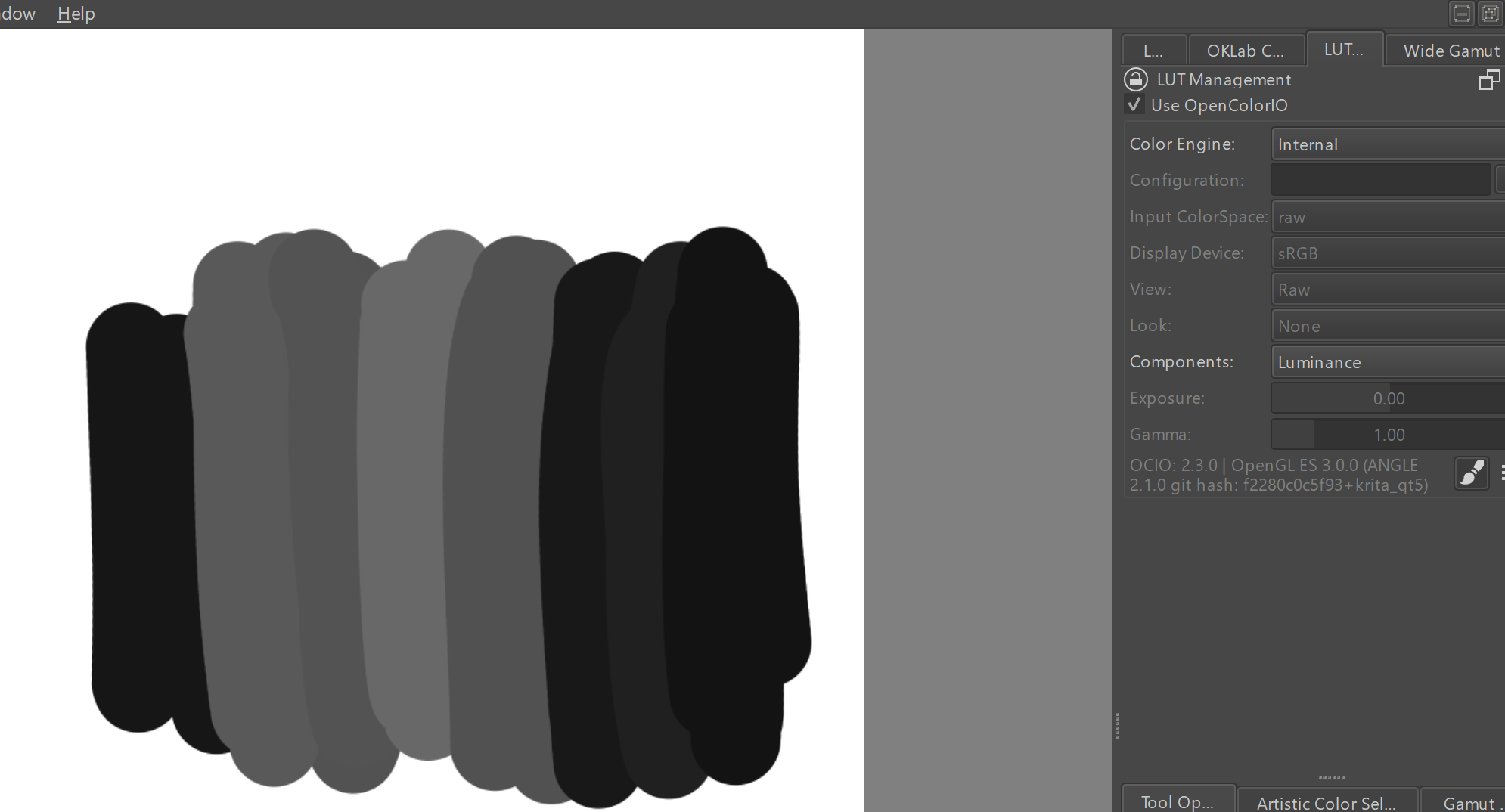

This happens with real paint mixing too: establish values, add paints to change hue and saturation, and lastly readjust value because those paints just FUBARed your values!
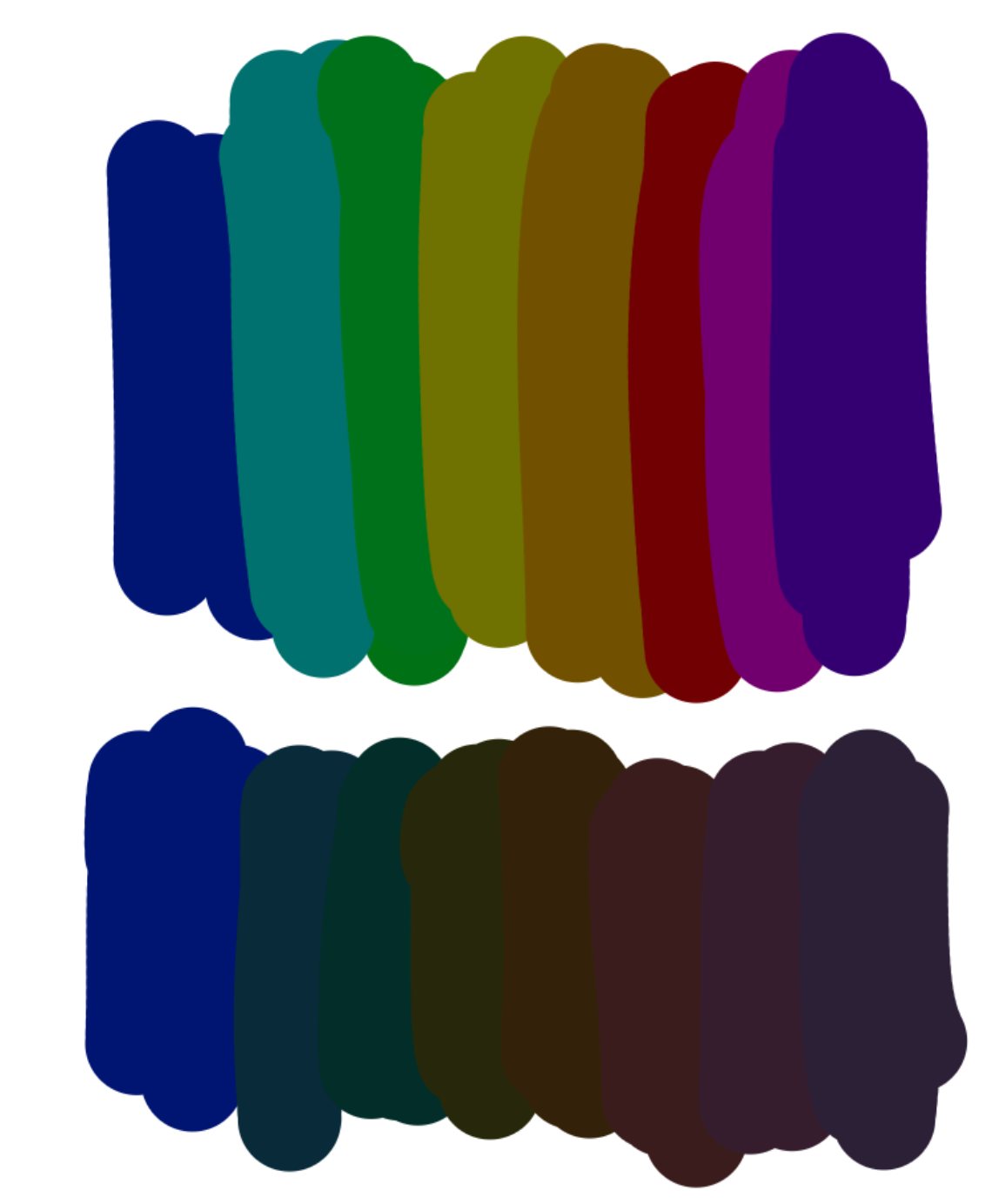
If you want value to actually stay (relatively) consistent when you change color, you need to use a color picker like this oklab color selector. Below is a comparison where the bottom row of colors uses this color picker to choose equal-value colors. OKlab is still not perfect—modeling human perception of luminosity is hard—but it’s much better than other color pickers for value control.
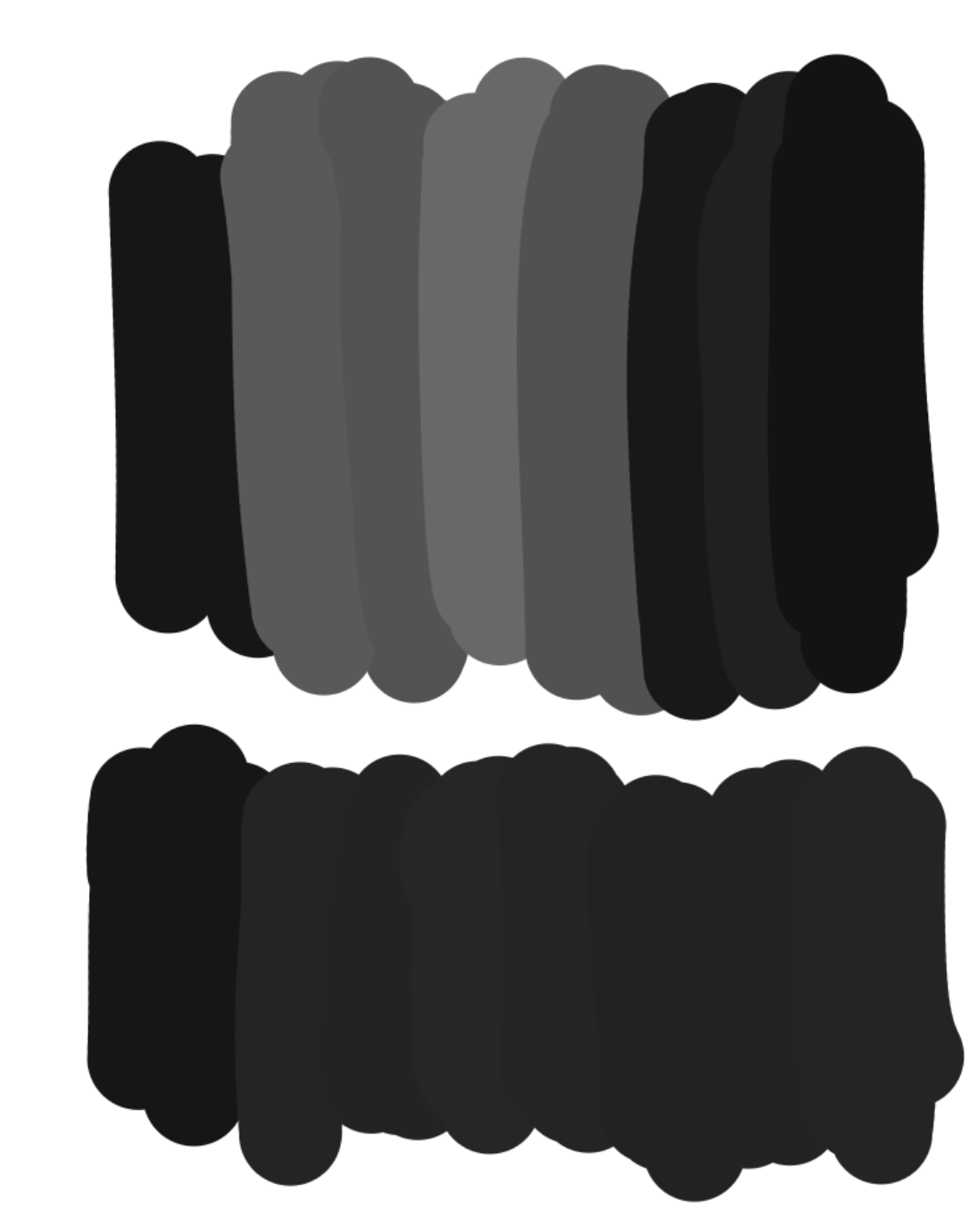
P.S. The built-in LUT Management docker can apply grayscale to your canvas without needing to maintain a top level filter layer. This uses the same grayscale calculation formula (called BT.709) as the desaturation filter layer option.