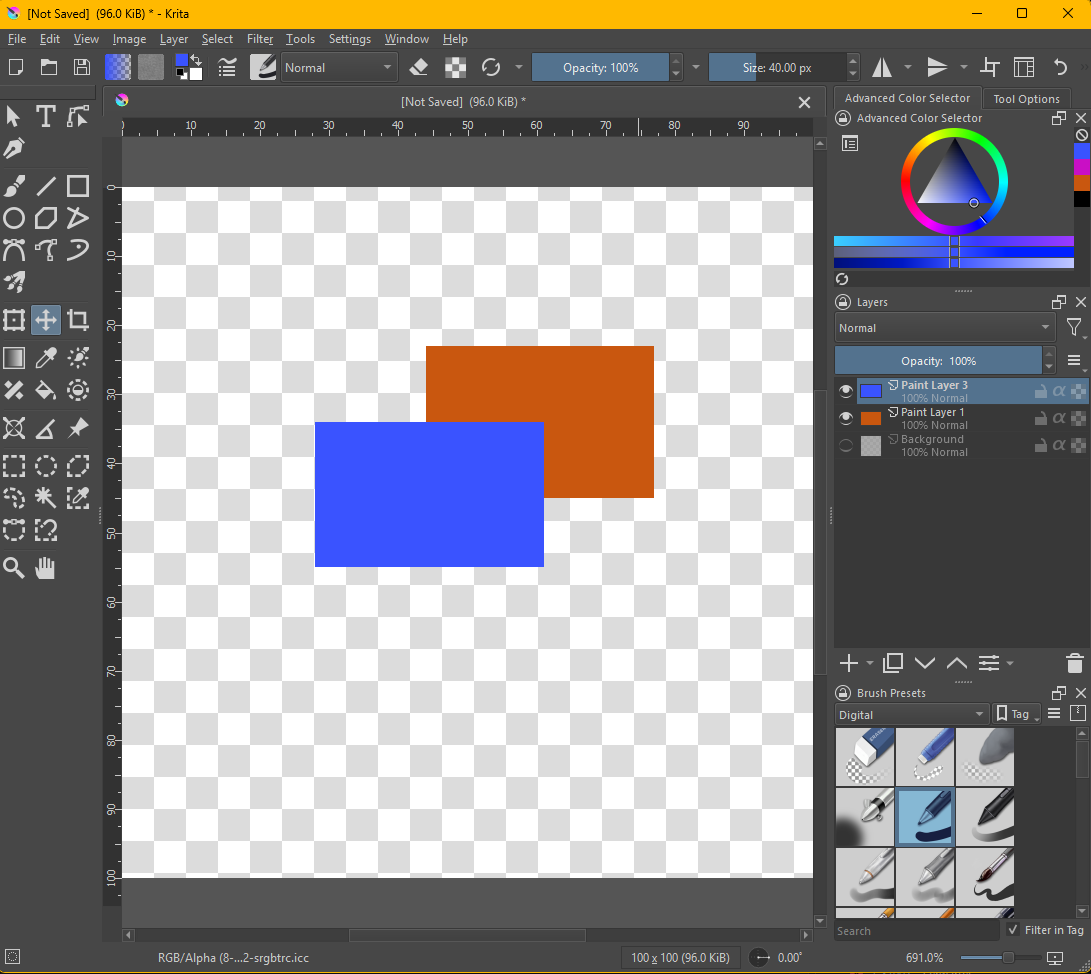
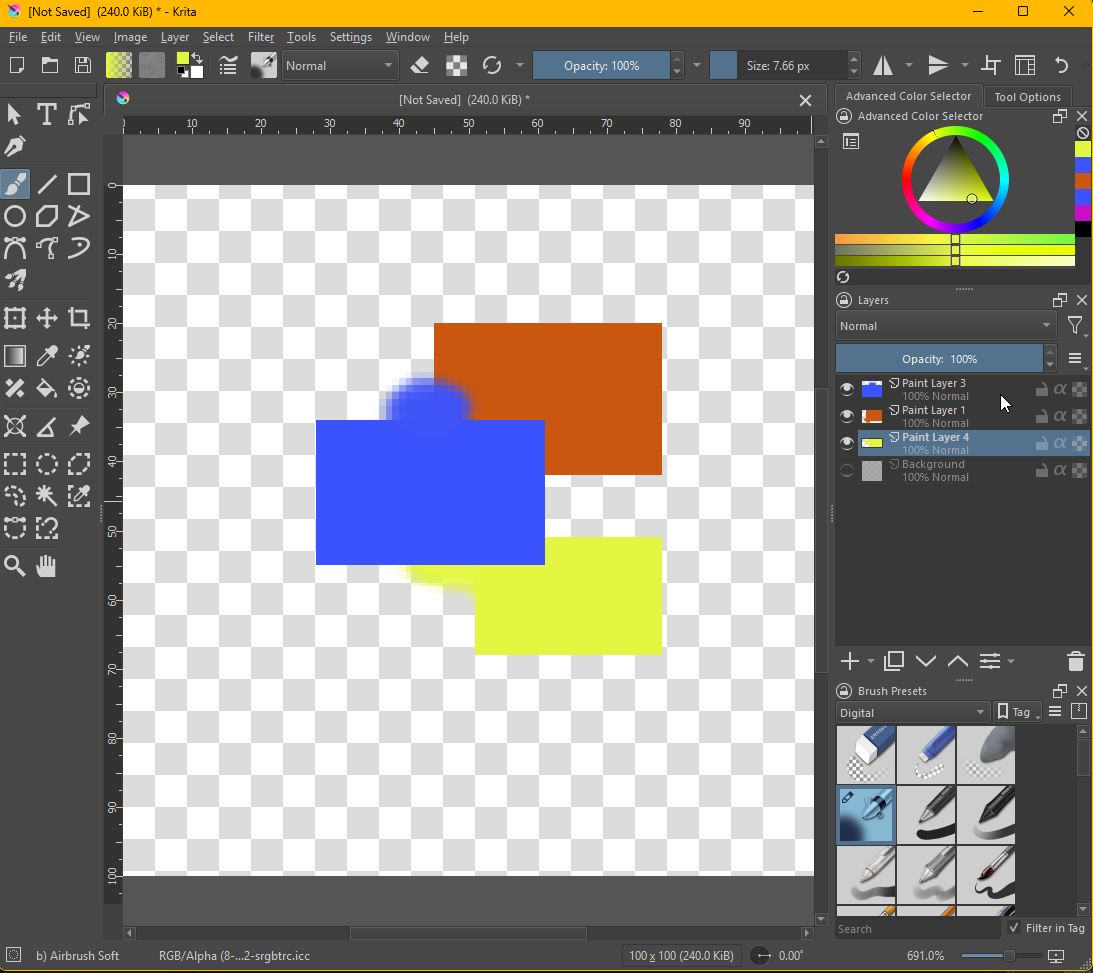
Here is normal mode for reference:
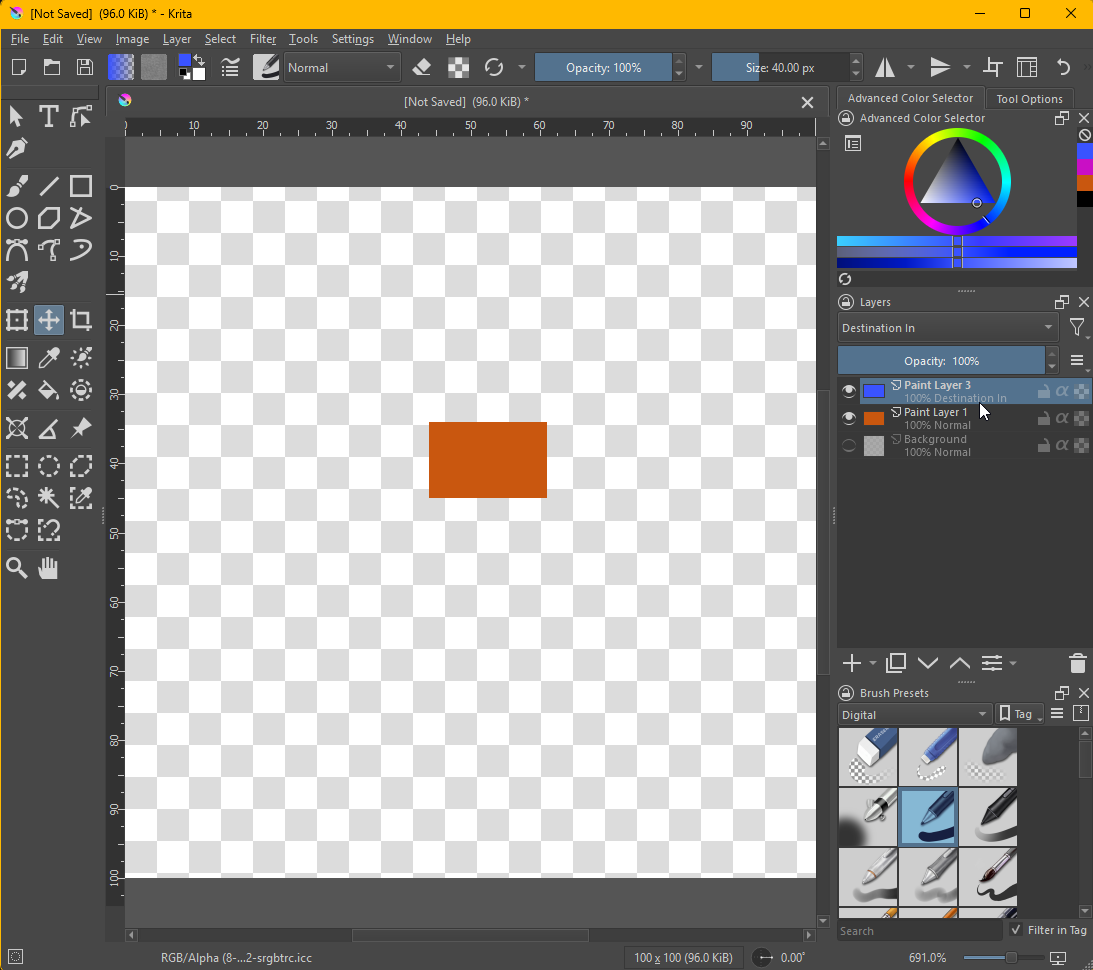
Destination-In will only show the intersection (that’s not what In stands for but I find it easier to remember) of source (blue) and destination (orange). “Render destination in source.”
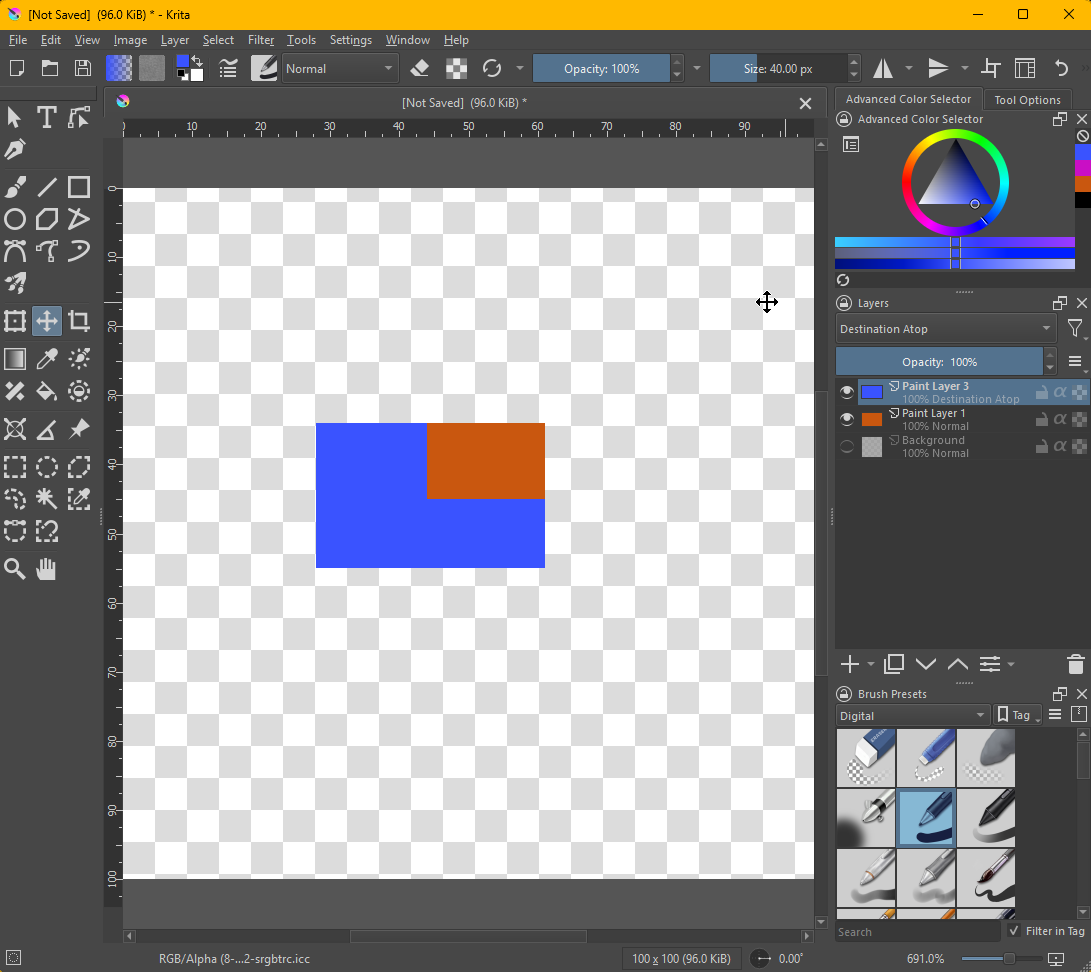
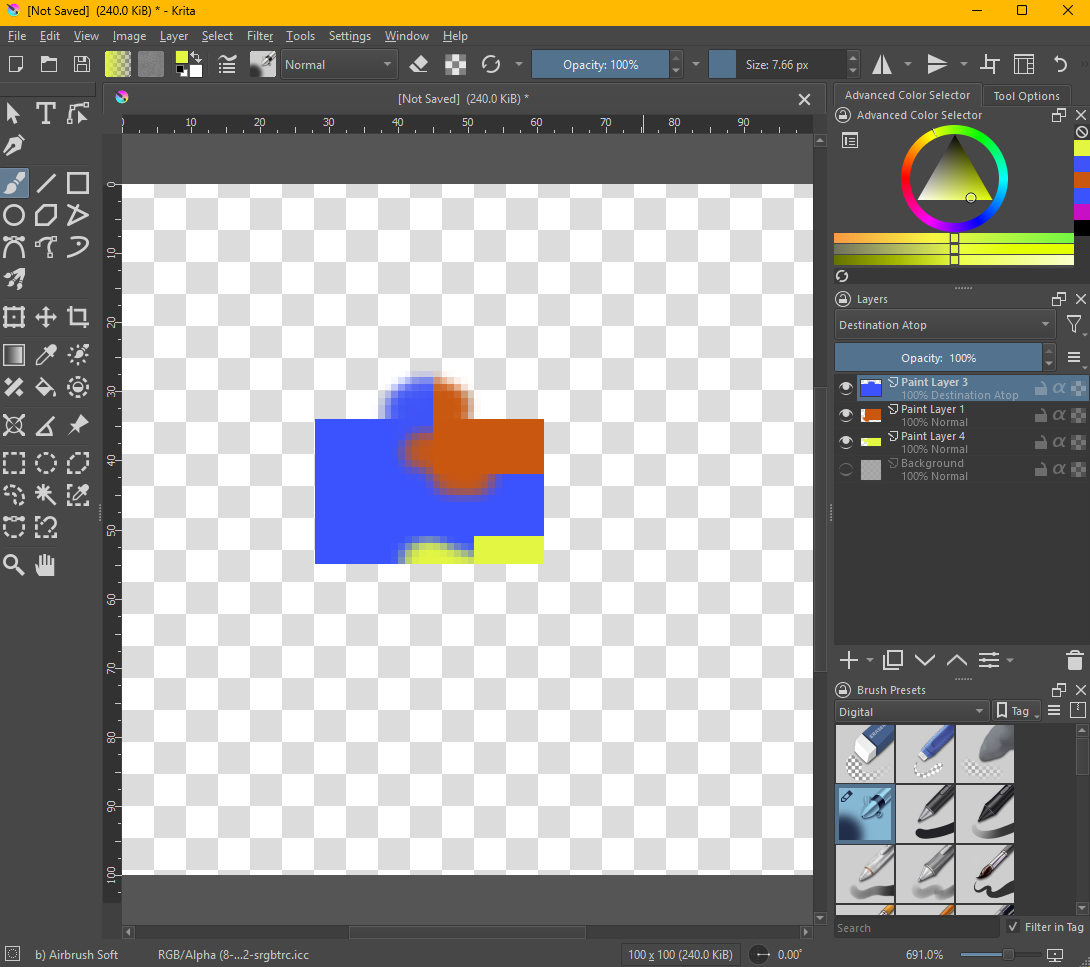
Destination Atop (source) will render the destination (orange) on top of the source (blue) only where there are opaque pixels on the blue layer.
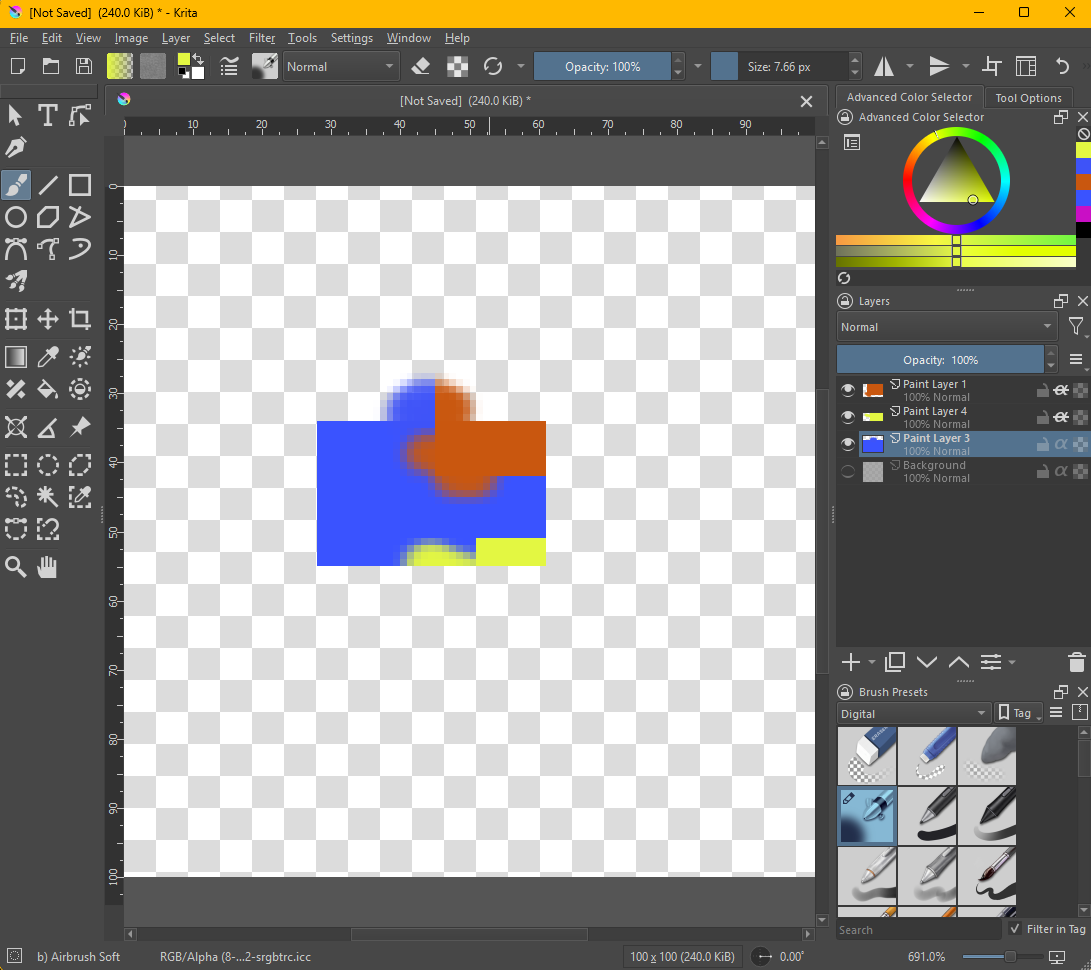
It’s important to know that “destination” will be any layer that is below the one with the specific blending mode. This can be seen if I add another layer (yellow). I also added a few semi transparent parts to illustrate that even slightly opaque pixels are counted.
Interestingly this is pretty much how alpha inheritance works but from the top, this can be seen when putting the blue layer at the bottom and setting the layers above to inherit alpha.