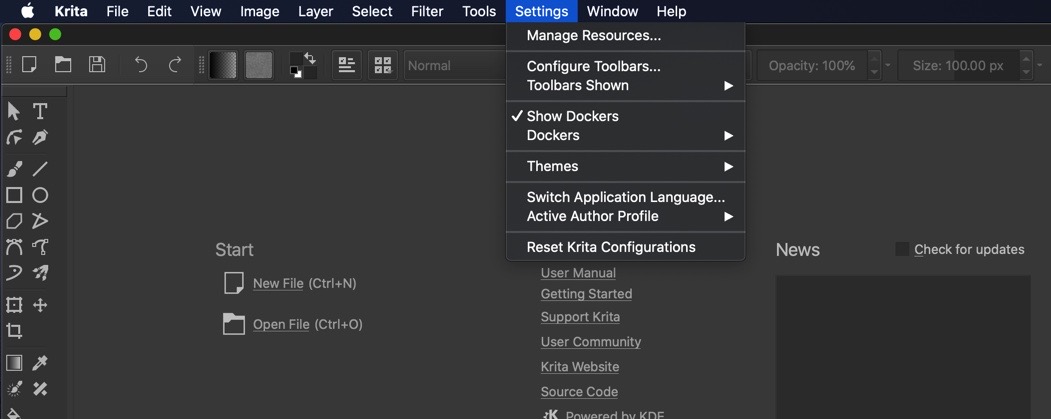
I just received my new MacBook Pro today. This was the first time I downloaded krita on a Mac btw. So I wanted to set up my custom shortcuts on Krita. But when I went under the settings menu all I saw was this.
Is there somewhere I’m not looking?
I just received my new MacBook Pro today. This was the first time I downloaded krita on a Mac btw. So I wanted to set up my custom shortcuts on Krita. But when I went under the settings menu all I saw was this.
Is there somewhere I’m not looking?
It’s probably on the right of the Apple icon in the topbar, in Krita > Preferences.
Yes – because that’s the standard location for all macOS applications, so Qt moves the menu entry for us.
Thank you.