I am trying to answer your questions:
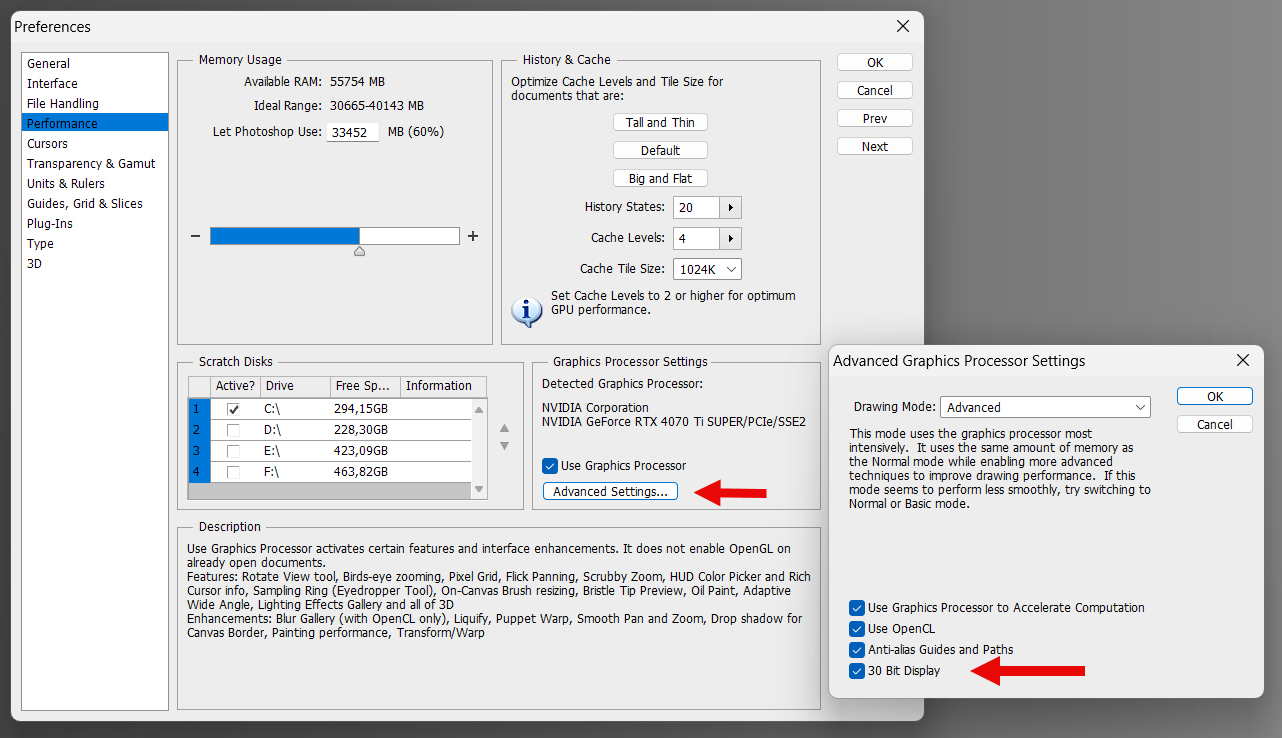
PS CS6 allows to activate 10 bit per channel output (they call it 30bit) independently of display ICC profile or image color mode.
Changing the 10bit mode on / off does not change color gamut or display ICC.
E.g.:
- I have 10 bit output disabled
- I create an sRGB 16-bit image
- I save the image
- I enable 10 bit output in PS and close the app (this is needed because output bit depth changes need a restart)
- I restart PS and load the image
Result: everything is like before (image is still sRGB-16bit), display profile is still the same in Windows color management, but the display output is now 10 bit per channel.
PS CS6 does not offer to chose a display ICC profile within PS itself - it relies on the Windows colormanagement settings. It uses the ICC profile that is assigned to the display there.
I am not changing the display ICC in PS CS6, I am changing a PS preference.
Yes, there is a difference of how the image is displayed:
- the colors stay the same but I get a smoother representation of gradients (less banding - this was the purpose of 10bit output at the time it was introduced)
The main difference between PS and Krita seems to be:
-
In PS the 10bit output is available as an option independent of display ICC profile or color mode.
-
In Krita the 10bit output is bound to specific gamuts (REC 709, or BT 2020).
-
In PS the display ICC profile is used even in 10bit output (I still get “corrected” colors).
-
In Krita the display ICC profile is not used in 10bit output (I get “wrong” colors).
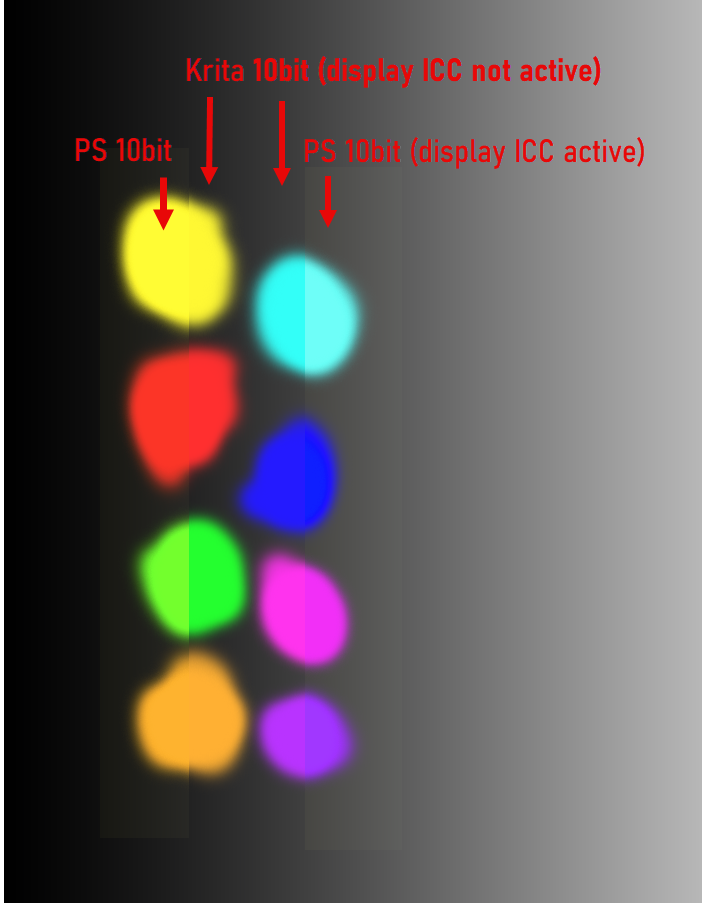
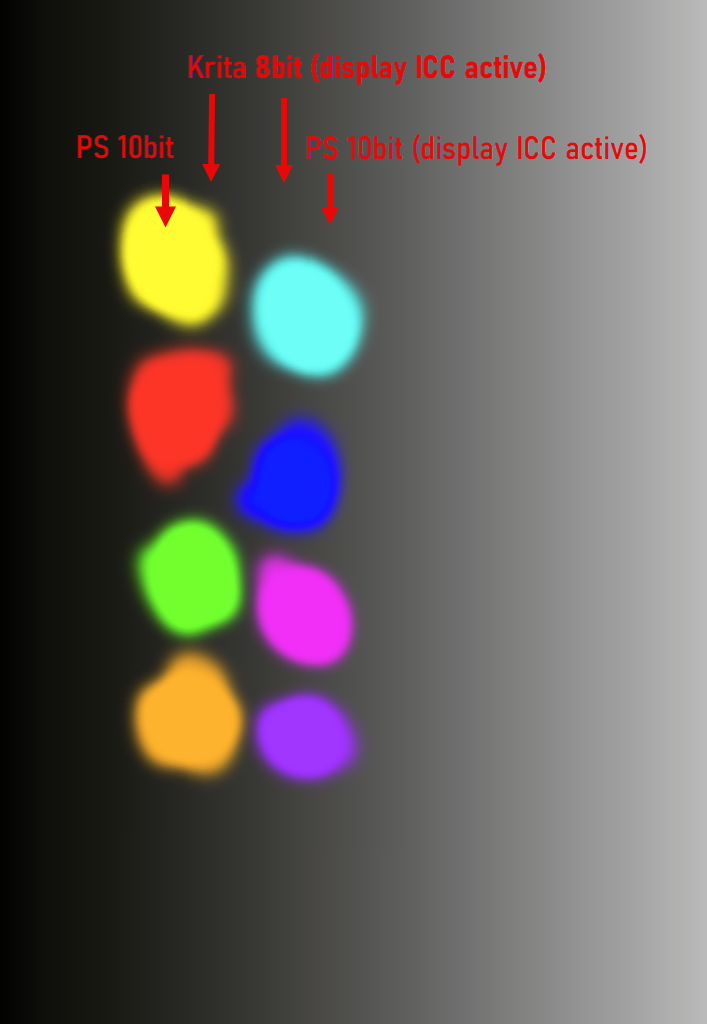
Note: in the screenshots you can’t judge the banding of the gradient because webbrowsers, as far as I know, are all limited to 8bit output.
EDIT:
- I am not a developer; so what I write is all an assumption.
- This is an academic discussion - in the real world I would either enable “dithering” if available or add some kind of noise to smooth gradients. This normally compensates the banding issue good enough in 8bit scenarious.
- For me it is only relevant if I have to deal with textures for 3D rendering. If for example I need a “metallic surface texture” I like to “see” if the image data is smooth or not (dithering or noise would change the way how the render engine interprets the texture).
EDIT 2 - a tool to check 10 bit effect:
In case somebody like to see the difference of 8bit vs. 10bit output, there is a free little software from NEC:
At the bottom of the page is the 10 bit Color Depth Demo Application available for download (no installation needed - it is a stand alone exe).
It opens two windows showing animated geometric objects. One window sends 10bit data to the gpu the other one 8bit data. If you see banding in both windows, your 10bit output chain is not working correctly or the monitor is not a 10bit one. Make the windows as big as possible to see the difference more clearly.