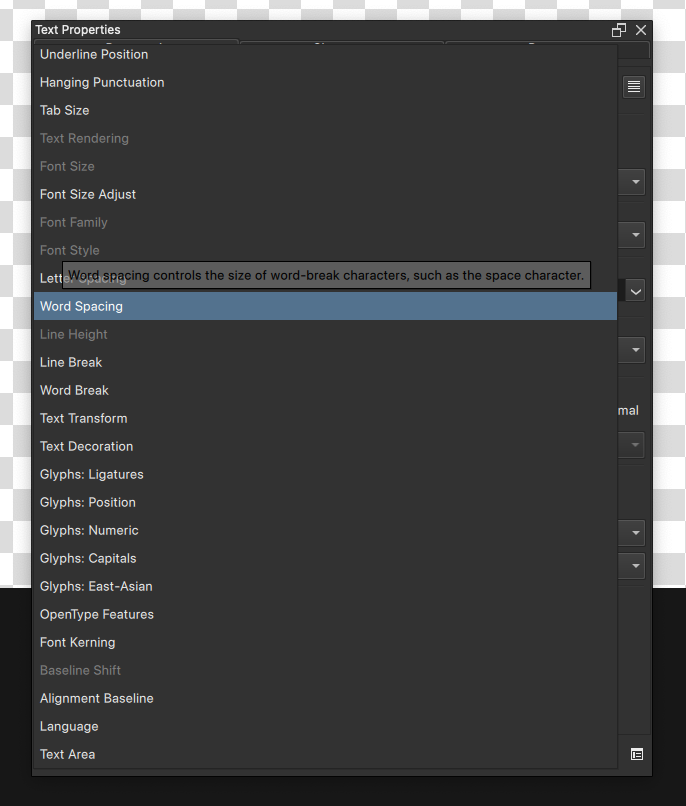
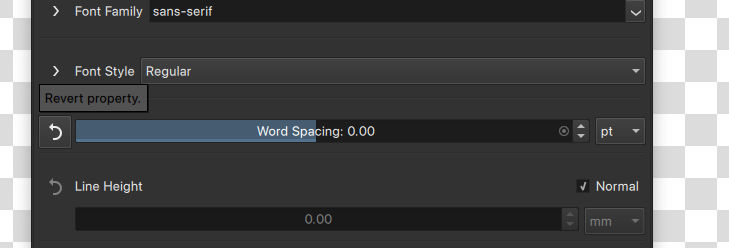
I’m not sure this is intentional. When I add a property from the select on the bottom, it’s added to the window correctly and I can edit it. But when I click the “Revert Property.” in front, the setting disappears. It’s different when I add a property from the dialog on the bottom right, the property stays when I click “revert property”
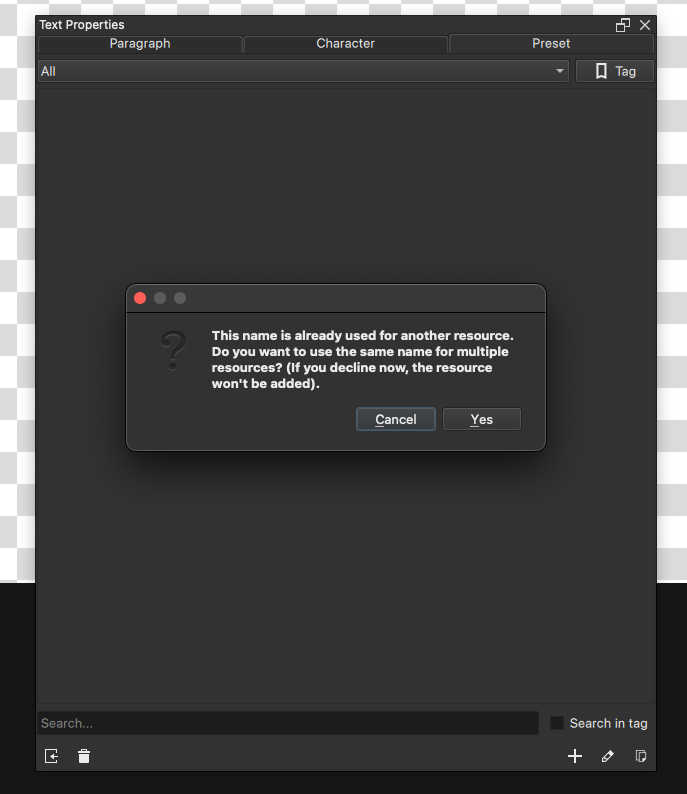
When I try to create a new style set, I can’t save it. Then after some time it suddenly works, but when I delete the preset and add a new one, I get an message that it already exists, and then it add it’s but it says “Failed to add resource” ?
It’s intentional. You can configure it in the button next to the add property dropdown. The reason it was done this way is because there’s a lot of text properties, and depending on the script, language or even the kind of text needs you have, different kind of properties take center stage. I wanted to allow people to only have the properties they care about be visible at all times.
By default, most properties are set to “when relevant”, that is, they only show up when set explicitly for the paragraph tab, and in the character tab when set explicitly or when it is being applied in the paragraph tab.
The style presets not saving is completely new to me, and I’d love a bug report for it.
Thanks for you’re response. Ah ok. I have no clue why and what is doing what and it’s only confusing to use.
I’ve found probably half a dozen weird issues happening with regards to the text tool after an hours of trying all out, sometimes can’t reproduce or even tell what’s really happening. I’m sorry I don’t have time to look into every single one and report as it would take me probably a day to do it and test it all through over an over.
I am having nothing but trouble trying to figure out this new text tool. I’ve managed to crash Krita more than a few times. I’ve been poking at this thing for a week now (off and on). I’ve read the manual. At this point I’m compelled to revert back to 5.2x
Signed: desperate for a training video. David R you’re my only hope! lol
PS - I just found David’s latest video on the text tool - not sure it it’s 100% complete but it goes into a lot more detail. I will watch that and spend some time. David rocks.
Yeah, it’s taken me a while to wrap my head around it. My problem is I’m coming from a place of almost zero experience with digital graphics design. Maybe that’s not fair as I’ve done lots of website development and album art for studio clients. But those were older apps like Frontpage and MediaFace (and the like). Manipulating text seemed a lot more intuitive, even if it was clunky to use. At least I was up and running with minimal effort.
This video actually helped point me in the right direction:
David has hinted that he might produce a more in-depth tutorial on the text tool. I look forward to it!
I’ve managed, through sheer force of will, to get to a point where I can do simple things with the new tool. Every small step has me nodding in agreement - it’s worth the effort to get familiar with it. If you’re here to just draw and paint, in a traditional analog way, these features might have little or no interest. I started doing some comic style illustration a while back and I found these text tools to be invaluable for that type of work. In fact, there’s some new stuff related to comic art in 5.3 I want to explore. Those features might come in handy as well. David covers a lot of new things in that video link. Check it out!
As a final rant: the people that steer this ship must know that Krita users aren’t all rocket scientists. It’s gotten to the point where I’m almost afraid to ask for help here for fear of a virtual wrist-slap from some crusty clown. I have no problem responding with an FU if it seems appropriate. I have no problem pulling donation funding either. I think these new features and on-going development are awesome but your user support side needs some “shoring up”. Take a look at David Revoy’s site and The Age of Asparagus on Youtube. Not to mention all the others who have contributed tutorials. Those people could use some love too. Take a look at Reaper - the multi-track recording app. Free to use, just like Krita. But you’ll find hundreds of tutorial videos that take you from ground zero up through real-world applications. All done by one guy if I’m not mistaken.
I guess I’m in the minority of people who found it fairly intuitive. My biggest hurdle was not knowing there was a new Text Properties Docker, but that was way back before there was a button added to the Tool Options docker for it.
I’m looking forward to some of the bugs getting squashed, though.
I’ve run into this one, too. I’ve also had trouble editing them, where the properties I’ve entered are different when I reopen them to make changes.