There’s no schedule yet. Everything is pushed back a little as well, because we’re trying to get 6.0 stablized first.
So 6.0 its very near to his final release right?
Anything you need me to test out?
I briefly used krita-6.1.0-prealpha-58046640da-x86_64, though I didn’t stay on it long as panning the canvas lags my computer in a way no other version does.
- The canvas decorations being SDR are nice (though a few elements slipped through the cracks, namely the handle rods of the vanishing point and the ellipse axes of the ellipse perspective guide). This is especially true of the reference images, which blinded me every time I opened a file with lots of them.
- HDR display still interacts with KDE’s tonemapper in ways I’ve yet to learn how to disable, short of disabling tonemapping system-wide. I generally do my painting with an OCIO tonemap view transform enabled during my shading process, but since Krita seems to be sending 10,000 nits to the compositor regardless, KDE’s compositor will tonemap the already tonemapped canvas, distorting the image. I normally disable KWIN tonemapping anyway (since it just causes more problems than it solves), but since it’s enabled by default in KDE Plasma, and, as of now, only changed via a config file nearly everyone won’t know about, I figured I’d bring this up.
- You mentioned the ISO for Ultra HDR JPG is paywalled. What kind of financial burden would be required to make it available to the Krita developers?
No, only the first stable release of 6.0 is near, so we can stop publishing 5.3. We’re not even in alpha yet, so there’s no release schedule for 6.1.
Anything you need me to test out?
Well, whether the new toggles for the PNG export make sense. Because I need to update heif/avif export with that as well.
We have very little control over that. All I can advise is to always use relative colorimetric.
What you want to do is to ensure that the output of ocio is the same as the output in settings->configure krita->color management. One of my remaining tasks is to support the color space metadata for ocio, so this can be set automatically. Beyond that, select “relative colorimetric” for the rendering intent.
I’ve now found a description of the precise metadata fields. The next problem is that I now need to figure out if exif tools can handle writing to those fields.
I’ll take a look at those remaining missing decorations. The slowness in scrolling is probably caused by the reference images, I need to find a different way to convert them to the canvas space.
Small update, I’ve returned from vacation and managed to get some small things done:
- I send a patch to libheif for some missing metadata, now I need updated deps and then I can start writing hdr metadata to heif/avif
- I managed to get a relatively faster gamut mapping algorithm working. The filter is now done and waiting for review.
Eh, it seems to have sacrificed SDR compatibility for HDR display.
- PNGs exported from Krita 6.1 prealpha display washed out in SDR image viewers (at least on Android, all SDR image viewers on Linux I have installed completely botch all tests with HDR PNGs), while displaying correct HDR data in Chromium-based browsers
- PNGs exported from 5.3 will display more-or-less correctly in SDR, while HDR seems nonexistent.
- The same PNG exported from 5.3, when injected with CICP data using an external program, will display both proper SDR in SDR image viewers and will show mostly correct HDR in HDR image viewers like Chromium and Tev. I say MOSTLY correct because 5.3’s export is a bit dark when viewing HDR (probably an 80nit export where 203 is expected? In any case 6.1 displays properly)
I couldn’t get tweakpng to work properly in Wine so I couldn’t test injecting ICC profiles into the 6.1 exports.
I don’t know much about HEIF, and only very little about JXL, but I do know that PNG has been around for a while and only recently got cICP in 2025. So you have literal decades of programs and decoders developed without any knowledge of cICP support in PNG. HEIF and JXL may very well be different stories, and being more modern formats, it may be that image decoders are built to read cICP right from the get-go.
Ok, that’s useful feedback. From this I gather that the CICP values should always be written even when ICC is written unless we toggle ‘only save cicp values if possible’? That way, HDR viewers will pick up on the cicp values and ignore the icc profile, while sdr viewers will use the icc profile.
(The look of the 6.1 hdr icc profile is a little on the dark side, but that’s because it tonemaps where the previous one clipped, and tone mapping to sdr always leads to a darker look.)
Yes, that’s one of the things I changed.
So, while viewers for these formats do properly support cicp values because they’re required from the get-go (basically all viewers use libpng as decoder, so it’s a problem of the viewers not processing the new cicp tags), I want to have some UI consistency. And because PNG is the most common export (along jpeg), it makes sense to nail that down first before tackling the other two.
Yes, IF your image’s profile falls under ITU-R H.273 (eg its profile can be represented with a CICP triplet). And this is in fact necessary for HDR display unless you use some weird ICC v4.4 profile (which I’ve used to make regular old JPG images HDR).
NO if it’s a wacky colorspace like Adobe RGB. Then you just want to stick with ICC
If you export with CICP, there is no 6.1 icc profile included in the PNG, at least in Git 5804664. Threw me for a loop for a bit.
Exporting with the Extra Color Chunks option adds a Gamma chunk, which, in absence of the ICC Profile chunk, makes the image look even darker and weirder.
Again, I think the 5.3 ICC profile, even through it doesn’t command HDR display, does a great job at giving a decent SDR presentation. Maybe we could use that while signaling HDR with CICP for specifically HDR images.
The most common SDR export format. Which makes sense for the sRGB art 99.999% of artists create. HDR is an entirely different beast. The closest thing to a “common export format” for it is probably Ultra HDR JPG (aka gainmapped JPG, ISO 21496-1, etc), as it’s what I use, it’s what Greg Benz uses, it’s what modern smartphones shoot stills in, and it’s what Instagram supports.
Well, with the 6.1 profile we can actually tell it is trying to be a HDR profile, because it now contains cicp values itself. Most applications don’t expect this, so it isn’t too useful for viewers, but I know that some other editing programs (adobe products, and I think affinity suite too) do pay attention to cicp inside icc, so it is a much more useful profile for interchange (and I feel a lot more comfortable about it out into the wild because it does have enough information to indicate it is rec 2100 PQ).
So what I’ll probably do is write both the cicp values (if possible) and the 6.1 profile (that itself also has cicp values), and then have the toggle be about only writing cicp values. I’ll have to come up with something for HLG and st428, but I think I’ll manage.
Ok, little update:
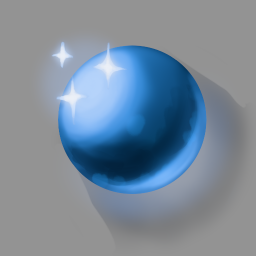
The tone/gamut mapping filter got merged, as well, we now support baking OCIO configs.
Basically, this allows us to take an HDR image like the following:
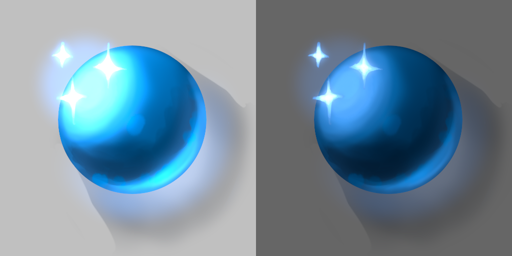
And lets us either use the tone/gamut mapping filter to get these results:
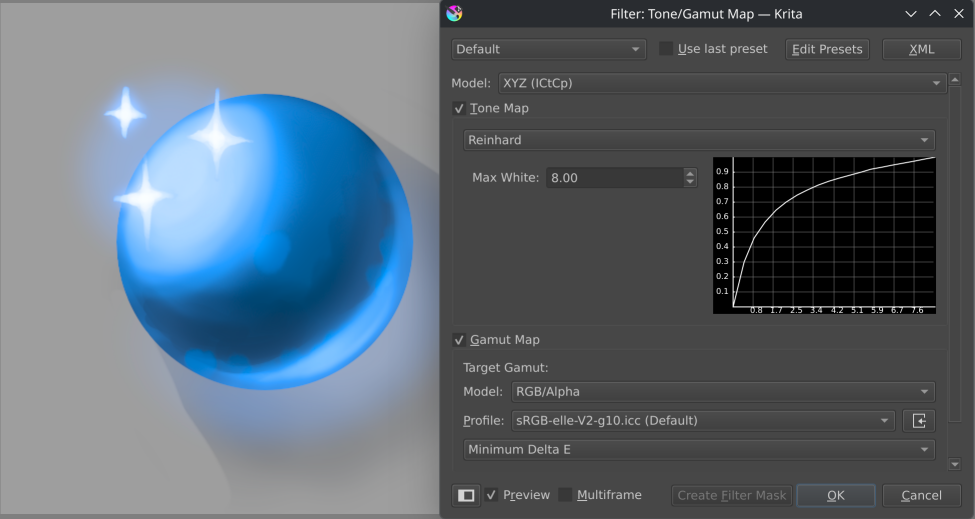
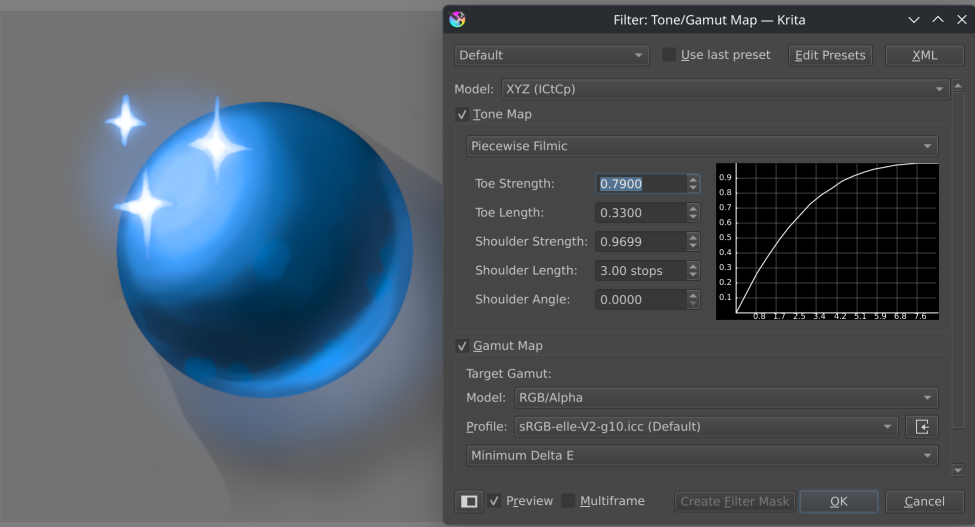
Or use OCIO baking to get this result (if using the blender ocio config and there the aces 2.0 view for sRGB display device):
In theory, the gamut mapping filter is really useful for very wide gamut images as well, but for the typical case of sRGB → CMYK profile spaces, it won’t make much of a difference. In the future, I’ll be looking at improving the gamut mapping part of the filter so it can compress chroma if so desired, in which case it’ll be more interesting for print workflows too.
Unfortunately, it seems my HDR work will be cut short: 6.1 is going to be released in the new year, sped up by the qt6 port being somewhat complete now. That means I’ll have to start on bugfixing/documenting/writing release notes soon, and won’t have time to work on filters for HDR. After 6.1 is released I’ll be moving back to working on text again. So I’ll be finishing the missing blogpost about nits and cicp in icc, and then go into bugfixing.
Will 6.1 official be available before the end of the year?
It’s already available as an official “next” version, go to the downloads page on krita.org, scroll down and get the “Krita Next Nightly Build”.
If the features talked about here are relevant to you, you should start using that now and report issues you find. Otherwise, anything that’s a problem in Krita Next today will probably also be a problem in the final release and then you’ll have to wait even longer for them to be addressed, if ever.
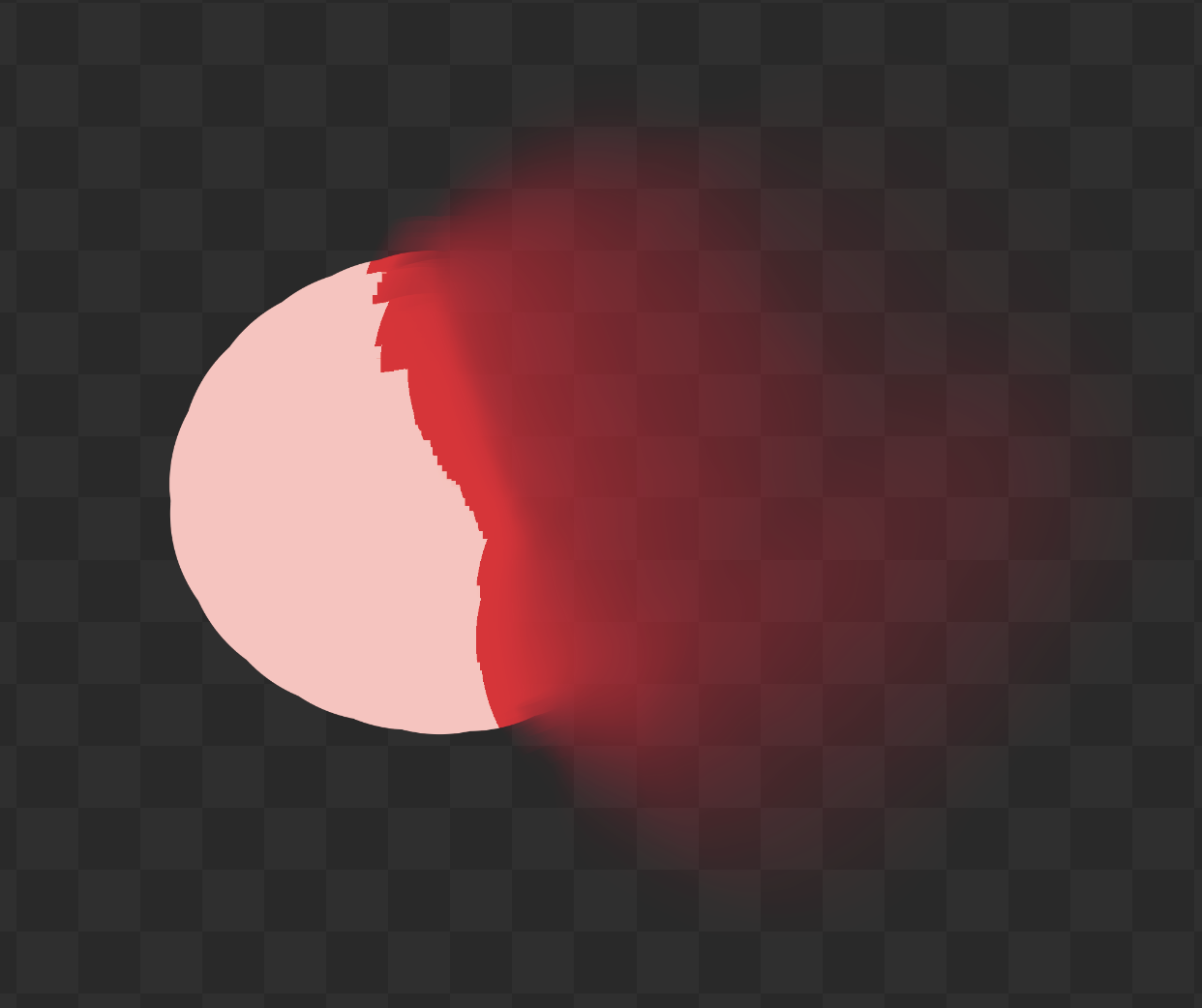
Hello, I’m new here. Are there any plans to fix blending brushes in HDR? When attempting to blend pixels with values above 1.0 using a blending brush near transparent pixels on that layer, it just clips the values to 1.0, as seen here:
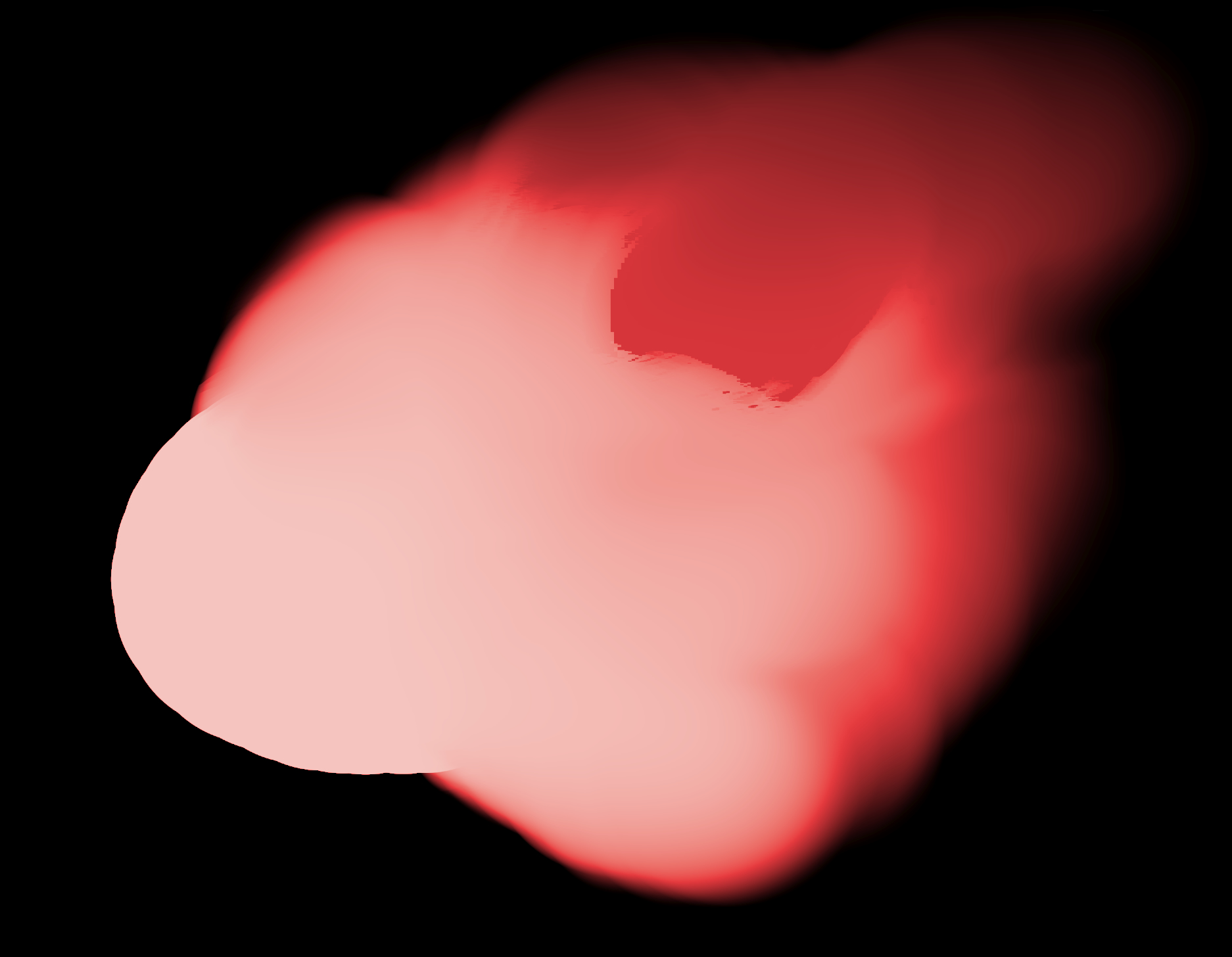
However, blending brushes work as expected when HDR pixels are painted on an opaque background on the same layer, but in some cases can still cause artefacting such as when trying to push really dark colours onto HDR pixels:
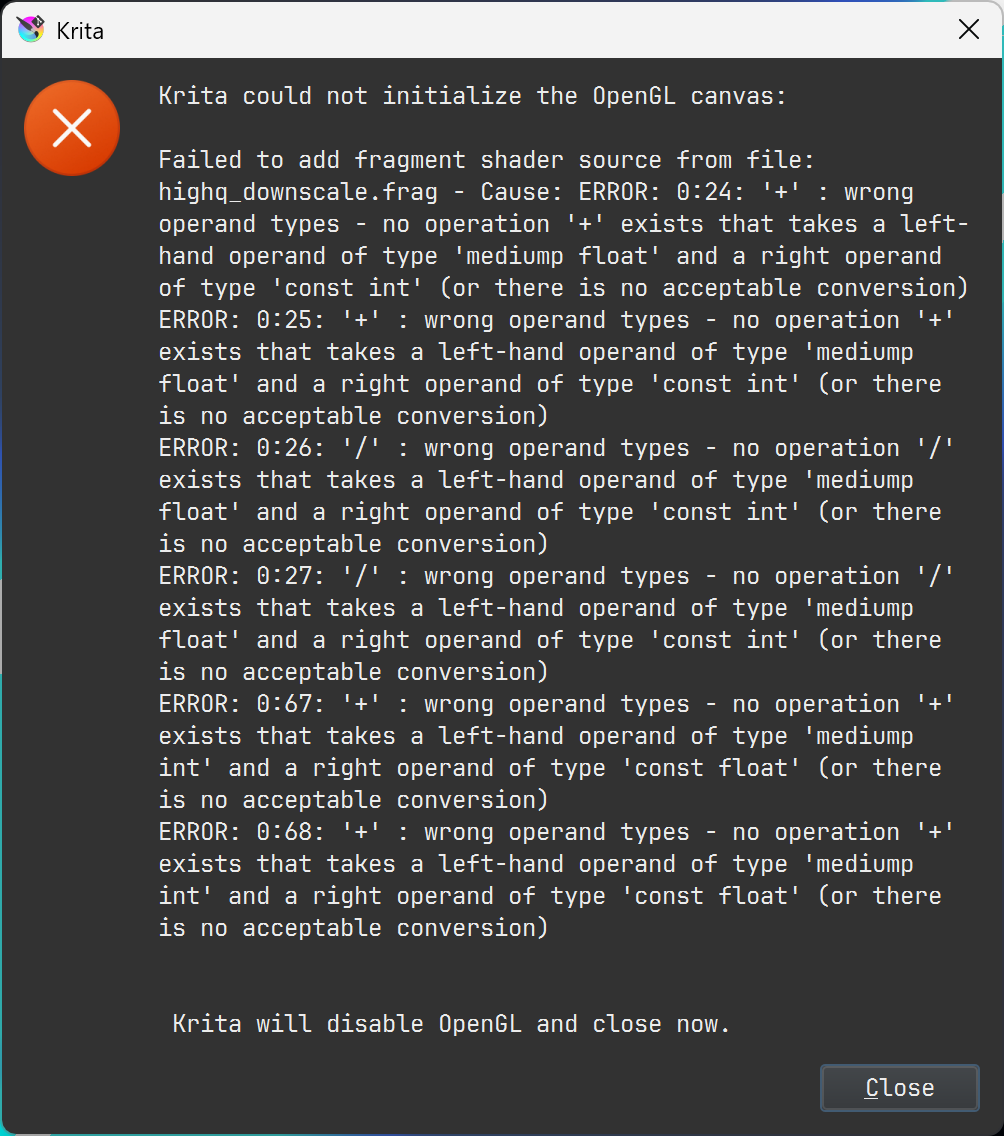
Apart from that, Krita also crashes when attempting to select the ACES 2.0 view transform in any OCIO config WHILE the display format and/or the preferred output format is Rec. 2020 PQ (10-bit), which does not occur with other view transforms such as Blender’s AgX. Said crash produces this error message:
I am currently in the process of submitting bug reports for these issues, and I hope these get fixed sometime in the future. I am a heavy OCIO user with an HDR monitor and I am forced to look for alternatives to circumvent some of these issues or bear with the limitations.
PS: I forgot to add that I’m on Windows 11 and this crash when selecting ACES 2.0 view with Rec. 2020 PQ (10-bit) display formats occurs both on Krita versions 5.x and 6.x.