Type of device* : Drawing tablet
Brand and version of the device: Huion kamvas pro 20 (2019)
System** : Windows 10
* graphics tablet/display tablet/2-in-1 laptop/Android tablet
** Windows/Linux/Mac/Android, + version (you’ll find it in Help -> Show system information for bug reports)
Hello!
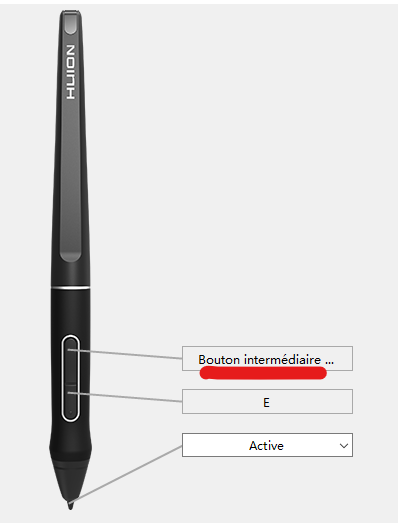
I recently updated Krita (it had been several years) and the “middle mouse button” (mouse wheel) command that I associated to a button on my Huion stylus no longer seems to be recognized by Krita.
I’ve tried it in an other drawing program (it works), using the actual mouse button (it also works), and changing the command assigned to that stylus button (the other commands work too)… Maybe Krita doesn’t understand when I hold the stylus button..?
I’m completely lost, where should I look to fix this problem?
Did you also assign that function in Krita under Settings > Configure Krita > Keyboard Shortcuts to that button? The question here is, from where should Krita know to what you have set your buttons? The issue here is usually that the tablet manufacturers deliver their tablets with a button assignment made for Photoshop, and that differs in large parts from Krita’s button assignment.
Thank you @Michelist !! ^^
After your message, I looked in the settings:
I see how to select “pan tool” when I put krita_default, but I can’t find the option to do this temporarily (the shortcut “space + left click,” but unfortunately, I can’t enter that combination on my stylus) to drag over the canvas.
Oops, currently I have no real access to my hardware, but from memory I think this is correct:
Usually Space is sufficient, because the tip of your stylus is recognized as the left button automatically and when you hold down space and put your stylus down you can move/pan the canvas around.
Can you try that out?
But I have a request, in case you think this is solved, can you please mark this topic as solved? That way other users in seek of help may discover this topic as a possible solution for their issues.
Thank you!

 Hello
Hello 
