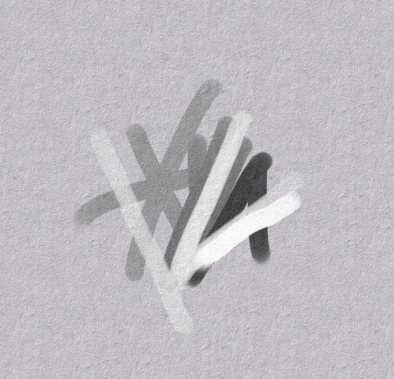
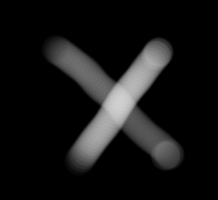
A new brush engine, closer to real life drawing sensation

Hi guys.
I had an idea I’m thinking of for a long time. I feel like it’s big.
It’s a concept for a brush engine.
I’m not a developer, and all I have is a rough idea in pseudo-code.

In real life, when you draw with a pencil, if you use light pressure, the result will be light grey. No matter how much time you will draw over the same area. It will never turn black.

I think a lot of brush developers know that, and that’s the reason a lot of brushes are set by default to make the pressure influence the opacity, instead of the flow.

Its works as long as you draw the whole drawing in one line. When you are done with this line, the next line will be on a new ‘layer’. And where the new line will overlap with the previous line, it will be darker.

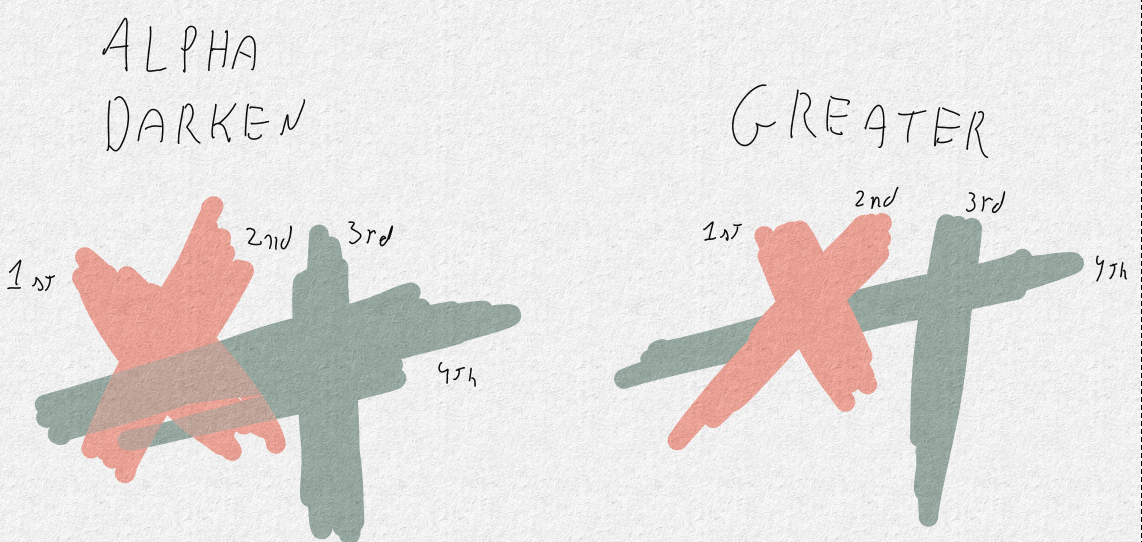
Krita tried to solve this problem with the ‘greater’ blend mode. It works if you use one color. When you try something more complicated things start to fall apart.

That’s what’s I tried to solve.
And this is how it goes:
We have two colors. The color the user chose to draw with(AKA target color), and the color of the pixel the user trying to draw on(AKA canvas color). Each one of the colors is made of 4 parameters. RGBA. red, green, blue, alpha.
and we have the input from the tablet (AKA pressure value.
Also, we have the input from the tablet (AKA pressure value). For convenience, let say that it goes from 0.0 where there is no pressure, to 1.0 when there is full pressure.
So when the user draws, the software goes through each one of the RGBA components separately and checks:

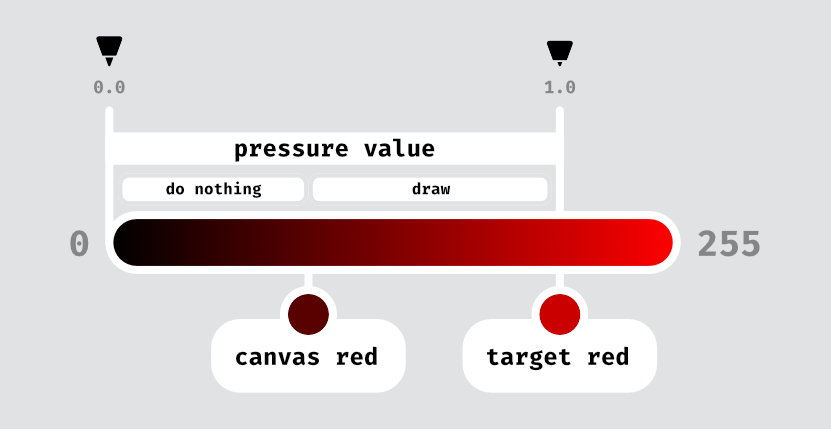
If the target red is equal to canvas red =
Do nothing.
If the target red is greater than the canvas red =
    If pressure value * target red greater than canvas red =
        Apply pressure value * target red to the canvas red.
    If pressure value * target red lower than target red =
        Do nothing.
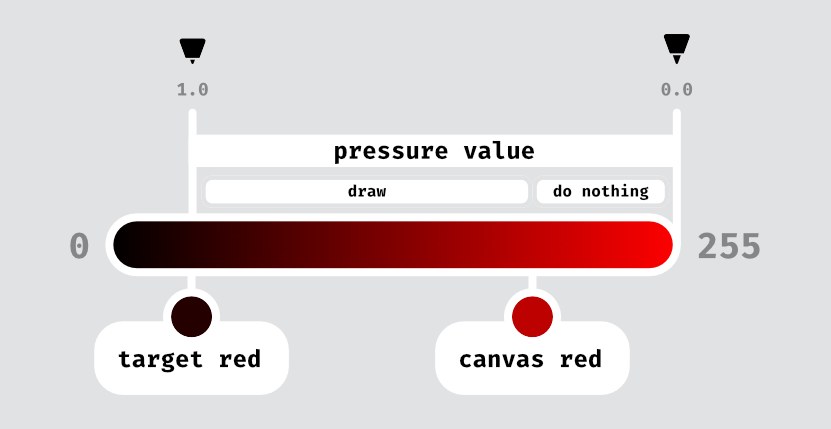
If the target red is lower than the canvas red =
    If pressure value * (255 - target red) greater than (255 - canvas red) =
        Apply 255 - (pressure value * (255 - target red)) to canvas red.
    If pressure value * (255 - target red) lower than (255 - canvas red) =
        Do nothing.
And repeat this process for the green, blue, and alpha.

Maybe it’s a lot of calculation to ask for every pixel, but maybe not. I’m not a developer.
but if we can optimize the process and make it fast, it can change the digital drawing experience.
I don’t know if its suits Krita developers’ vision. I just want to share my thoughts. and if it will not be implemented in Krita, maybe another developer will want to build some prototype of it. I just really want to use this kind of brush.
1 Like

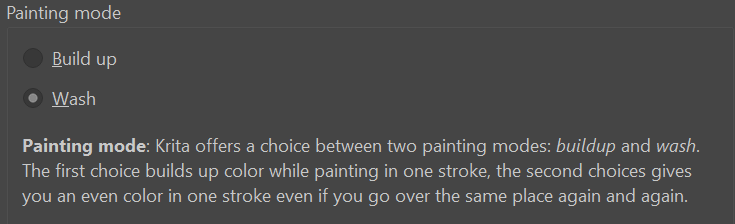
Simply change the painting mode from “build up” to “wash” in the brush presets, alternatively Alpha Darken is the blending mode that is used for wash mode.

you didn’t get what I’m trying to accomplish. the official definition of wash painting mode is “gives you an even color in one stroke even if you go over the same place again and again”. I’m talking about even color in multiple strokes.

Did you tried the Alpha Darken blend mode of the brush? How does differ from what you expect?
Here is what I get when setting the b) Basic 1 to 50% Opacity and this blend mode.

but now you lose the pressure sensitivity. I want the opacity to change according to the pressure of the tablet and to be able to overlap without darker areas and to use any color I want.

How do you lose pressure sensitivity?

I just lock set the opacity to 50% on this image for demonstration purposes, to show the same opacity with different colors and values.

You still can set flow and opacity with this blend mode with pen pressure. Actually I just made a Pencil 4b preset using this blend mode and the Height Texture mode. Probably is going to be my go-to sketch brush.

But then I get dark overlaps.

Can you try this and tell if there is an unexpected behavior for you:

  • Select the brush b) Basic-2 Opacity
  • Open the brush Editor (F5 key)
  • Change the blending mode to Alpha Darken
  • Under the Color section in the painting mode change to Build up (I know, it seems counter-intuitive)

Test the brush. Here is what I get painting pure black and pure white:
Captura de tela de 2021-12-29 15-53-16

it’s better now. (before I was on ‘wash’ painting mode)
but now when I try to paint white over black, it falls apart.
image

Then my guess this is the ‘limit’ Alpha Darken can go. I don’t think there is any other blend mode more promising.
However a variation of the Alpha Darken could achieve the result you are expecting? Someone with more knowledge on blend mode could give us an insight about this.
If so, creating a new blend mode by only slightly modifying a current one could not be too difficult.

maybe. but it looks like the whole concept of alpha darken works just when you go darker (that’s why it calls ‘darken’). any attempt to go brighter should fail. so to me, it seems that it’s more complicated.

Yes, it only darken, but this Alpha Darken mode already checks the opacity of the stroke vs the opacity of the canvas. Maybe if there was an “Alpha Blend” that check the value and opacity.
A less opaque stroke would do nothing.
A more opaque stroke would be painted over, but check the value of the stroke vs the canvas value.

  • If the stroke were lighter it would apply a lighten blend
  • If the stroke were darker it would apply a darken blend

Maybe this could work?

1 Like