I accidentally deleted the image pen tip. Is there any way to restore it? (I have reinstalled the app multiple times, but it doesn’t seem to work.) version 5.2.13
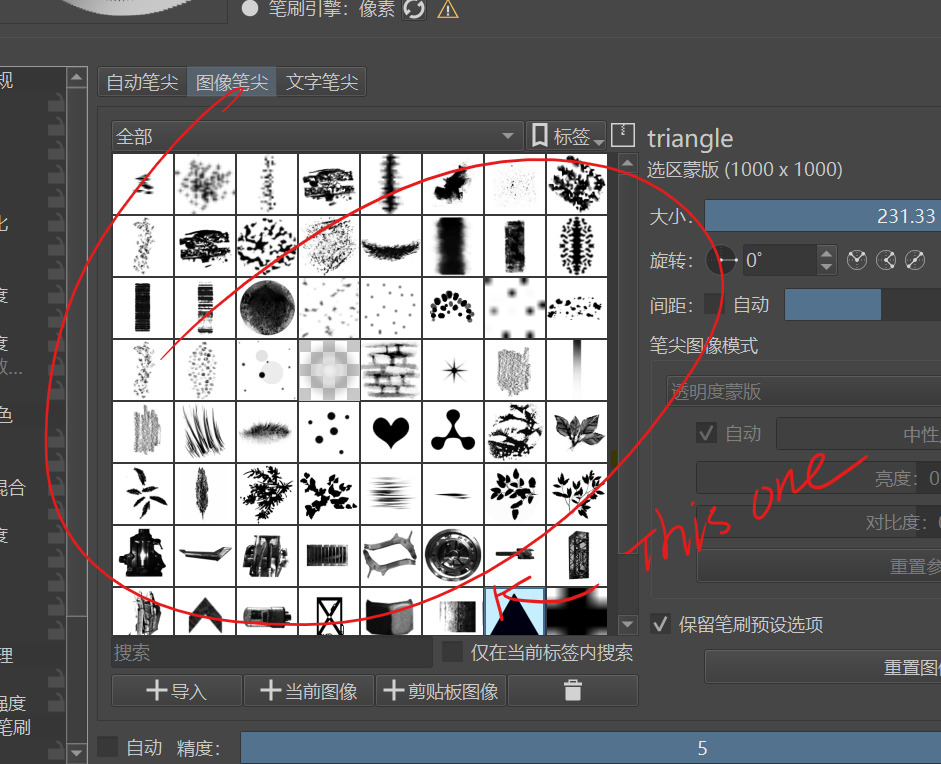
The ‘triangle’ brushtip image is a file called ‘triangle.svg’ and is normally stored in the resource folder ‘brushes’ folder.
How did you delete it?
1 Like
try to delete the directory where the brush was and reinstall the app
may help
Hello @Nikita_Grin and welcome to the forum 
That would also delete any brushtips that the user had individually installed and they would not be restored by reinstalling the application.
It would be better to find out exactly how the user ‘deleted’ the triangle brushtip and then try to reverse the process.
I suspect they used Settings → Manage Resources but I’ll wait for them to reply.
3 Likes
not just the triangle,in fact,i delete a lot. Below the brush image selection interface, that is, beneath the mark I made in the picture, there is a trash can button. I originally thought this button was used to delete brush presets, so I pressed it many times. It wasn’t until later, when it still didn’t respond, that I realized it was meant to delete image brushes.
Thank you ,and fortunately,I haven’t had time to install the extra brush tips yet,I might be able to try that method.
Thank , I will give it a try.
The ‘triangle’ brush tip has not actually been ‘deleted’ in the sense that it has been removed from krita. It has been marked as ‘do not use and do not show as available’.
Go to Settings → Manage Resources and select the options as shown here:
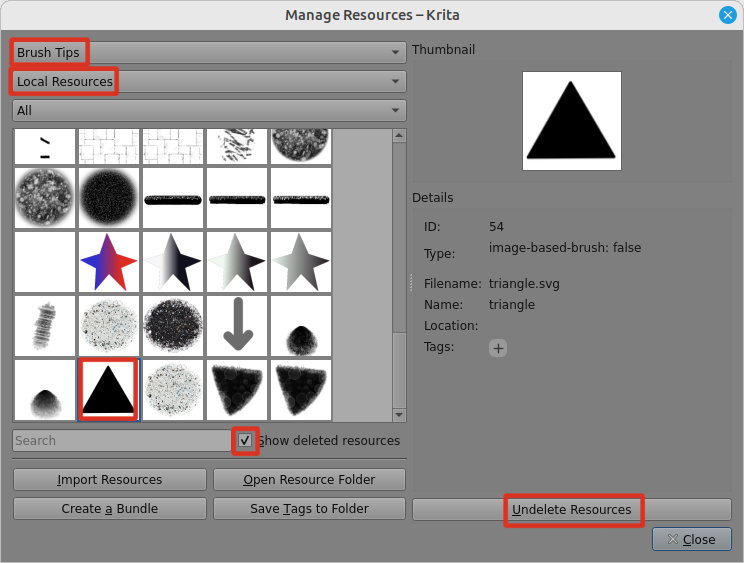
Then click the ‘Undelete Resources’ button at the lower right and that will make the triangle available.
3 Likes
Sorry, I have been busy with things at university recently, which caused me to forget to reply. Thank you for your explanation, I understand now.
1 Like
This topic was automatically closed 4 days after the last reply. New replies are no longer allowed.