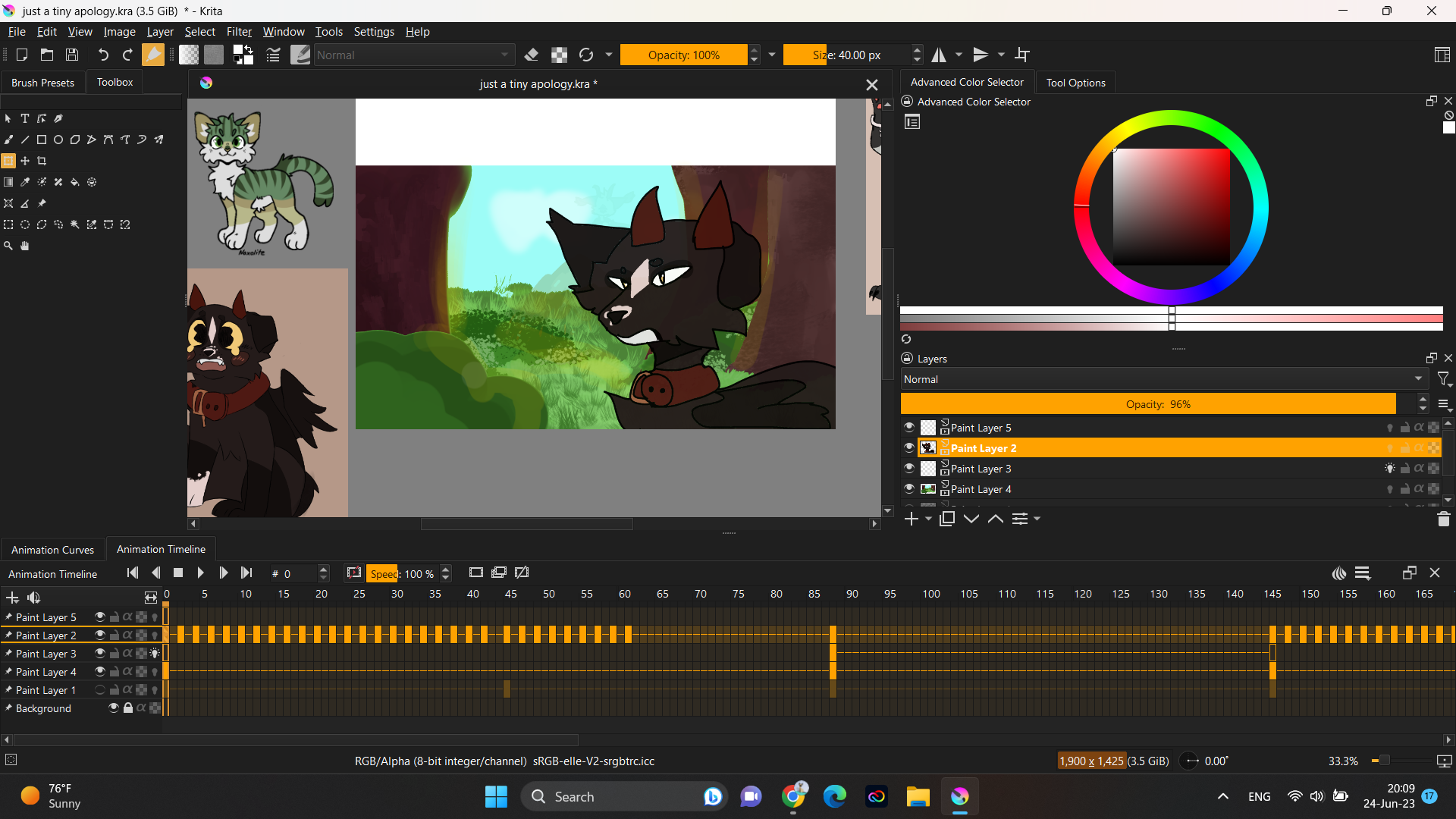
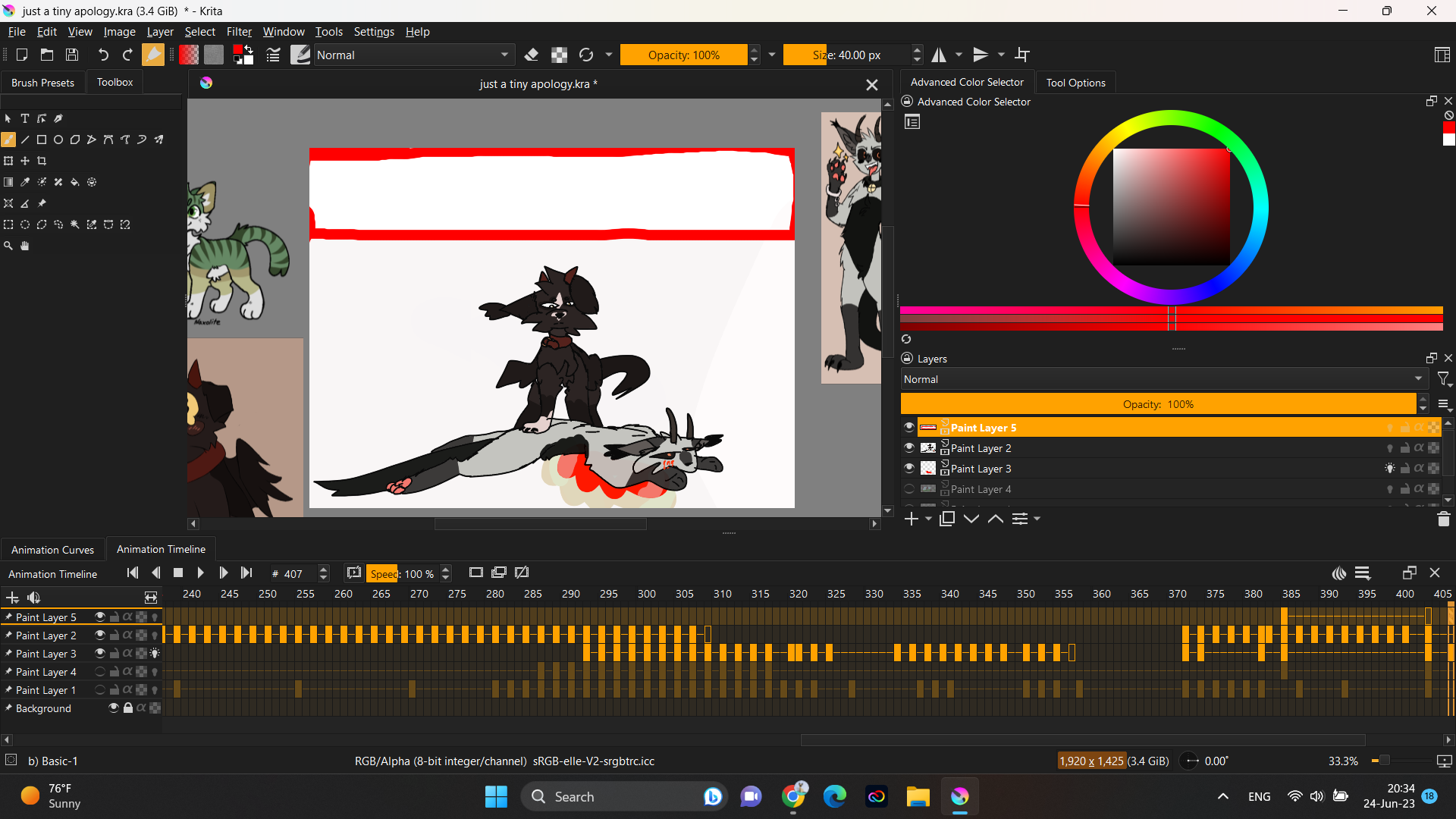
Krita isnt crashing but I didnt know what other tag to put. Anyways I was lazily stroking my tablet while my sister was explaining something, and when I turned my attention back to my laptop, the whole canvas was just… broken.
My canvas was originally 1900x1080 but when I try and set that back manually trough the Image>Resize canvas, it just breaks more. PLEASE help me fix this! I spent around 1 month working on this and I was DONE! I only had to add a couple finishing touches and then THIS happened!
Can you use different words besides broken or break? We can help once we understand what you are experiencing.
It would also be helpful to know which operating system (Windows, macOS, Android, etc.) and the version # of Krita (it’s in Help > About Krita – upper right hand of the image).
Hello! I am sorry but I dont have a very rich vocabulary, But I will try! So I am on windows 11! My canvas gained height only on one side and now I can’t turn it back! My canvas was originally 1900x1080 but now its 1925x 1425. I dont know how it happened! And when I try reverting it back to 1900x1080, everything just cuts out and its just a nightmare! Thankfully I reverted back to my backup file and it fixed itself! even though lost some progress. Here is another image of what I mean.
To get rid of the extra canvas, I would use the crop tool. Just to make sure you don’t hate the end result, make an extra copy of your work and try this out on a copy first.
Select the crop tool, stroke across the screen to get the approximate size you want. This is adjustable so don’t stress about getting it right the first time. The crop box has adjustment points in the corners and top/sides/bottom. Adjust the crop area until it looks right to you, then tap the crop button in the tool options box or hit the enter key.
Two things could have happened here. You accidantely used ctrl+alt+c and increased the canvas size (unrelated to the image scaling) or you had the crop tool active and it was set to grow which adds to the canvas if the crop area was bigger than the canvas dimensions. The easiest way to get rid of it again would be to use the crop tool again. Or resize the canvas (not scale image) but make sure that the alignment of the content is set to center-bottom so only the top part is removed.
Another thing that can easily happen, it’s a feature I only learned about recently myself: When you scroll a lot to the sides or up/down at some point a huge button appears on that side and when clicked it simply expands the canvas in that direction. Kinda like oh it seems like you need more space. This can happen unnoticed rather quickly because depending on the color theme it is very hard to see.