As most know when using the Bezier Curve Tool and Freehand Path Tool, even with Brush selected for “outline” and a size taper or opacity change able brush selected, the end result is always the same width and opacity throughout. While exploring YT, I came across a PS tutorial (below) that showed a option for their “Pen Tool” called “simulate brush”. With this checked and the “Shapes Dynamics” enabled and Size jitter set to “pen pressure” a stroke applied to the active bezier line would take on the tapering of the brush.
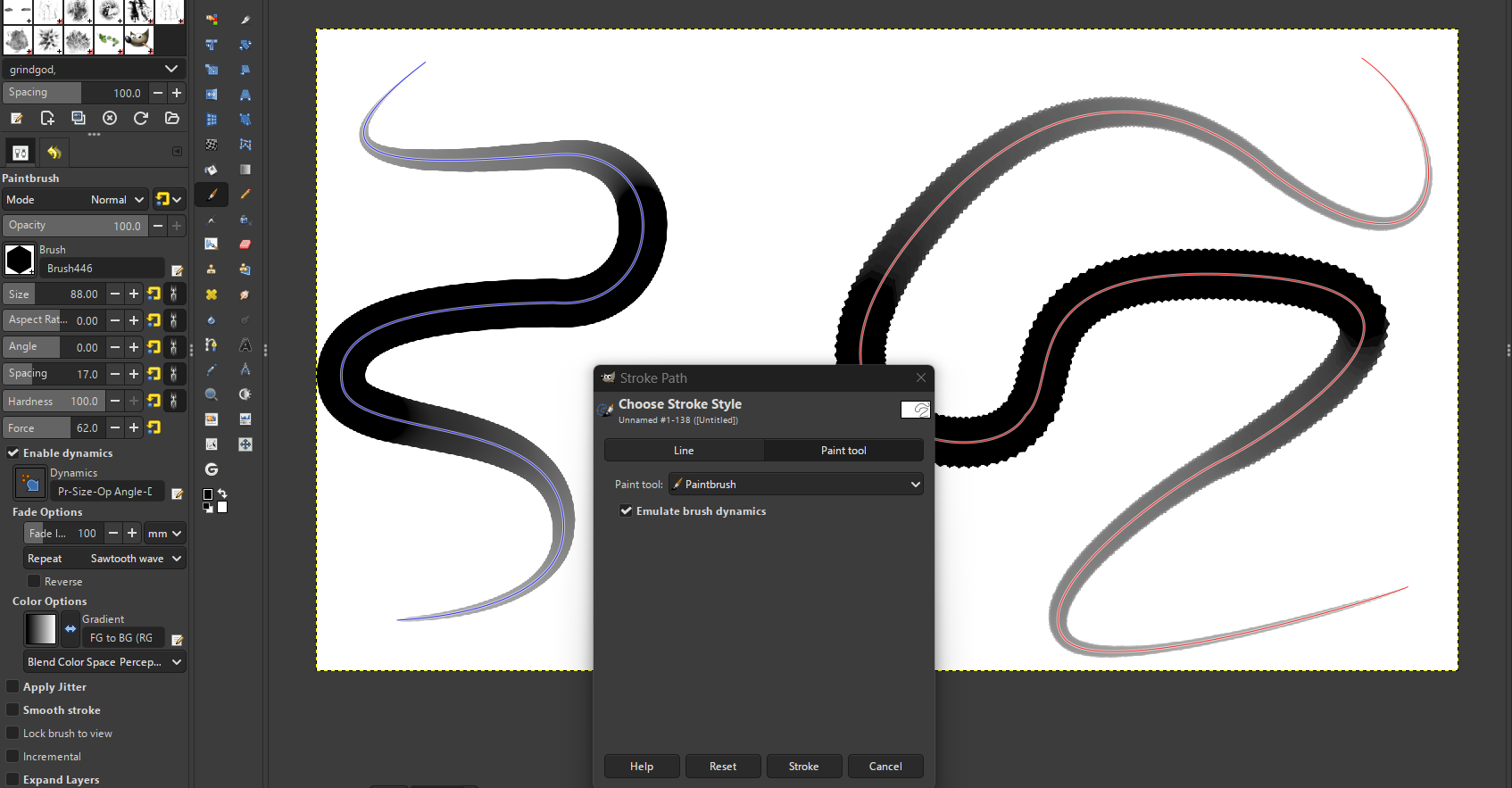
So as I also have GIMP3.0 on my computer, I researched there “Paths Tool”. The stroke operation has a option to check, that will allow you to emulate the brush selected (below), though with GIMP, you have to enable the “Brush Dynamics” in Tool Options for desired effects.
I have found that, if in a Paint Layer and a brush like “b) Basic-5 Size” is chosen, by changing your size sensor to “Fade”, using the upside down “U” setting and adjusting the length can give you a tapered end on both sides. This being said, it takes a lot of tries to get the line to the desired taper and when you adjust the size of the brush, you once again have to adjust the “length”. BTW, with this process, the width of the brush is not what it is set brush size either, usually closer to 1/4th the width or narrower. Below shows the b) Basic-5 Size-Opacity @83 px, the dot is the basic round @80 px
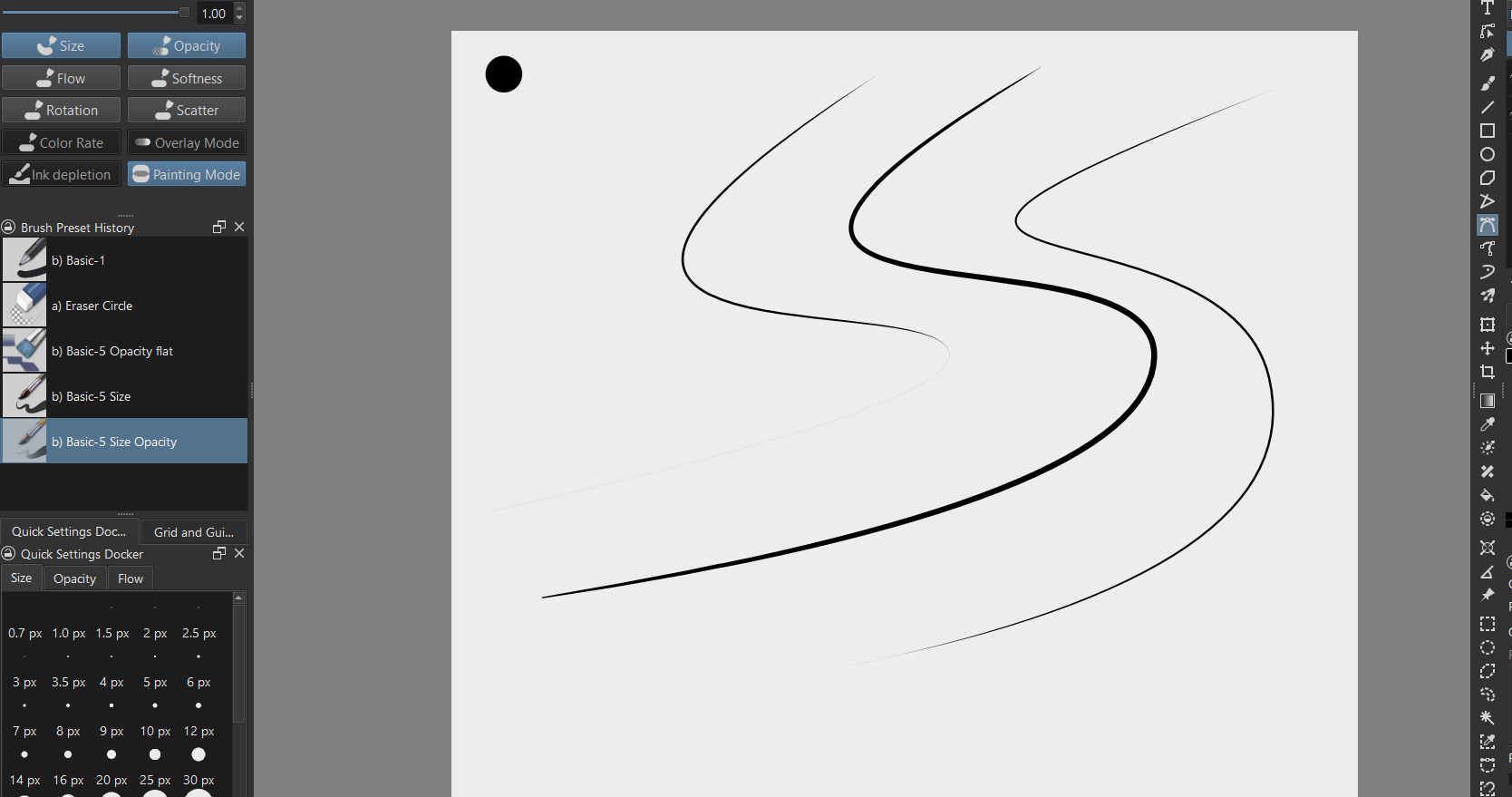
So I am requesting not a new Bezier Curve Tool or Freehand Path Tool, but to just add a option to simulate/ emulate the brush characteristics of the chosen brush. Of course this option would have to work for both Vector and Raster.