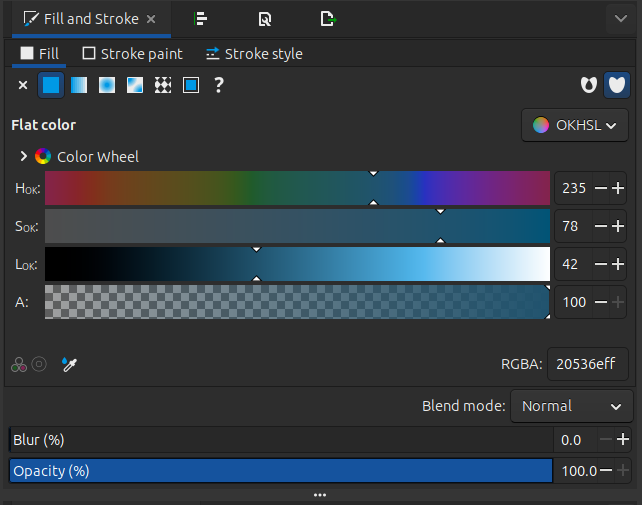
Oklab colors make choosing more natural colors easier for painting. Inkscape already has them, as does CSS. Oklab color space - Wikipedia
Would be great if Krita had them in addition to RGB/HSL too.
There was a feature request for it here - Add oklab color space, I experimented with some things - which is unfortunately too old to comment on now so I had to create a new one.
Can you elaborate on how and where Inkscape does this? Either the version I have installed doesn’t have it or I’m looking in the wrong spot.
I’ve already got a task for it: OkLab Support in Krita (#56) · Issues · Graphics / Krita · GitLab
However, it has fairly low priority and quite a few things that need to be done ahead of time, architecturally. Inkscape, to my knowledge, doesn’t have OkLab support, because of similar architectural issues. Right now, my priority for color management projects is getting HDR support decent. I’m hoping I might be able to get some of the architectural issues cleared when improving HDR support.
EDIT: apparantly they hacked it into the colour picker, which isn’t really how I’d do oklab… Support for OKLab/OKLch color spaces and a new picker (!4882) · Merge requests · Inkscape / inkscape · GitLab
EDIT2: To clarify, the reason we cannot hack it in, is because OkHSL (the one I can find in Inkscape 1.4.3) is limited to sRGB, and within Krita we really want to move away from stuff being limited to sRGB.
Here’s the Inkscape one. Even if it’s temporary for a few years, and you make some architecturally better later, it’s still pretty useful.
In your Usecases section I didn’t see a mention of the brush editor. Will it also be implemented for the brush editor in a similar capacity to Hue, Saturation and Value?
Not at the moment. The problem with introducing these at the brush-engine level is that we have no way of providing fallback if we ever need to remove the algorithm, so I am super-conservative with adding the feature.
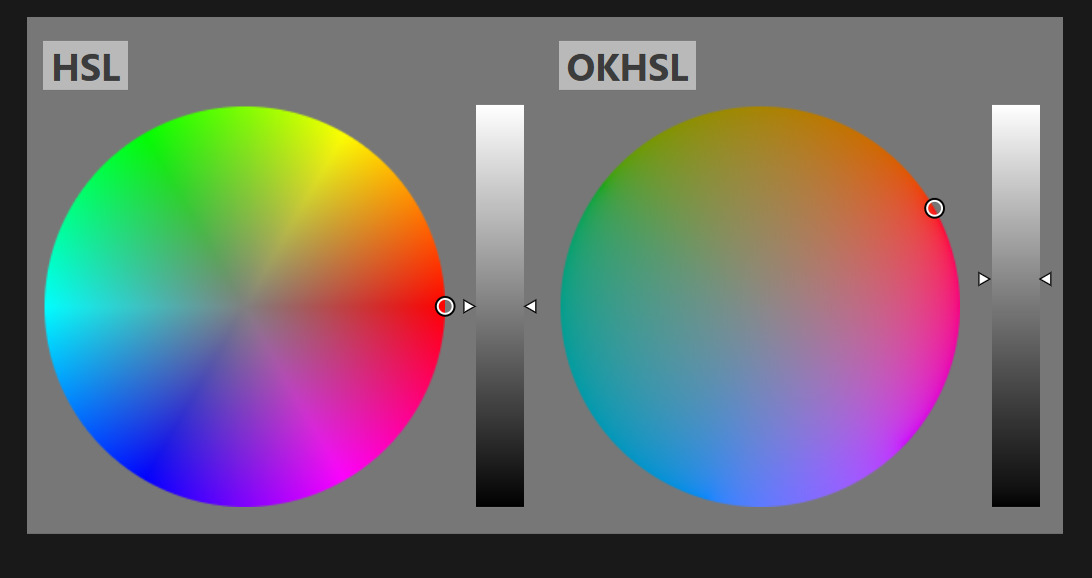
Upvoted. This image shows why OkHSL is great:
Technically Krita already has something similar (HSY’). But OkHSL is now the standard way to achieve this perceptional uniform.