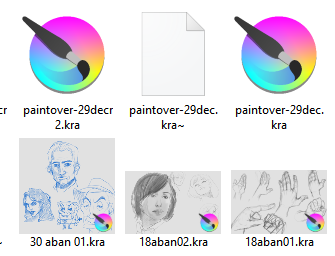
I’ve tried a few things that worked for me before. I haven’t figured out what’s wrong yet. I updated Krita along with a ton of other things (anything with the new manjaro update), so it might be that.
One other note, I do have the “Compress .kra files further (more loading/saving)” tick enabled in krita’s settings if that might mean anything.
The first thing I tried was making sure dolphin would show previews for everything
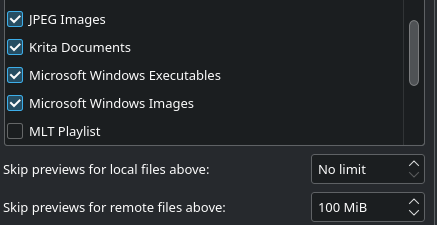
This didn’t fix the problem.
One thing I tried was changing the file extensions of my krita files from .kra to .png. I found something interesting that might indicate a problem. I’m not sure.
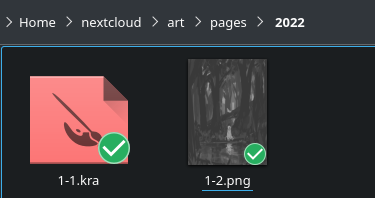
file 1-2.png was originally a .kra file. I even opened it up in krita and just saved it again as a krita file just to make sure. When I modified the file extension to .png, the preview showed up. BUT, when I try to do the same thing to 1-1.kra, it doesn’t work. 1-1.kra was created and saved from krita 4.x.x (sorry I can’t remember the exact version, but it was one of the newest). I’m not sure why this only worked on the file created by 5.0.0.
Interestingly enough, the newest stable version of Nextcloud can display the thumbnails properly, but only if their file extensions are .kra. Nextcloud wouldn’t show a preview if they were .png’s.
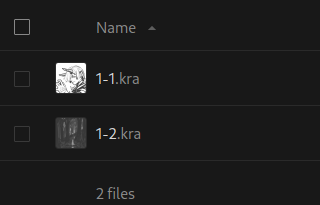
Because of this, it might not be a problem with Krita, but I’m not really sure where to start diagnosing. Every other file type seems to show previews, including .psd and .png files created by Krita, but not .kra for some reason.
I went on another computer running Manjaro, Dolphin and i3 (instead of Plasma) to see, and I could see the thumbnails for all my .kra files. I updated it with the newest Manjaro update and got the same problems.