Hi, I’ve created a small script that aligns layers to selection in the active document. I could not find that feature in Krita (does it exist already?) so I wrote something that does the job  . Hopefully it will be useful for others, so I am sharing the script file.
How to use:
- Paste script in scripter (Main Menu->Tools->Script->Scripter)
- Make selection (or Ctrl + click on layer, to make selection of specific layer)
- Select the layer / group you wish to move/align
- Start script
It should align selected layer/group to selection in the document. It aligns bounding box center (BB) of the selected layer to the BB center of the selection.
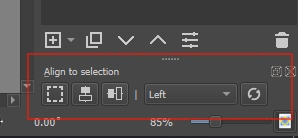
Since I am new to Krita, and Python is not “my native tongue” , any help where I can find an example or tutorial how to easily integrate the script in Krita UI would be appreciated. I am currently reading Krita docs how to make a plugin. Plugin should have more features, align to top, bottom, left, right of BB selection etc.
Please use it as you wish. (tested in Krita 4.4.8)

P.S. I am unable to upload Python script file to forum… so I have pasted code…
from krita import *

activeDoc = Application.activeDocument()
activeLayer = activeDoc.activeNode()

if activeDoc.selection() is None:
    print("You must have active selection in current document!")
    sys.tracebacklimit = 1
    raise ValueError()    #sys.exit()    #raise SystemExit


def getSelectionCenter(currDoc):
    s = currDoc.selection()
    #print("x: " +  str(s.x()) + ", y: " +  str(s.y()) + ", w: " +  str(s.width()) + ", h: " +  str(s.height()))
    coords = [0,0]
    coords[0] = s.x() + round(s.width()/2)
    coords[1] = s.y() + round(s.height()/2)
    #print("selCenterX: " +  str(coords[0]) + ", selCenterY: " +  str(coords[1]))
    return coords

def getBoundsCenter(node):
    coords = [0,0]
    lb = node.bounds()
    coords[0] = lb.x() + round(lb.width()/2)
    coords[1] = lb.y() + round(lb.height()/2)
    return coords

def getMoveCoords(node, sc):
    nc = getBoundsCenter(node)
    mc = [0,0]
    mc[0] = sc[0] - nc[0]
    mc[1] = sc[1] - nc[1]
    return mc


def moveChildren(node, moveCoords, posOffset):
    nChildren = node.childNodes()
    for ch in nChildren:
        #print("ch name: " + ch.name())
        pos = ch.position()
        ch.move(moveCoords[0] + pos.x()+posOffset.x(), moveCoords[1] + pos.y()+posOffset.y())
        moveChildren(ch, moveCoords, posOffset)

selCenter = getSelectionCenter(activeDoc)
moveCoords = getMoveCoords(activeLayer, selCenter)
#print("moveCoords[0]: " +  str(moveCoords[0]) + ", moveCoords[1]: " +  str(moveCoords[1]))

posBeforeMove = activeLayer.position()
activeLayer.move(moveCoords[0]+posBeforeMove.x(), moveCoords[1]+posBeforeMove.y())

moveCoords = getMoveCoords(activeLayer, selCenter)
moveChildren(activeLayer, moveCoords, activeLayer.position()-posBeforeMove)

activeDoc.refreshProjection()

 ).
).