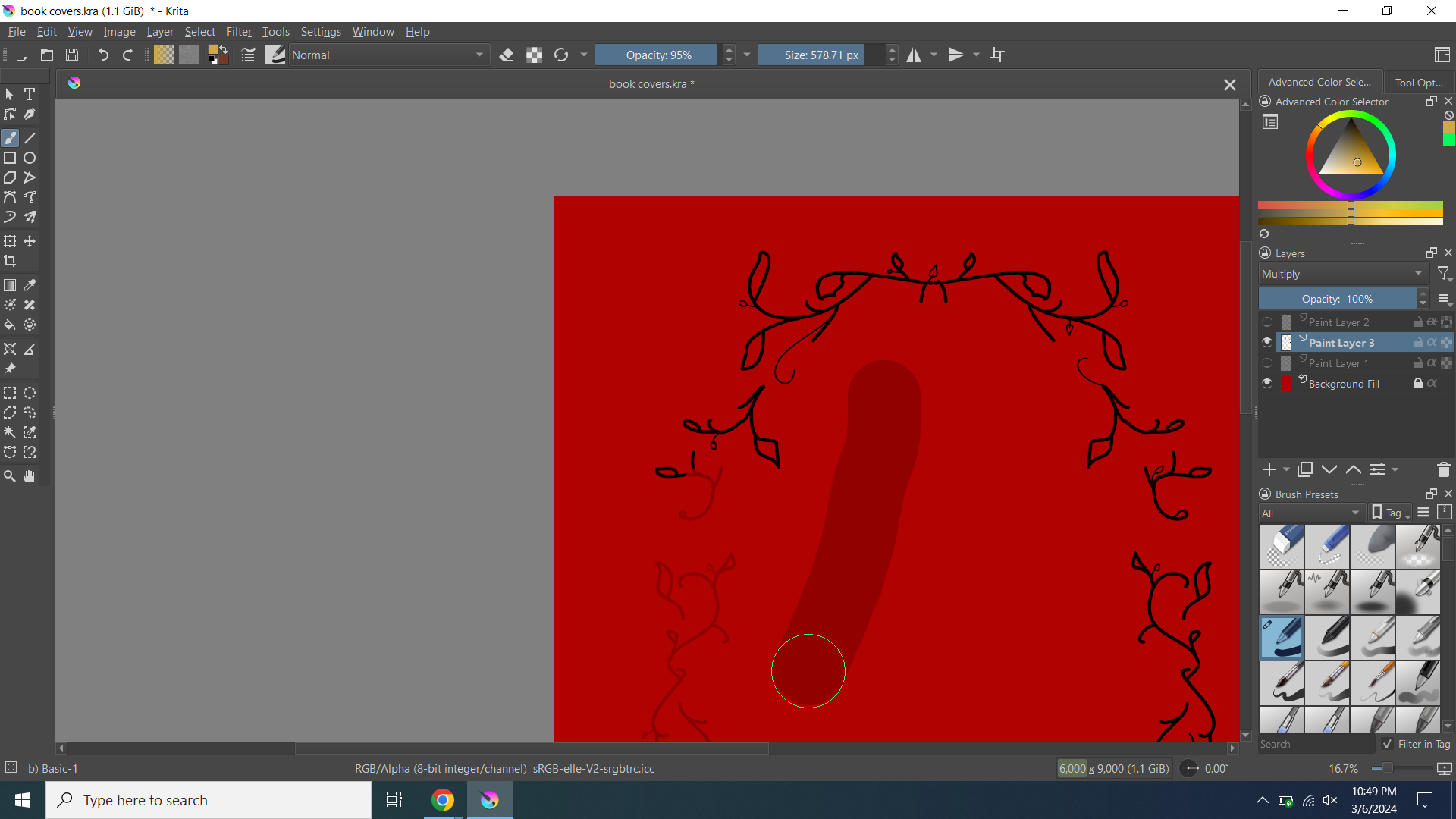
I’ve been trying to change the color of some linework I drew in black. When I first did it, I made sure the alpha lock was working and it was. However, when I finally finished the line art it just… doesn’t work? The dark red lines are supposed to be yellow and so is the dark line in the middle. I haven’t used this program a lot and I haven’t changed settings.
 Hello @blondie and welcome to the forum!
I don’t know what you did other than me, but for me that works pretty good. I was so cheeky to use your screenshot to recreate it on my side, means I separated background from content and created it like I believe to understand your description:
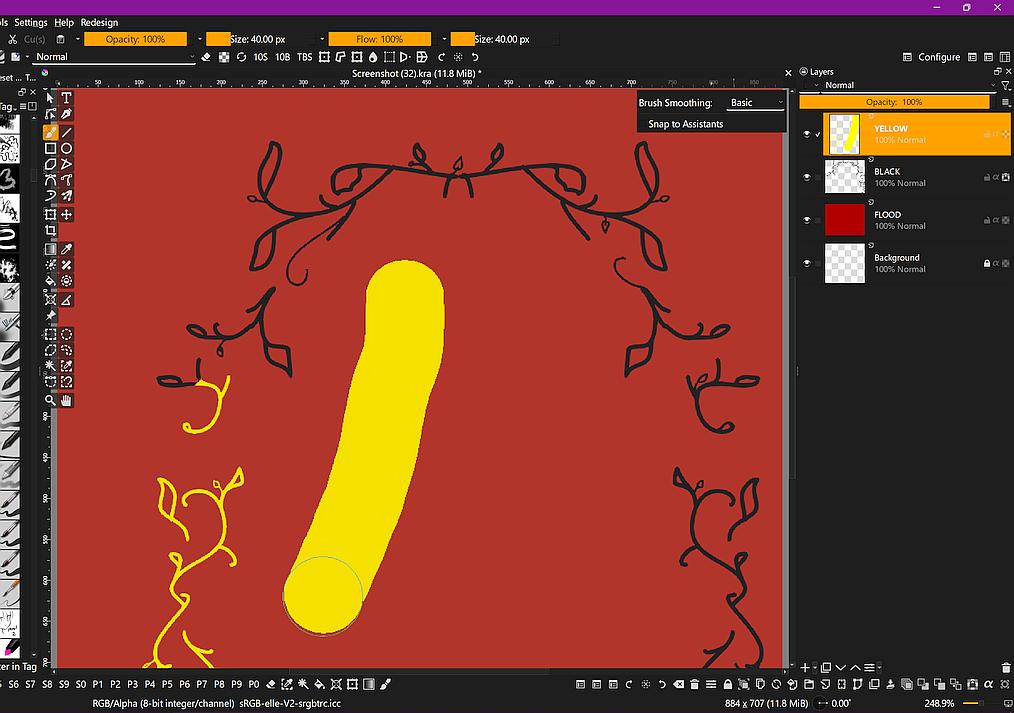
The thing I can see on your screenshot is, that you are not on the alpha-locked layer and that your alpha-locked layer has also inherit-alpha enabled. I don’t know if you want that? If you want to paint over something with the help of alpha-lock, you have to be on the locked layer.
Krita shows the state of a layer in a little info-box when you hover a layer with your mouse (or stylus if your hands are not as shaky as mines), there you can read it if the symbols may be too tiny for you.
By the way, even if it is not needed for this question, it is always a good idea to name your operating system and your version of Krita to support requests. This avoids unnecessary requests and helps to help faster. 
Michelist
2 Likes
Maybe because your layer is set to multiply?
3 Likes
When learning how to use a new application or tool or technique, I find it’s best to make an experimental/disposable image that can be ‘scribbled’ into existence quickly and be of no consequence if I spoil it.
That way, I can concentrate on what the tools do and how the technique works instead of worrying about the artwork.
When I’ve learned how to use the tools/techniques and can understand them, then I can concentrate on artwork.
Hello @Michelist
3 Likes
Good catch! 
I wonder if it’s because my vision is still blurry because something got in my eyes, and it took me hours to remove it tonight. Nope, I finally recognized inherit-alpha too. I was too focused on the bottom of the layer stack.
Michelist
Add/Edit: Hello @AhabGreybeard! 
2 Likes
I didn’t even look for the alpha-lock or the inherit-alpha problem  Just saw the yellow not being yellow, looked at the layers, and saw “multiply”. Also, when you said you were “focused on the bottom”, I saw the file was 6000px x 9000px. Made me remember when I started digital drawing and was too anxious using a canvas size over 1000px.
  It’s better now, but it wouldn’t feel right with a canvas that big.
And to add to what you said, it is best to use the inherit-alpha option in a group, else it won’t have much use.
4 Likes
Thank you, I’ll keep that in mind! I think it was that the layer was on multiply, but I have no clue how that happened.
3 Likes
This topic was automatically closed 4 days after the last reply. New replies are no longer allowed.