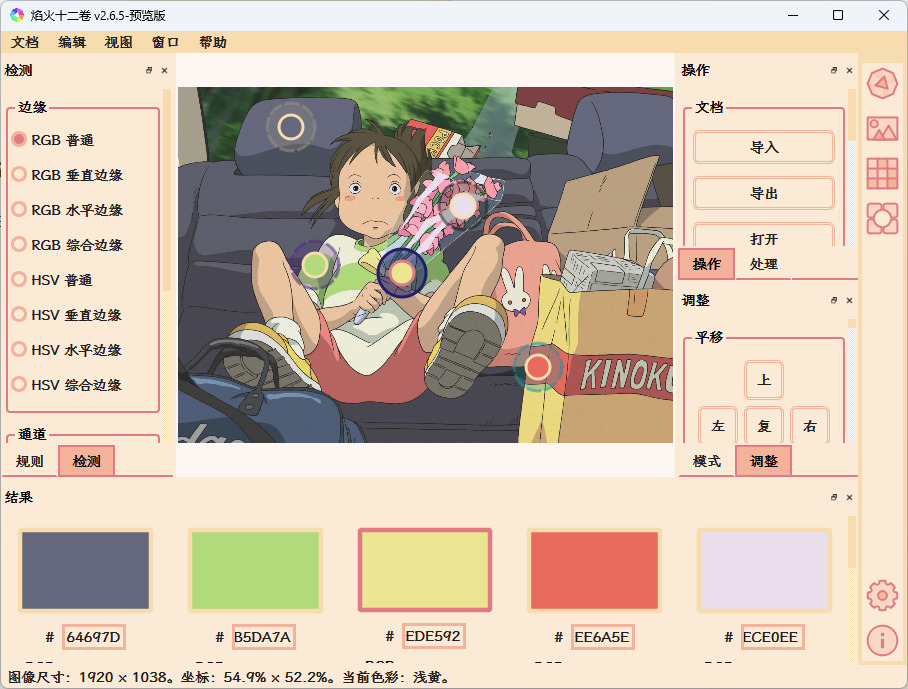
Click “View” in the top navigation bar and select “Image” to switch to the image view. Double-click the blank area to open an image. Click anywhere on the image to select a color.
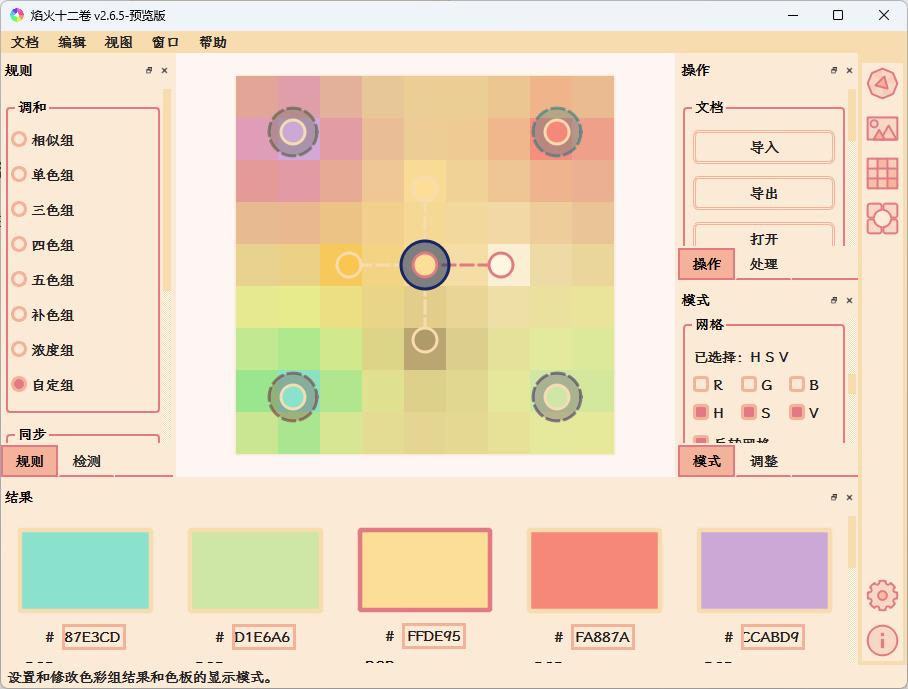
Click the “View” in the top navigation bar, select “Board” to switch to the color board view. The software will automatically generate a gradient color board based on the selected colors.
Click on “View” in the top navigation bar and select “Depot” to switch to the depot view. The software comes with two sets of palettes, “Chinese Traditional Colors” and “Japanese Traditional Colors”.
Double-click the blank color group to add the currently matched color set into the depot.
Thanks for sharing this! And - did I notice correctly that you are also the author of this software? This looks super exciting, can’t wait to investigate it more!
Creating swatches in Krita can be challenging, especially for beginners. To ease this process, I have developed a user-friendly palette generator software called Rickrack. This tool empowers you to generate a set of harmonious colors based on various color matching rules. With Rickrack, you can swiftly create a practical and compatible palette of swatches tailored for Krita. Here are the steps to use this tool:
Select your desired color matching rule to define the relationship between colors in your palette, such as analogous colors.
2.Adjust the colors of the gradient palette by moving the tags on the palette.
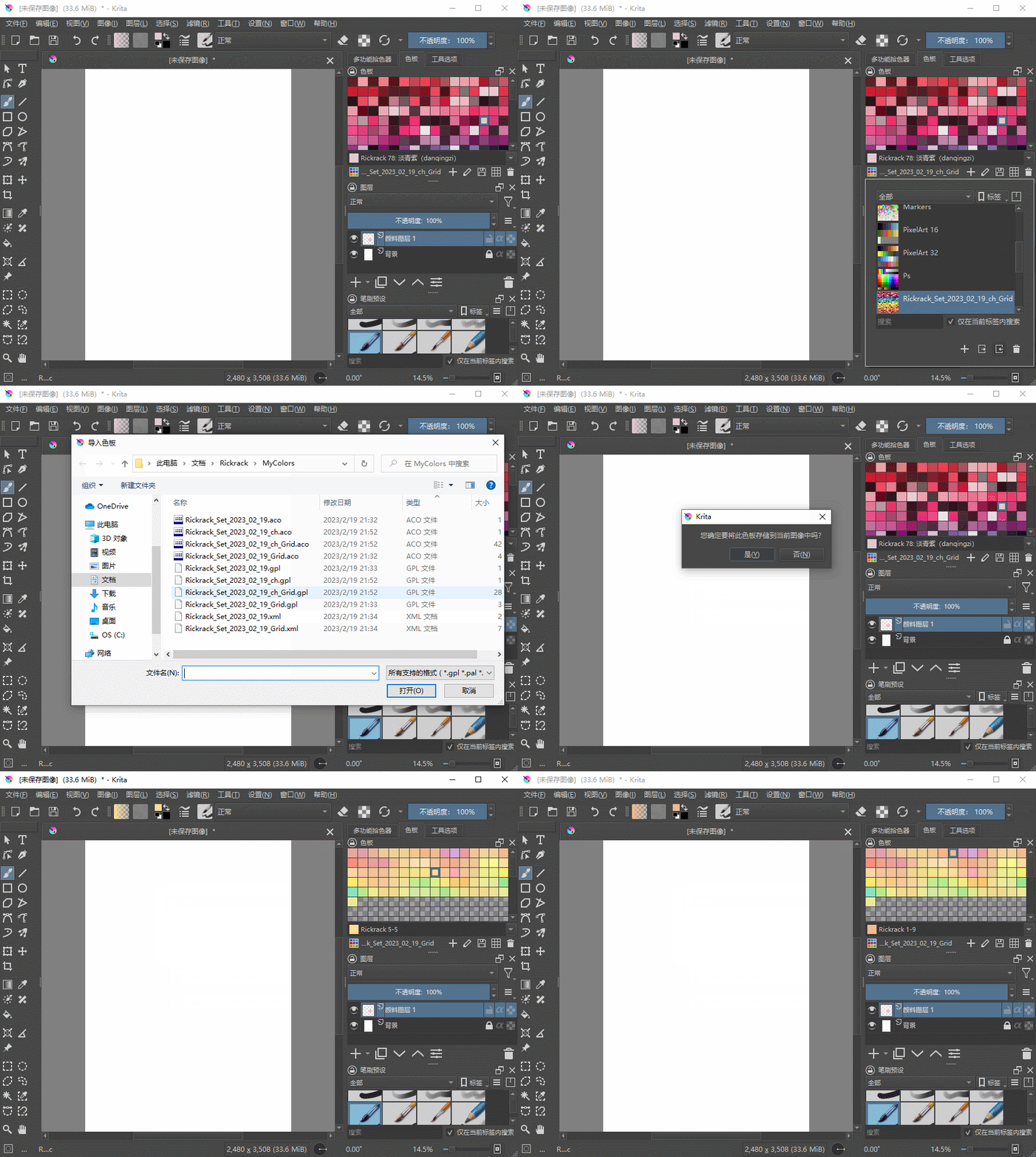
Export the palette to a format recognized by Krita and import it into Krita.
A palette file format Krita knows?
So, KPL, GPL, ACB, ASE, SBZ, ACO, ACT, PAL, COLORS, XML, if I had noted that correctly? But you can also find this out if you want to import a new palette in Krita via the palette docker and hover over the display of the possible formats (which also works wonderfully for all other resource types if you import them via their docker). Or palettes for which you know a converter to these formats.
If you had named your operating system this question could be answered, but usually Windows users don’t know such things, so you have to download the file “Rickrack_v2.9.9_en_windows_AMD64.exe” from here:
And that file can be installed like any other “standard-software” using Windows, so double-click the downloaded file and follow the instructions.
this looks so cool!! i’m still fairly new-ish to krita, and i’m curious how to use this, in the sense of how to install. the videos that were attached are unavailable so i’m a little confused… ^^;
There must have happened something severe, all videos on YouTube AND Bilibili are taken down, and the homepage was taken down too. This is usually a bad sign, especially when all occurrences in mainland China were closed, it seldom means anything good, and I can not find it there anymore. I really hope the whole product is currently moved to a new web presence, but we will see, maybe @eigenmiao will respond to us what happened.
Sorry for my rudeness: Hello @velvet and welcome to the forum!



 Hello
Hello