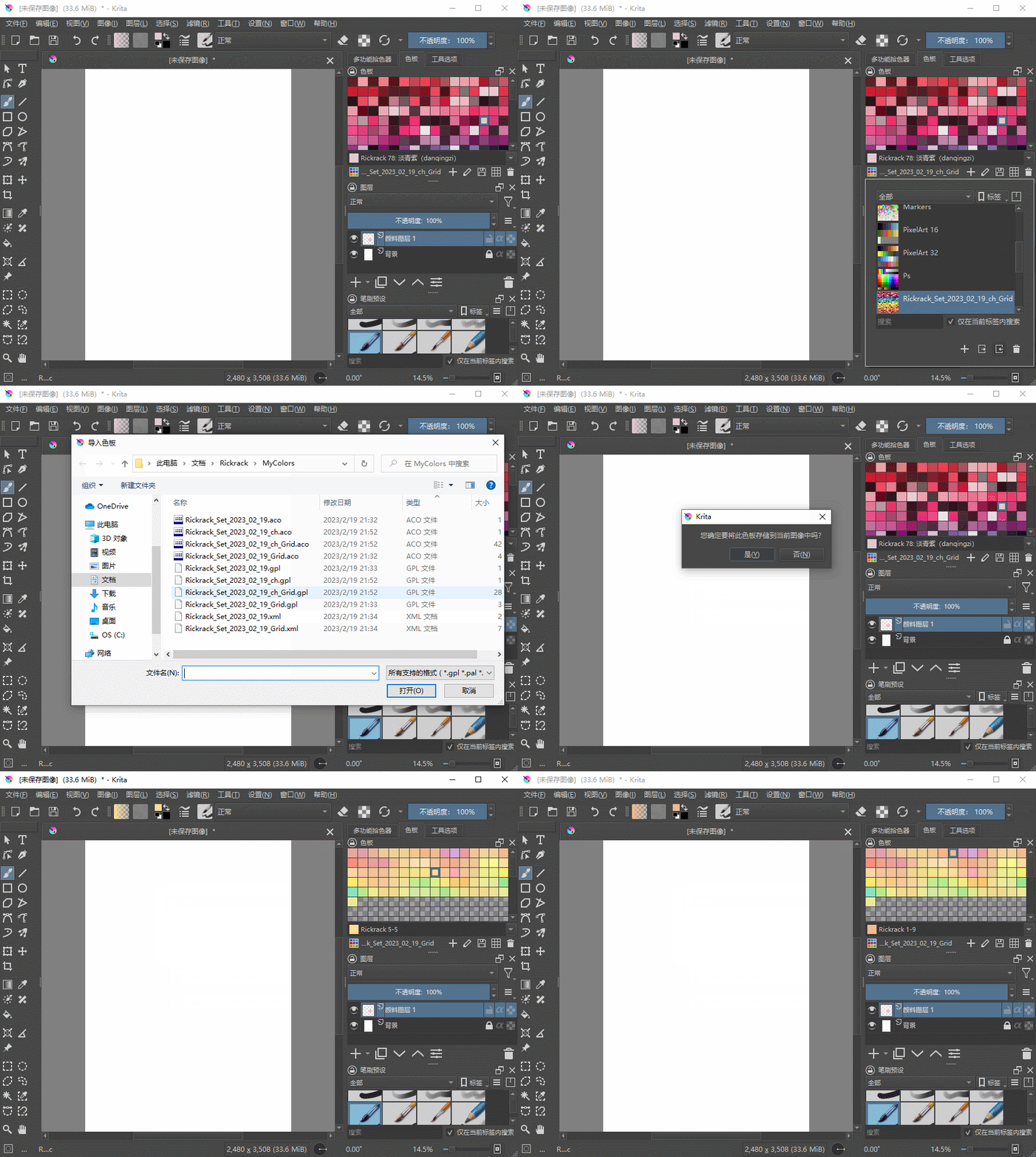
Creating swatches in Krita can be challenging, especially for beginners. To ease this process, I have developed a user-friendly palette generator software called Rickrack. This tool empowers you to generate a set of harmonious colors based on various color matching rules. With Rickrack, you can swiftly create a practical and compatible palette of swatches tailored for Krita. Here are the steps to use this tool:
- Select your desired color matching rule to define the relationship between colors in your palette, such as analogous colors.

2.Adjust the colors of the gradient palette by moving the tags on the palette.

- Export the palette to a format recognized by Krita and import it into Krita.