Analysis of assistant tool problems

Update

I believe I found the root cause of performance problems, it’s in this post further down.

Original post

Hi, before I open a bug ticket, does anyone else experience this issue as well?

It seems that the fish eye point assistant has a big CPU overhead when zooming and rotating the canvas. Panning works very well. This seems to be especially bad at high zoom levels, or when the assistant size is large compared to the zoom.

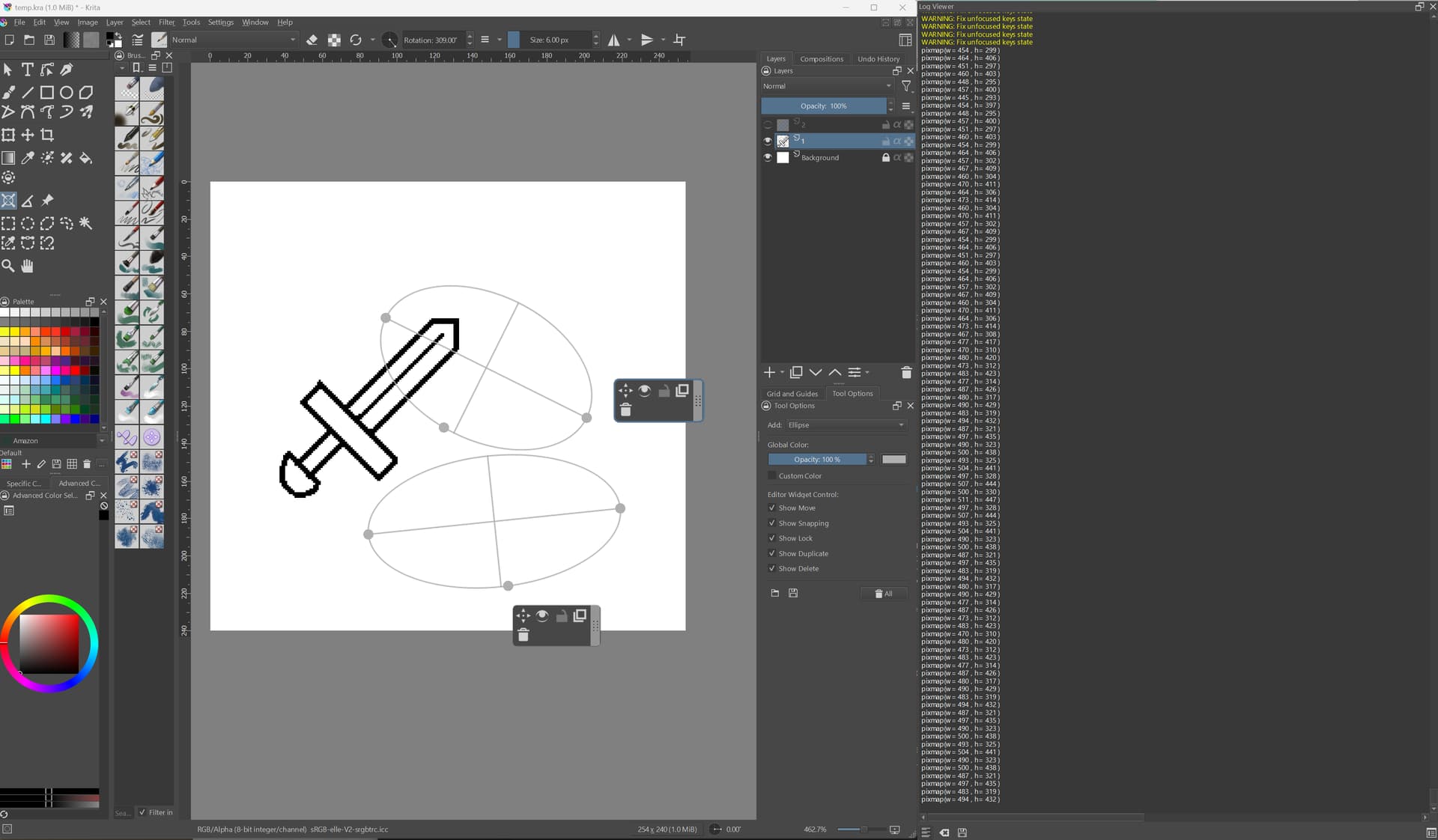
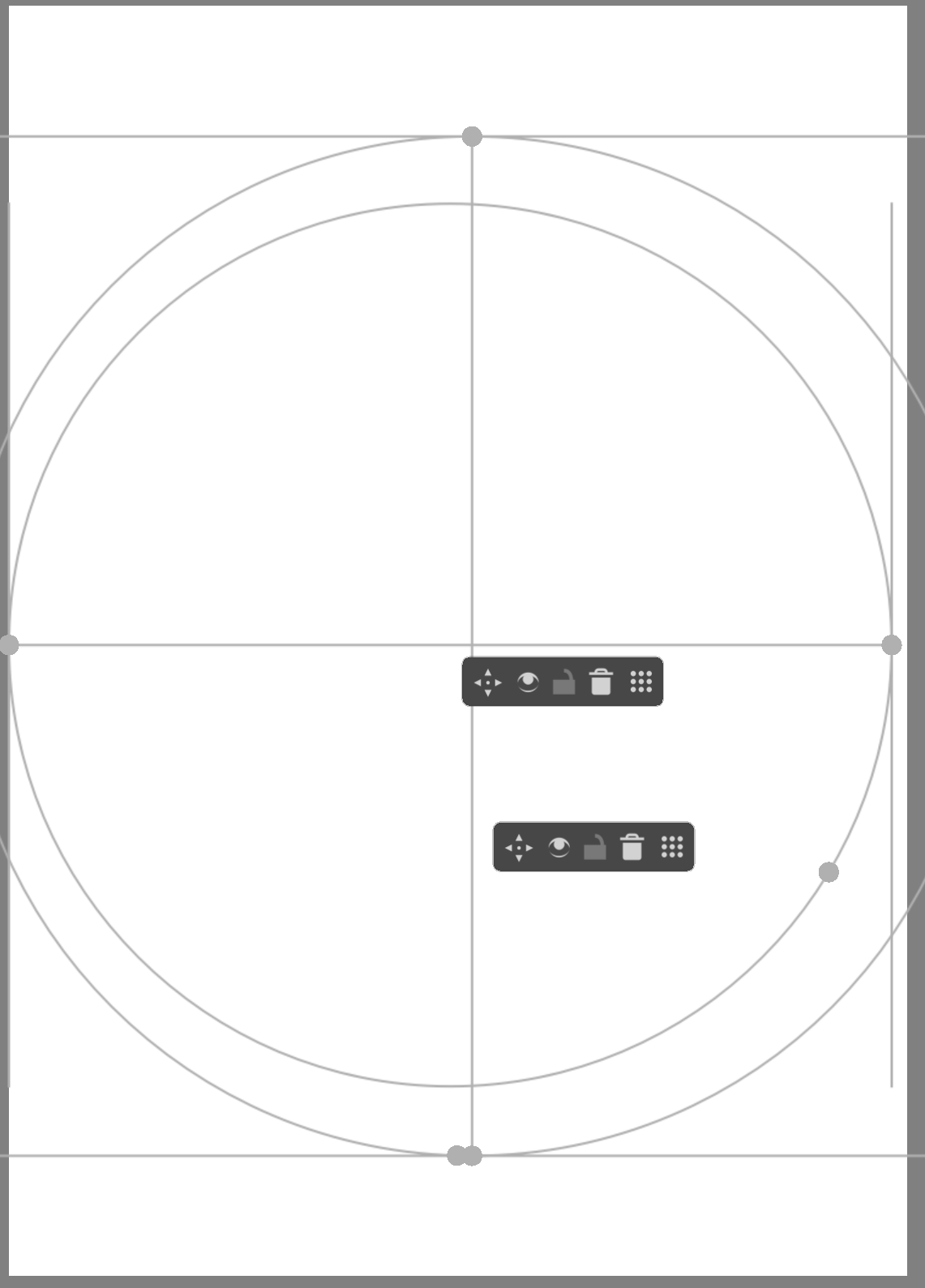
An easy way to observe it, is to add two assistants that cover the whole canvas like this:

Then, when zoomed in, the choppiness becomes obvious. It’s the easiest to notice with a pen and a high refresh display. I noticed it on Windows 11 with Krita 5.2.0, but it seems to affect Krita 5.1.5 on Linux as well. I have a 60Hz monitor there so it was a bit less obvious.

Hey @YRH, just following up on this bug. Have you submitted a bug report and can you post the link?

Hey, not yet. But I started looking at assistants due to that black rectangle bug, and I think I’ve found the performance issue as well :stuck_out_tongue: Anyway, I want to check a few more things and then I will report my findings here and maybe then open a bug. Or a PR.

Alright, so I dug a bit into the assistants code and for now wanted to share my findings here.

1) Black rectangle bug

Although this only happens on Windows, it’s not a graphics driver or a Qt bug. In order to show assistants, Krita is painting each assistant into a pixmap (an image / texture) that is later painted onto the canvas. These pixmaps are cached in QPixmapCache singleton. The menu option “use large pixmap” affects the size of this cache.

The mistake here is relying on the cache taking the sole ownership of the pixmap during the rendering. In case of hardware acceleration of the canvas, painting a pixmap amounts to calling glDrawArrays, which does not guarantee that the image is painted right this moment into the framebuffer. What can happen is that the pixmap will get evicted from the cache and the underlying texture gets deleted before the draw can complete, thus resulting in the black rectangle in the place of the assistant.

Since we’re not doing anything to retain the image until the draw is fully complete, Qt is free to remove the pixmap from the cache at any time we no longer hold the QPixmap object in hand. It’s a design mistake, because caches are not meant for managing the lifetime of objects, rather to opportunistically avoid the costs associated with creating these objects. So the hack to increase the size of the cache only makes it (much) less likely for the pixmap to get evicted, and it essentially works “by accident”.

I’m not too familiar with Qt, so I’m not sure if it makes any guarantees regarding the lifetime of objects or when the paints will “go through”, but I think it’s a bug on our side.

2) Performance degradation when zoomed-in

While investigating the bug, I also realized why the assistants perform so poorly when taking a lot of space on screen (as in when zoomed in). The problem here is our pixmap caching scheme again. I’m not sure why this optimization(?) has been made, but I’m pretty sure it’s counter-productive on the modern hardware.

Before each assistant is painted, we must create a pixmap large enough to fit the assistant. If no recalculation is needed and the pixmap happens to be in the cache already, then great, we just use it. However, any time we rotate or zoom the canvas, we need to create and paint into a fresh pixmap. I added logging to that part of the code to see how often it happens and it’s essentially an endless spam:

Note here, I’m using a very small image of 254x240 pixels, but it doesn’t matter as assistants depend on the size of the canvas and desktop resolution. Any time I rotate or zoom even a bit, two pixmaps of roughly 480x400 pixels are created. The FPS is very good.

However a disaster happens if I zoom in to the max, or even worse, use canvas-only view (on a 4K display):

Now it’s spamming pixmaps of 4000x1500 pixels and FPS tanks considerably. At 8bpp, this is 24MB a pixmap, and it could create dozens of them per second.

When rotating/zooming frantically, I can observe a spike in CPU utilization (bound to 1 thread, because it’s OpenGL) and also GPU goes up a bit. I suspect this overhead is due to copying the pixmap data to textures with glTexImage2D, but naturally it would have to be profiled to be sure.

What’s worse, is that using these pixmaps is really not very performant. Rendering a big texture onto a large part of the screen can be expensive, especially on low-end hardware with slow memory and less “raster op” units. On top of that, these textures are mostly transparent and are painted with blending, which also tends to be expensive. On the other hand, simply rendering lines directly into the canvas, with no blending and no texture sampling should be much, much faster.

As far as I can tell, on the performance side, Windows and Linux were affected similarly (on the systems I tested).


OK, to sum it up, I make no promises :sweat_smile:, but I’ll try to understand why the feature was implemented this way and see whether it could be modified without causing a regression or some other unexpected problem.
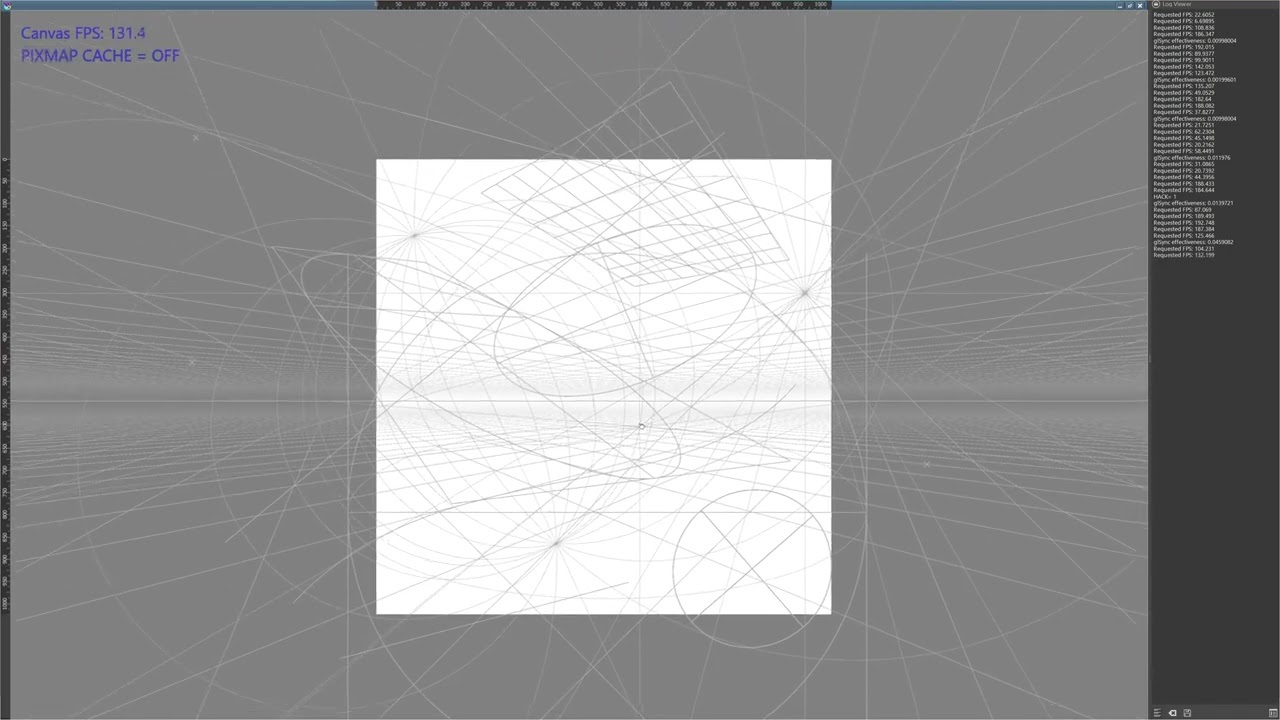
Hey, I wanted to share with you a performance comparison of a very simple change. All I did was to remove the pixmap caching and instead paint the assistants directly onto the canvas. The difference is staggering. Naturally, I’m not going to propose a change like this without more testing, and what may work on my system may not work on, say, Android. Just some caveats to keep in mind.

For this test I also tweaked the FPS counter to make it more visible. Try to view the video in 60 FPS and 4K for best fidelity.

In the test, I’m navigating a 1024x1024 canvas with every type of assistant added. Throughout the video I’m switching off the pixmap cache, which is stated under the FPS counter. You can observe the FPS and smoothness of the navigation to get the idea.

OK, lastly some relevant details:

  • FPS counter is enabled in Configure Krita > Performance > Advanced > "Debug logging of OpenGL framerate"
  • FPS is fluctuating a lot in Krita because refresh is on demand, so if nothing happens, the FPS will be naturally low. However, if you keep moving and refreshing the view, it approaches the “true” FPS. This crude method is sufficient however for this comparison.
  • Test system: Windows 11, AMD Ryzen 9 5950X, AMD Radeon RX 7900 XTX, 64 GB RAM @ 3600 MT/s, 4K display @ 144 Hz.
  • I used OpenGL renderer with “use texture buffer” and “use large pixmap cache” (when not disabled by my change).

I tested a build on Ubuntu 22.04 today (with OpenGL, same GPU). It feels like FPS is better here than on Windows, but I ran into some situations where it was tanking very heavily with the default implementation.

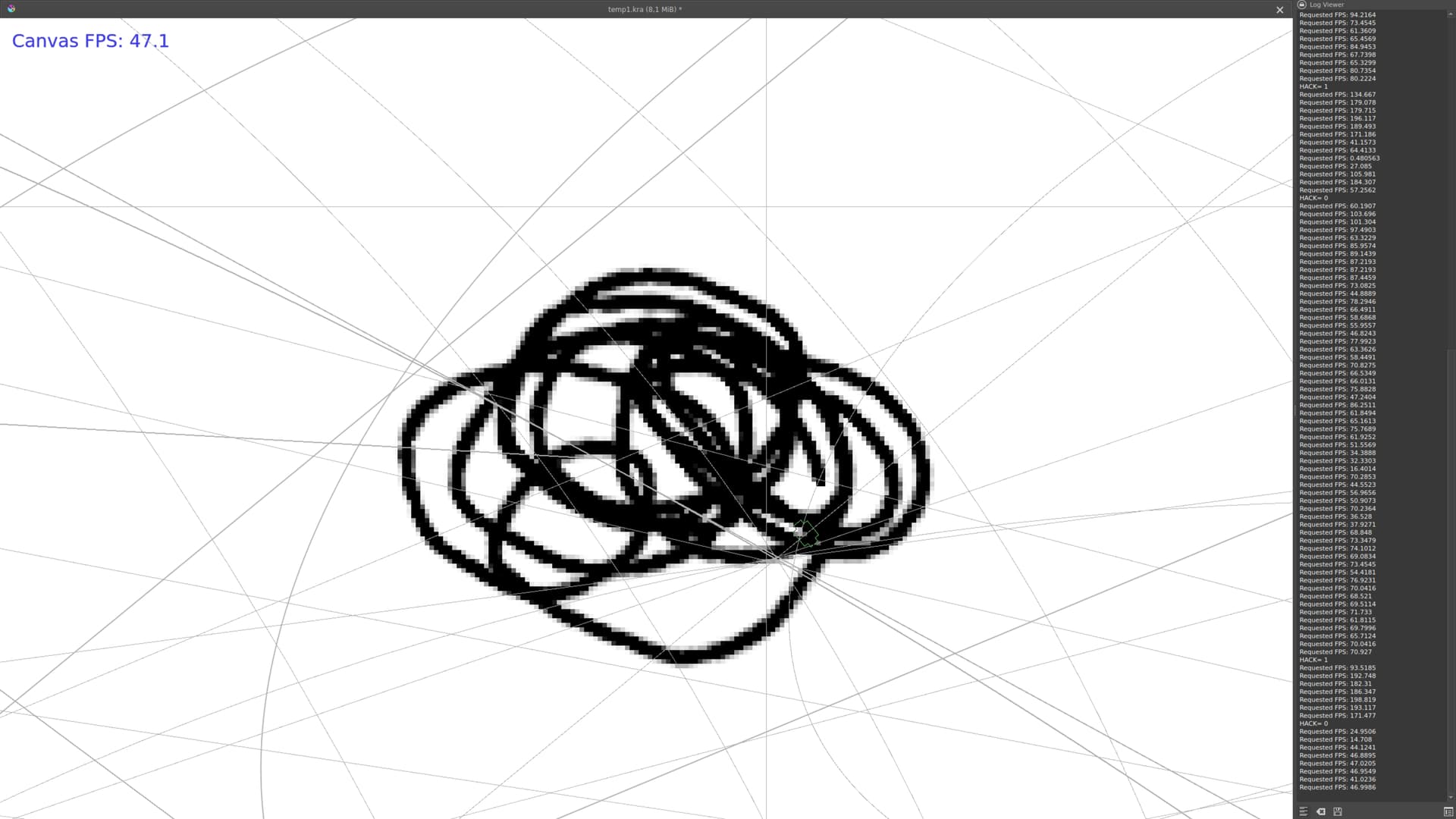
I noticed the worse performance (40’ish FPS) when drawing with a pen and zoomed into the canvas with many overlapping assistants:

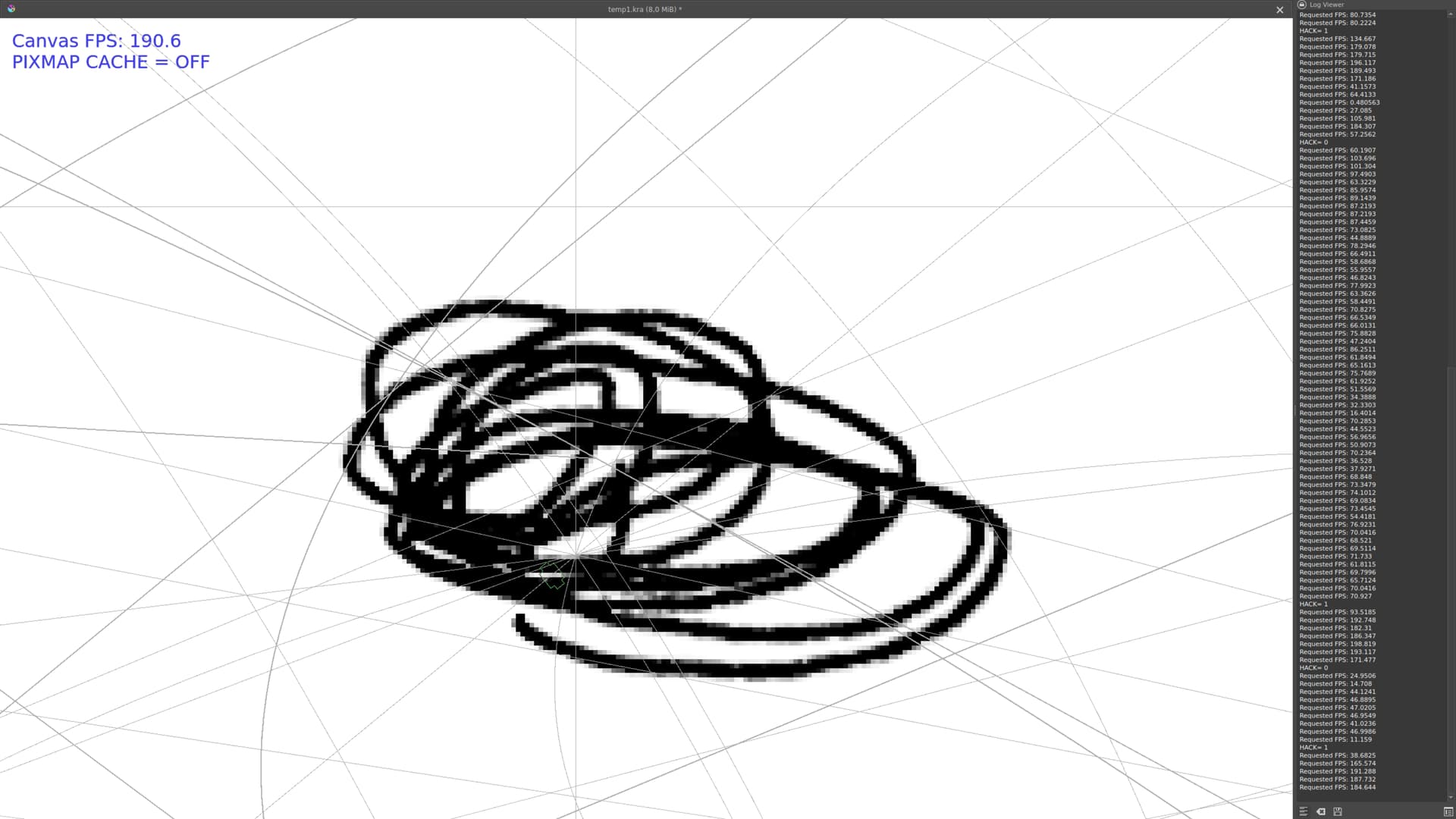
However, the moment I disable pixmap caching, the FPS skyrockets:

I looked at Git history, and this part of code dates all the way back to 2016, where it was moved from some other version control system to GitLab (I presume).

So yeah, I think this code needs to go. I didn’t see any rendering problems, artifacts, etc. Oh, and this also fixes the black rectangle bug, because we are no longer sampling from textures :slight_smile:

I wanted to try an Android build, but failed on dependencies… maybe next time.

Not sure which code you’re referring to, but it seems like pixmap caching in assistants was implemented in 2011 to speed up non-OpenGL rendering (I’ve no idea whether it’s still useful for that): assistants: Cache rendering (b9d15e6d) · Commits · Graphics / Krita · GitLab , and the pixmap cache workaround for the black rectangle bug was added in 2016: Workaround a NVIDIA/Qt but with black screen in assistants (34f8ecdf) · Commits · Graphics / Krita · GitLab .

Ah, yes, I was referring to the first change. Probably a file was renamed and I didn’t look closely enough. So this was an optimization for the software rendering mode. I will confirm whether it’s still effective.

I see two paths:

  • Remove the caching code completely, or
  • Make the caching optional and disabled by default with hardware acceleration, add it as a toggle in the settings.

The first is better from maintenance point of view, but the latter still makes sense if it would help someone out there. But it’s doubtful that anyone is using Krita without any hardware acceleration, like every GPU out there should support OpenGL :grinning:

I checked the software mode on Ubuntu and honestly, it’s difficult to tell if there’s a difference. I had to reduce the resolution to 1024x768 :laughing: to get a smooth experience and either way adding two perspective grids was killing the performance.

OK, I think as a first step I’ll go with the option b) to disable the pixmap caching by default and leave it as an option for anyone who would need it. It should be disabled by default as I can’t think of any modern system that would benefit from it.

I’ll try to open a PR today.

Alright, the PR is up - Draw assistants directly on the canvas (!1988) · Merge requests · Graphics / Krita · GitLab

The PR creates a Linux build automatically, in case anyone wants to try it. On AMD/OpenGL I saw a very significant performance uplift. The PR description also has a test KRA file attached.

:point_right: Linux build