Alright, so I dug a bit into the assistants code and for now wanted to share my findings here.
1) Black rectangle bug
Although this only happens on Windows, it’s not a graphics driver or a Qt bug. In order to show assistants, Krita is painting each assistant into a pixmap (an image / texture) that is later painted onto the canvas. These pixmaps are cached in QPixmapCache singleton. The menu option “use large pixmap” affects the size of this cache.
The mistake here is relying on the cache taking the sole ownership of the pixmap during the rendering. In case of hardware acceleration of the canvas, painting a pixmap amounts to calling glDrawArrays, which does not guarantee that the image is painted right this moment into the framebuffer. What can happen is that the pixmap will get evicted from the cache and the underlying texture gets deleted before the draw can complete, thus resulting in the black rectangle in the place of the assistant.
Since we’re not doing anything to retain the image until the draw is fully complete, Qt is free to remove the pixmap from the cache at any time we no longer hold the QPixmap object in hand. It’s a design mistake, because caches are not meant for managing the lifetime of objects, rather to opportunistically avoid the costs associated with creating these objects. So the hack to increase the size of the cache only makes it (much) less likely for the pixmap to get evicted, and it essentially works “by accident”.
I’m not too familiar with Qt, so I’m not sure if it makes any guarantees regarding the lifetime of objects or when the paints will “go through”, but I think it’s a bug on our side.
2) Performance degradation when zoomed-in
While investigating the bug, I also realized why the assistants perform so poorly when taking a lot of space on screen (as in when zoomed in). The problem here is our pixmap caching scheme again. I’m not sure why this optimization(?) has been made, but I’m pretty sure it’s counter-productive on the modern hardware.
Before each assistant is painted, we must create a pixmap large enough to fit the assistant. If no recalculation is needed and the pixmap happens to be in the cache already, then great, we just use it. However, any time we rotate or zoom the canvas, we need to create and paint into a fresh pixmap. I added logging to that part of the code to see how often it happens and it’s essentially an endless spam:
Note here, I’m using a very small image of 254x240 pixels, but it doesn’t matter as assistants depend on the size of the canvas and desktop resolution. Any time I rotate or zoom even a bit, two pixmaps of roughly 480x400 pixels are created. The FPS is very good.
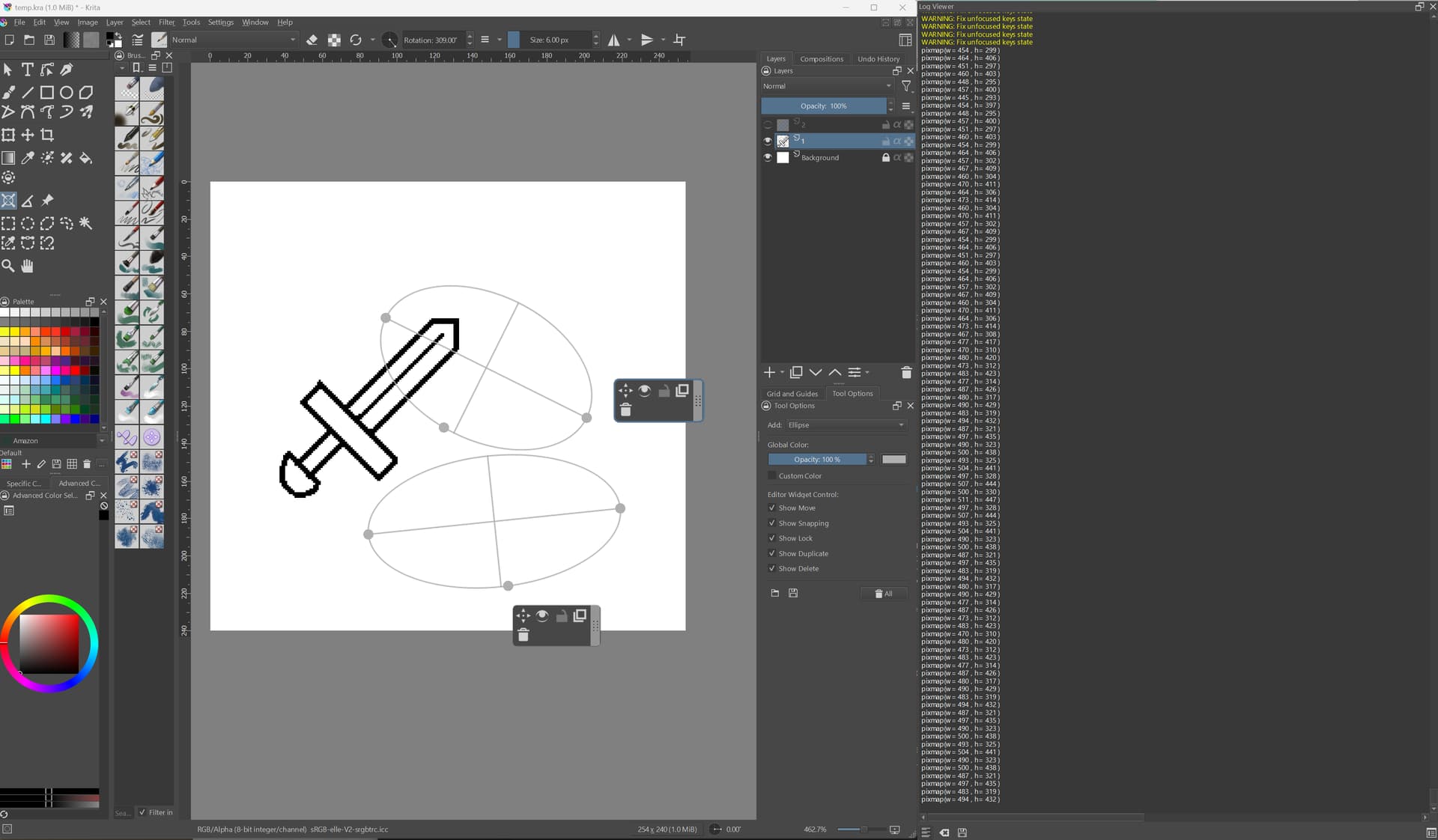
However a disaster happens if I zoom in to the max, or even worse, use canvas-only view (on a 4K display):

Now it’s spamming pixmaps of 4000x1500 pixels and FPS tanks considerably. At 8bpp, this is 24MB a pixmap, and it could create dozens of them per second.
When rotating/zooming frantically, I can observe a spike in CPU utilization (bound to 1 thread, because it’s OpenGL) and also GPU goes up a bit. I suspect this overhead is due to copying the pixmap data to textures with glTexImage2D, but naturally it would have to be profiled to be sure.
What’s worse, is that using these pixmaps is really not very performant. Rendering a big texture onto a large part of the screen can be expensive, especially on low-end hardware with slow memory and less “raster op” units. On top of that, these textures are mostly transparent and are painted with blending, which also tends to be expensive. On the other hand, simply rendering lines directly into the canvas, with no blending and no texture sampling should be much, much faster.
As far as I can tell, on the performance side, Windows and Linux were affected similarly (on the systems I tested).
OK, to sum it up, I make no promises  , but I’ll try to understand why the feature was implemented this way and see whether it could be modified without causing a regression or some other unexpected problem.