Android 12 sorry edit not 11
Krita from latest play store update
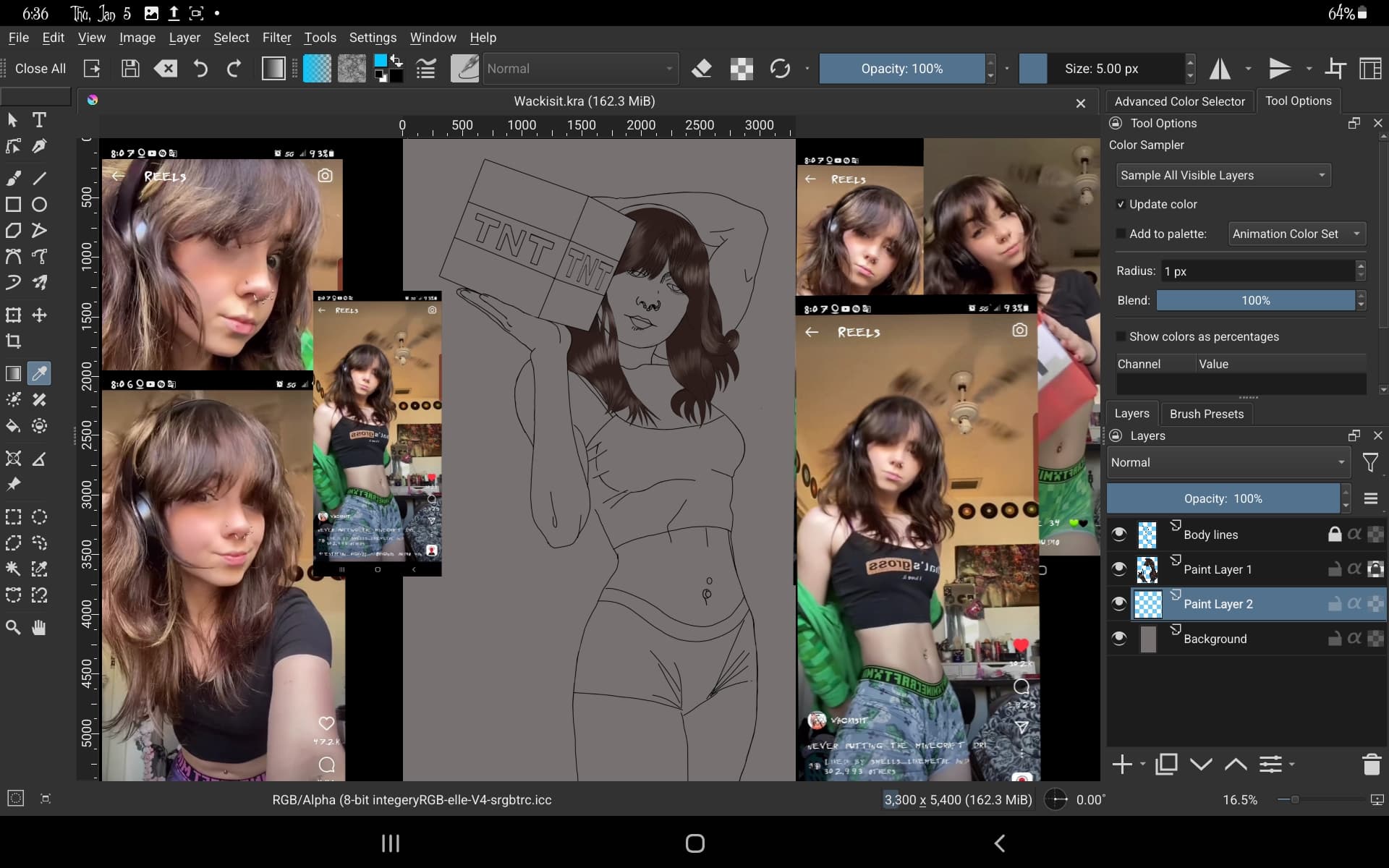
So I am doing a picture start coloring the hair closed after saving them reopen later and try to use color picker to continue but the color the brush is showing is far darker than the color I’m trying to use
I have video
Can someone tell me what I’m doing wrong please I’ve not been having this problem before so I don’t know what I screwed up. Thank you
No filters or masks cause to be honest I’m not too sure how to use them yet, and yes those are some of the brushes but not the only ones it seems to be any of the brush packs I’ve added. @sooz
Add/Sarcasm Mode:
Okay, leaving aside the fact that it must be insanely complicated to take decent and thus more meaningful screenshots.
Why? The layer stack is not full and could have been reduced in size without losing information from it. This would have resulted in the now hidden part of the Tool Options Docker probably becoming fully visible, thus revealing more information. Presumably, it was more important to present the reference image as clearly and conspicuously as possible.
Add 2: And now I’ll turn the lights down and myself onto my back, close the eyes and listen to music until I fall asleep, and that is only a matter of a few minutes.
Good night!
@Volkhvy I don’t have the essential brushes on my Android but I did just try the g) dry brush. I’m unable to replicate your problem. My color sampler works perfectly.
I’m on Android 5.1.4 from the Play Store, Android 11.
Sorry my tablet SS are not very good due to crappy tablet and no I did it that way because usually everyone tells me to do a full SS I can adjust anything you need to see I will move the tools off the side if that gets me answers cause I’m slowly learning what I use as I go and do forget when I change something if I don’t use it often. @sooz it’s android 12 not 11 I’m sorry for the mess up there.
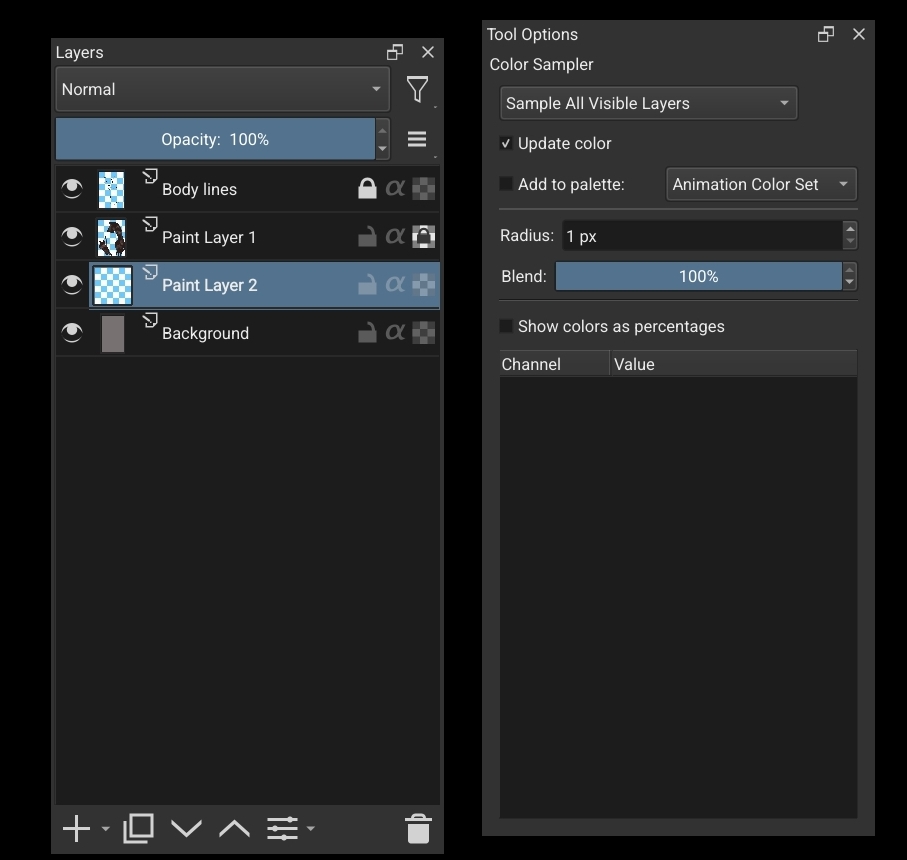
Perfect screenshot. Your layer is set to luminosity. Change it to normal and your color sampler will work as expected. I just tested this on my tablet.
Wait it is?.. Oh no when I moved the docker it changed by accident it’s set to normal in the video. I’m sorry if you look at the fixed SS you can see it. Also in the pallet it is giving the muted color as well it’s weird and it wasn’t doing that on my last picture so it’s not the app or Android version. @sooz
I had it set to animation color set when I put it to default that fixed it … I must’ve did that on the last drawing and never put it back thank you @sooz@Michelist and @CrazyCatBird
I’m using v4 because I’m seeing how it differs from the default in the preview it shows a broader spectrum in the triangle tbh nothing more. Any idea about my issue at hand @AhabGreybeard cause my solution is not working for all brushes and only worked the one session.
I have a suggestion:
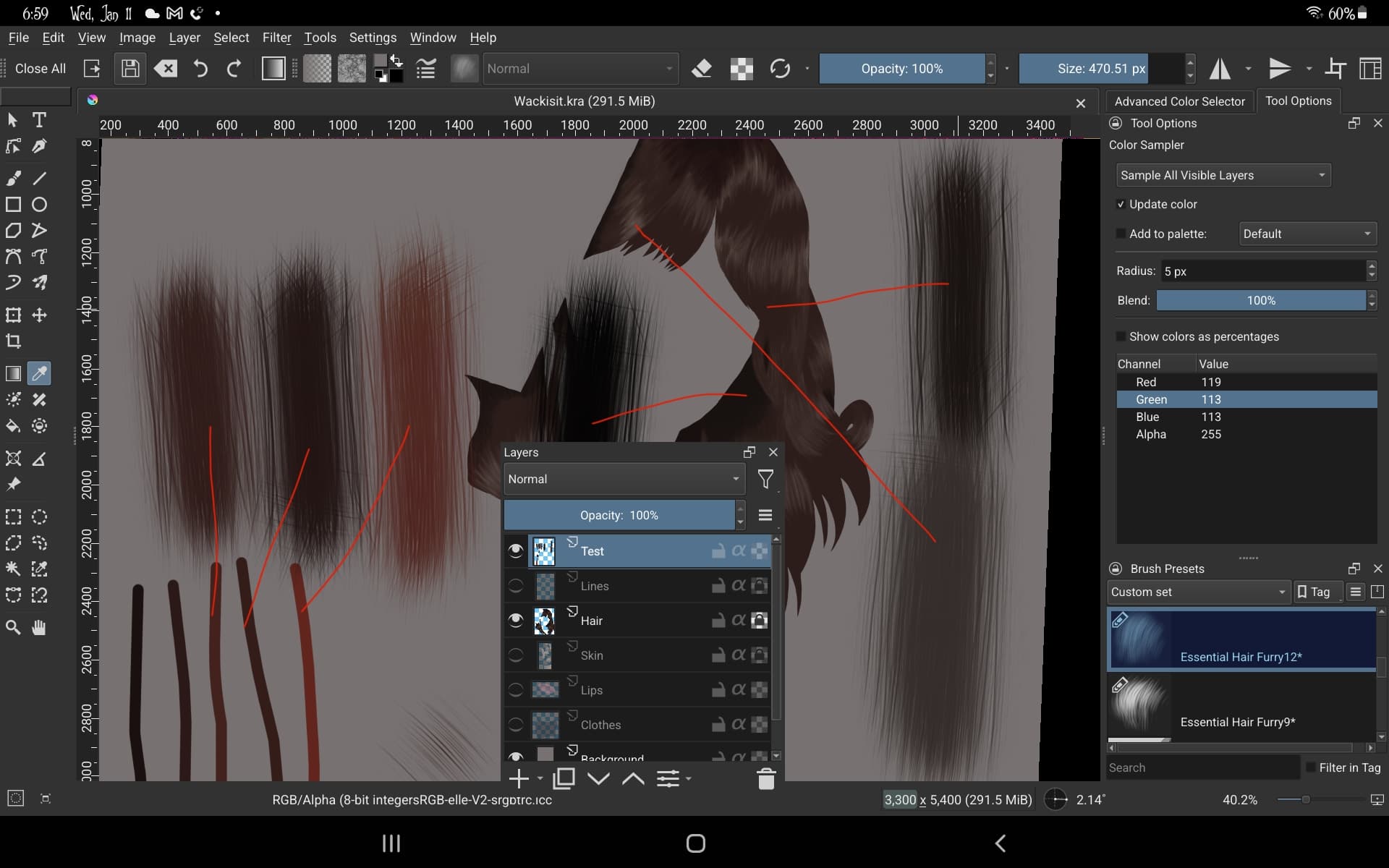
Turn off Paint Layer 1 (which could be renamed to ‘Hair’) and add a new layer at the top of the stack called ‘Test’.
In Test, use Basic-2 Opacity to paint wide strips of colour in various shades of brown.
Then test the action of the colour picker on those strips of colour.
The reason I suggest that is because the brush you’ve been using is very textured and the colour picker is sampling with a radius of 1px and may be picking up a trace of a different colour from what seems to be the average where you sample on the hair.
Another thing to do would be to increase the colour picker radius to 5px and see if it gives a ‘better’ result on the hair.
Yet another thing would be to change the image colour space to the RGB default profile and see if that makes a difference.
2hrs later : So I did as you suggested then with the hair brush highlighted tested both the basic 2 colors and the hair colors I’m trying to use I don’t understand why but the basic 2 colors came out 1v1 where as the hair colors come out at different values you’ll see here …