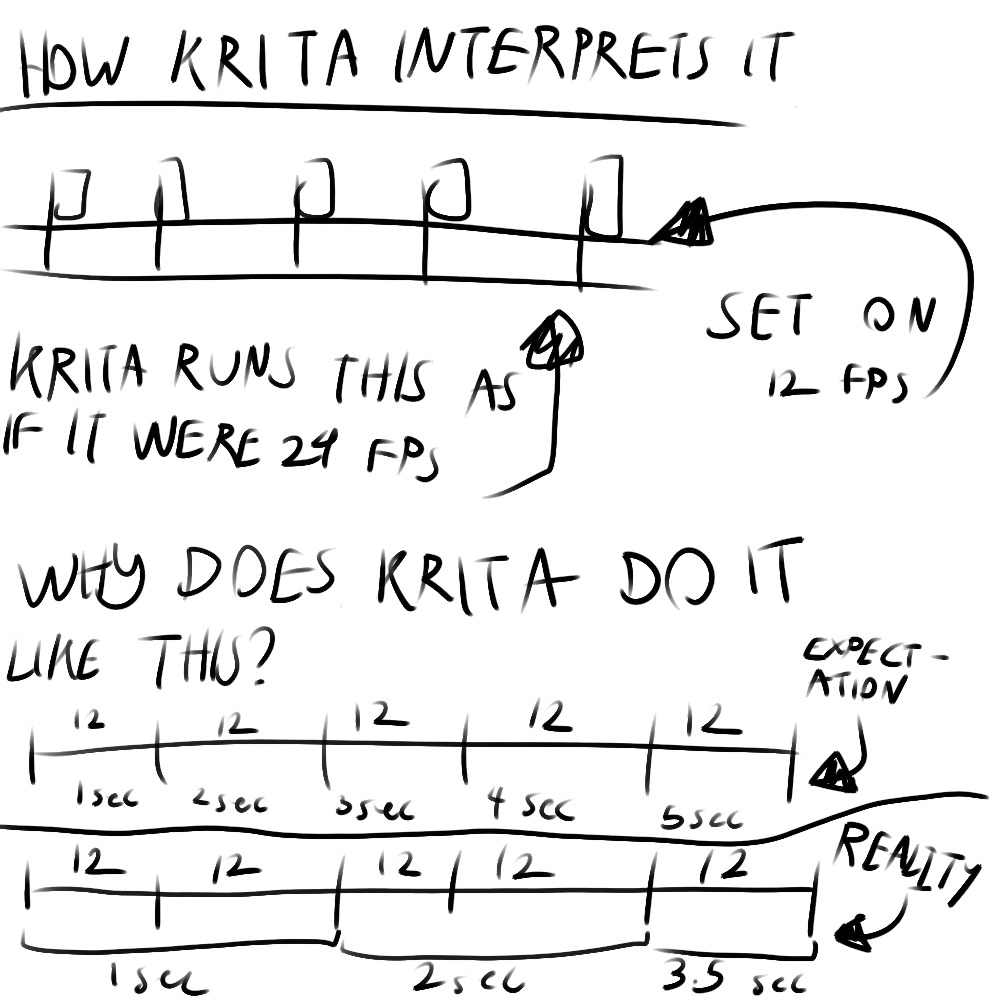
Completed an animation and after exporting it, I was surprised of how slow the animation is along with the music being unsycned,unlike when it’s running on Krita.
Kritas timeline speed is still going at a speed as if it were 24 fps even tho I have set the fps on 12.
Though when exporting I changed the fps rate to 24 and yes it did fix the problem of unsyced music, but my animations time was cut in half, undermining my efforts of lightening the load of drawing fewer frames.
The animation should originally bhe about 40 seconds but it turned 20 seconds isntead.
Here are my animations if you want to look at the problem.
https://drive.google.com/drive/folders/1c8pTbdiP5xvLfyYfslI_ZfWLyOYXNryX?usp=sharing
1 Like
This is a known bug that is currently being worked on, it would be helpful if you could chime in on the bug report.
A link to it can be found in this thread: Possible bug related to audio in animation - #17 by le_Nuffin
If you edit your animation together into a larger whole in a video editing software, turning the audio off on export circumvents the issue.
1 Like
Totally unrelated but when I hear that somebody is working on a bug I literally envision an actual metal-like bug that is soldered on within a workshop
I’ve exported at 12 and 24 frames without issue, but never with sound, so this is good to know about before i try it. One workaround worth trying might be to highlight every frame in your animation and add one hold frame to all of the timeline. That way you can export at 24 fps while having 12 fps animation and hopefully the sound issue will be fixed. hopefully! let us know
I wonder what version would this bug be fixed?
The bad thing is, if you wait for it, “it always takes forever!”

Michelist
1 Like