Type of device* : Computer Windows 10 Pro
Brand and version of the device: lenovo 22H2
System** : OC 4,00 ГБ
* graphics tablet/display tablet/2-in-1 laptop/Android tablet:
** Windows/Linux/Mac/Android, + version (you’ll find it in Help -> Show system information for bug reports) Windows.
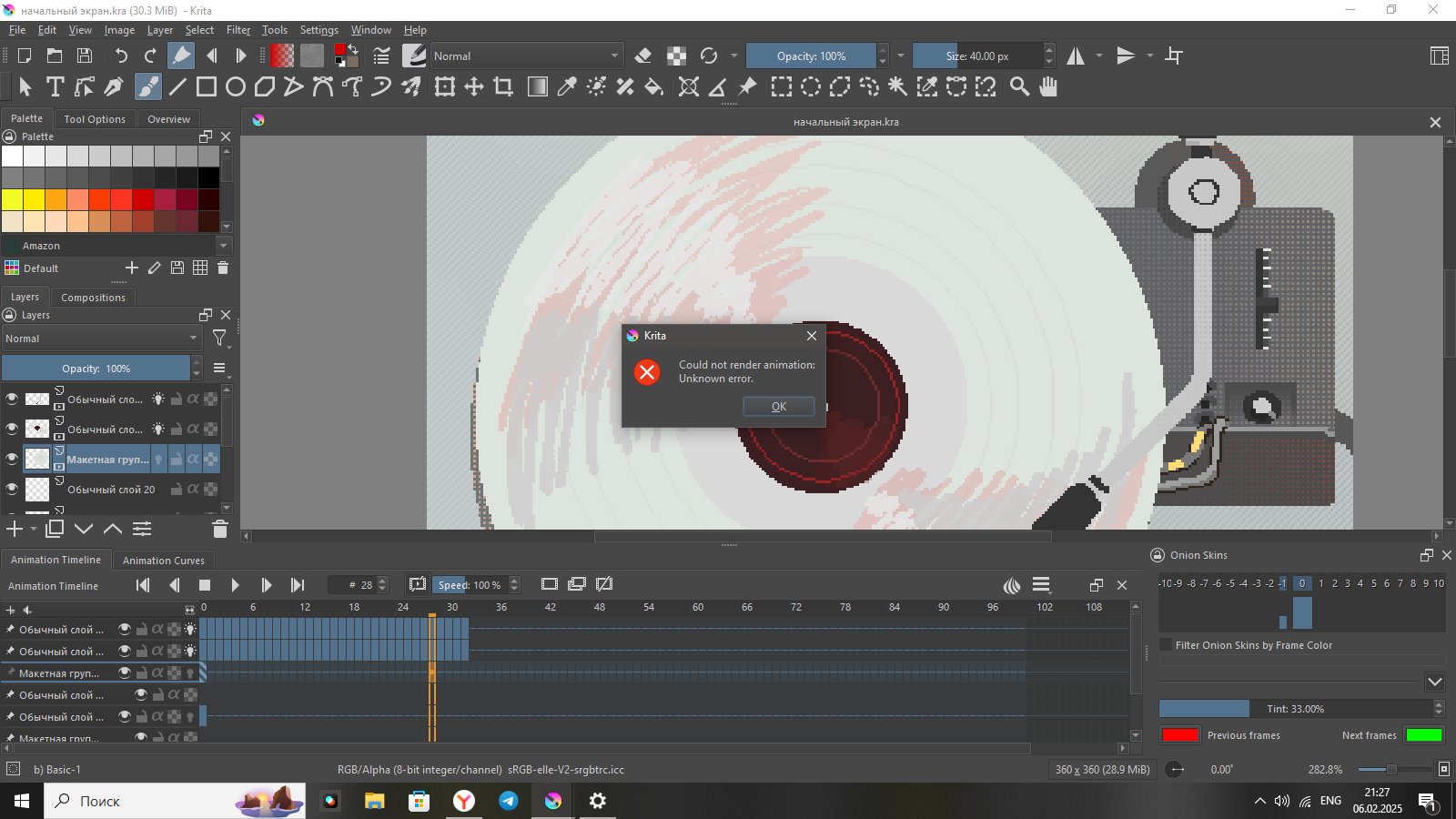
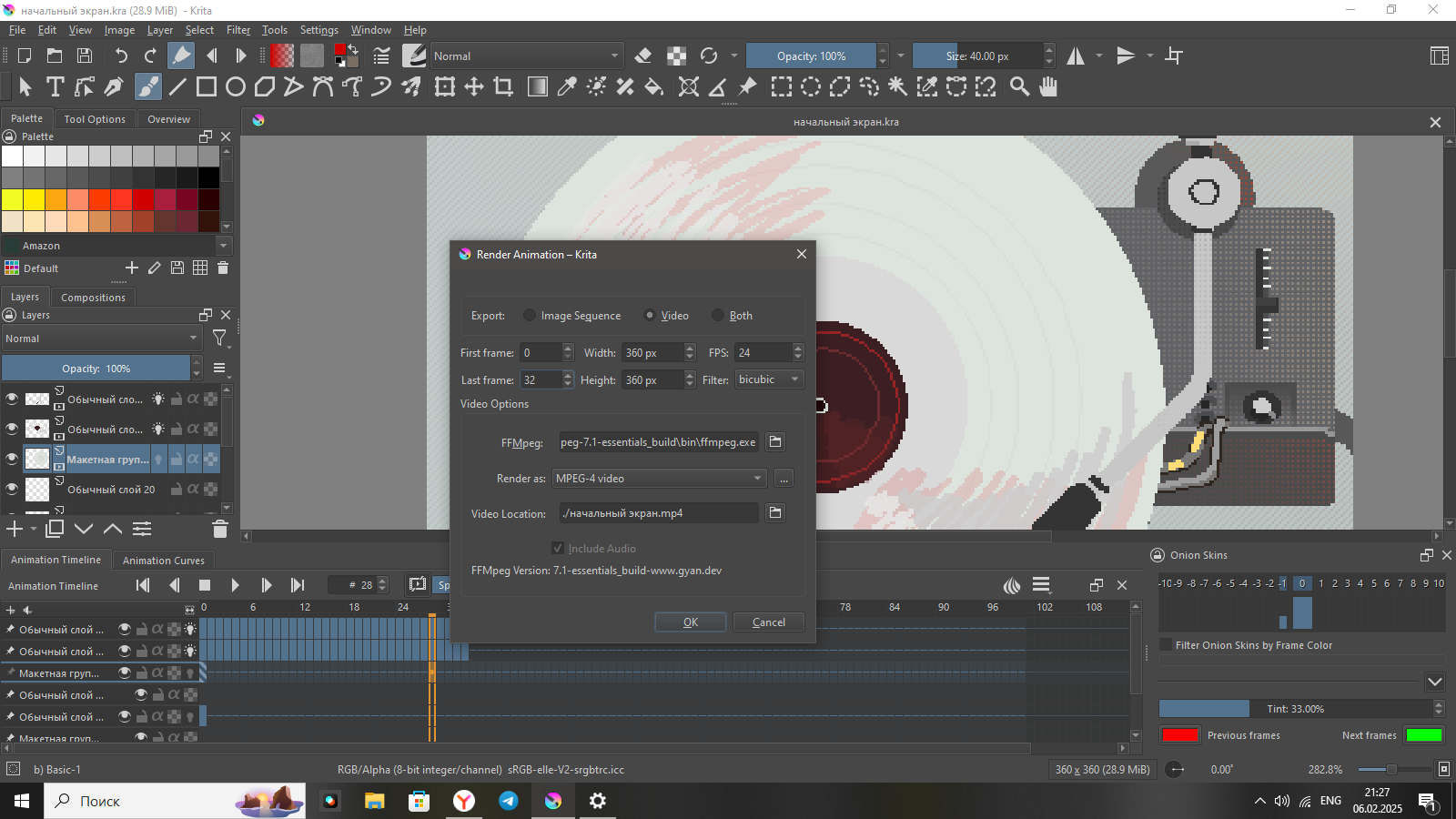
Description of the issue (you can include screenshots): This little SIMPLE ANIMATION DOESN’T WANT TO BE PROCESSED. I have a very old laptop, and most likely it’s because of that. BUT WHAT SHOULD I DO IF I WANT TO SAVE THIS ANIMATION? I don’t want to lose her, please help. (if anything, I already have FFMpeg). I’ve tried everything I need to download it. The version of my creta is 5.0.6
Please update to the most recent version of Krita, you can download it from the link below, because I can recognize that you are using a rather old version of Krita, it is at least a pre 5.2.0, maybe pre 5.1.0, because the export dialog is different.
For the new Krita you don’t need an extra installed FFmpeg, Krita has it already on board since version 5.2.0.
There is a difference between rendering an animation and simply saving the project file. Rendering is like exporting a finished artwork. As long as you have normally saved the project as a KRA file you can always render it at any point later, when you have figured out what is wrong.
Updating to the latest Krita Version, like Michelist mentioned (it has it’s own FFMPEG version built in now), is the first thing you should try after you saved your project as a KRA file, somewhere safe on your computer.
This is not a crash so I’ve removed the crash tag on this topic.
Using krita version 5.0.6 and also 5.2.9 (the current formal release) on a Windows 10 Pro system with the Gyan 7.1 - essentials_build of ffmpeg, I rendered a short and simple animation with no problem.
Your animation is not long, it’s not large and it’s not demanding so even an old laptop should be able to do it.
It may be that you are running low on RAM.
When I did as I described, my PC was using 3.7GB of RAM.
If you have only 4GB of RAM then that may be a problem.
Also, if you have other applications running and utilities running, even 6GB of RAM may not be enough.
In that situation, you should do a full power down restart, do not run other applications, then close or disable or turn off things like anti-virus and OneDrive and anything else you can think of.
So, how much RAM does your laptop have?
With krita running and your animation loaded, what does the Task Manager tell you about how much RAM is being used?
Using krita 5.2.9, if you want to use the built-in ffmpeg, it’s at C:\Program Files\Krita(x64)\bin\ffmpeg.exe and you’ll need to change your existing settings, in the Render Animation window, to point to that location instead of your present Gyan 7.1 ffmpeg.exe.
If you can save it before updating, you can open the saved file in the new Krita. If you are unable to save it via CTRL + S or the menu File→ Save, you have another issue …
Your Laptop may be old, but it can not be ancient, at least it has a 64bit CPU as you are already using a Krita 5 version as your icons reveal.
 Hello
Hello