Before I confess my feature requests, Happy New Year and God bless you all!
Now, onto the features I wish there are in the new version of Krita:
Having the feature to save your projects with the original views
I experimented with the View thing, and it is actually impressive (if used creatively, it can allow you to make animations 10% more quickly, especially in the multiple artists projects or if you are rendering the frames from Transform mask as if they are the original frames), but when I tried to save the project and the views with it, there is only the project but no views…
Importing the audio and then seeing the audio with keyframes, just like you can do it with the imported video, so that Krita can treat the audio and the video as frames (when the video or the audio file is over, there will be no more frames left, you know what I mean)…
Removing the frame limit, just like Blender did, it will help the users, especially those with very good RAM and storage, as well as configurations.
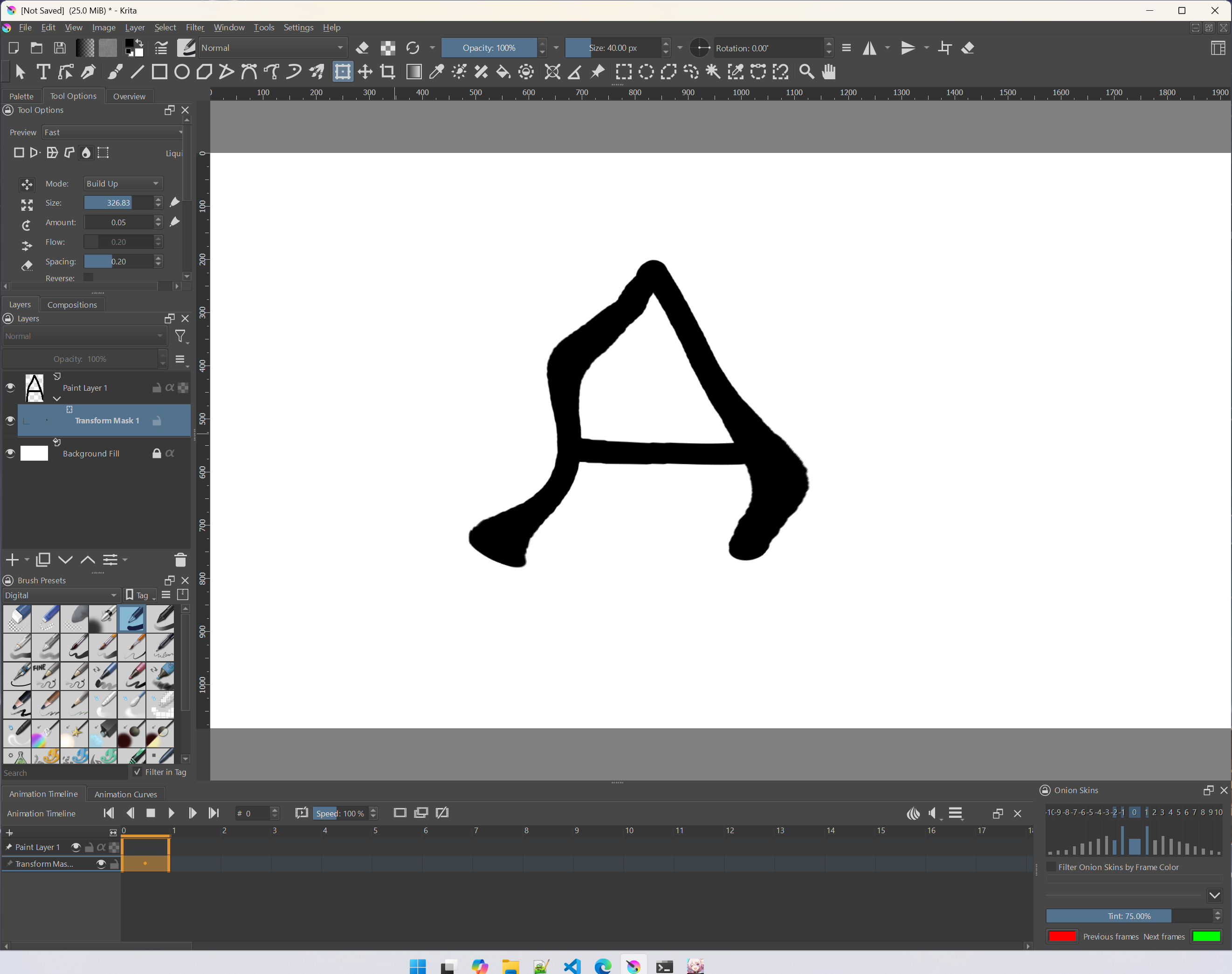
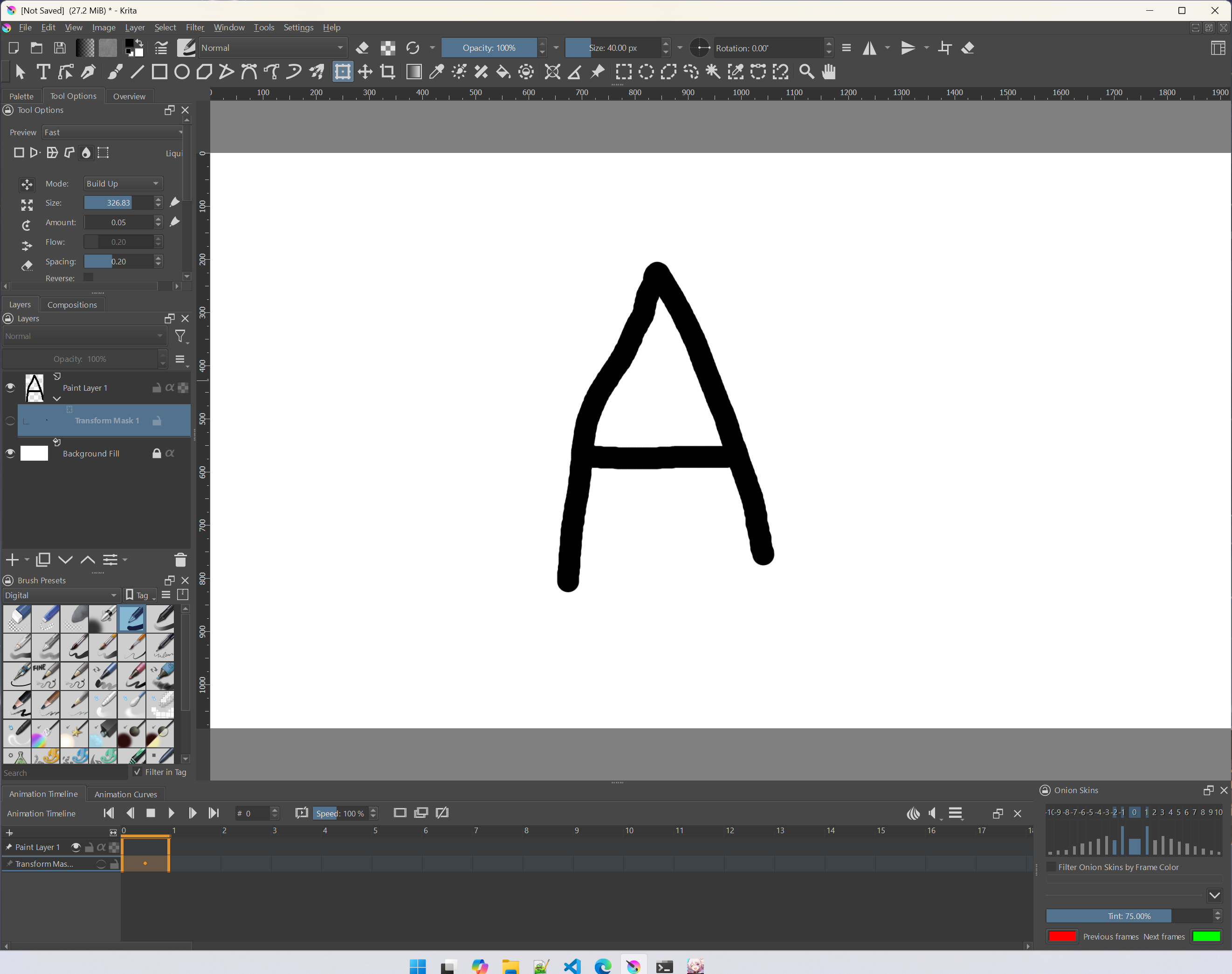
This request is optional, although it would be epic if it became reality too, is to make the transform mask for every kind of transforming, not just Free and Perspective.
Let me know what you think, dear Krita developers!
Once again, God bless you all and have a great day!!
I moved this out of the feature request section as you have created a wish list rather than a single feature than can be discussed and possibly implemented one day.
Question about #4: Is this specific to animation? If yes, we should add the word “animation” to your post title as the first 3 are all about animation. That’s one way to get more attention from the right group of users for your ideas.
Sure, why not!
Also, what do you think about the requests?
As for the 4th request, it’s about the motion stuff (transform mask) and animation (for camera shots and camera effects)
Currently audio doesn’t even show in any way in the UI. How would you like it to work? Chop the audio into small chunks corresponding to each frame duration?
The current frame limit is 10,000 and FPS limit is 120. Are these too low?
As far as I know, in Krita 5.2.6 you can apply any transformation to a transform mask, for example Warp or Liquify. However, it’s very, very slow. Or maybe I misunderstood what you meant.
Hello!
Yeah, it would be great if the audio was shown in the frames as an audio layer, and then in the audio layer you can have frames of that audio file, and then when the audio file literally ends, then there would be no more frames after! (literally like when you insert the video file inside Krita and then Krita treats the video as an animation or as the visible layer in the UI)
The FPS limit is ok, but it’s still kinda strange that Krita has 10000 frames limit, yet literally every other animation software, especially Blender, has no limits (well, the only actual limit is your RAM and storage combined)
And for the last question, I tried using the Free and Perspective for the transform mask, and they are doing ok (they should experiment with the Perspective tho, as it is sometimes a bit glitchy), but when I try to use other transform types into a transform mask (to make some sort of morphing movement) it literally makes the layer and the frames invisible or vanished…
It’s not really apples to apples to compare with Blender, which is manipulating control points (e.g. bones, etc.) to create animation frames. Krita has transform curves, yes, but the bulk of the animation are the full fat rasterized frames. 10,000 frames is an insane amount of memory, unless your canvas is impractically small. That’s why this request made me a bit surprised.
Regarding the transform masks, I didn’t test it in the context of animation, but I get that too. If you wait long enough (a few seconds?) then the image will appear. Here’s a quick example with liquify:
I meant to say to edit the liquify and the wrap transform in the Animation Curves, you know what I mean…in the beginning the object is normal, but with the transform mask in the Animation Curves and the wrap transforming, to create morphing animation.
Sounds like it could be very useful, although I’m not sure how challenging it could be to implement. If I recall correctly, views require subwindows mode and top-level windows will interact with the OS.
To me the first step should be getting a waveform view into the timeline. It shouldn’t be too difficult, but it requires implementing a custom widget as there’s no such feature in Qt5. So it could be quite a bit of work that is a bit out of scope of Krita’s primary function as the painting software. However, I think the lack of any visual feedback for the added audio is super confusing.
And just to make it clear, I’m not an official Krita developer, so these are just my comments on the matter