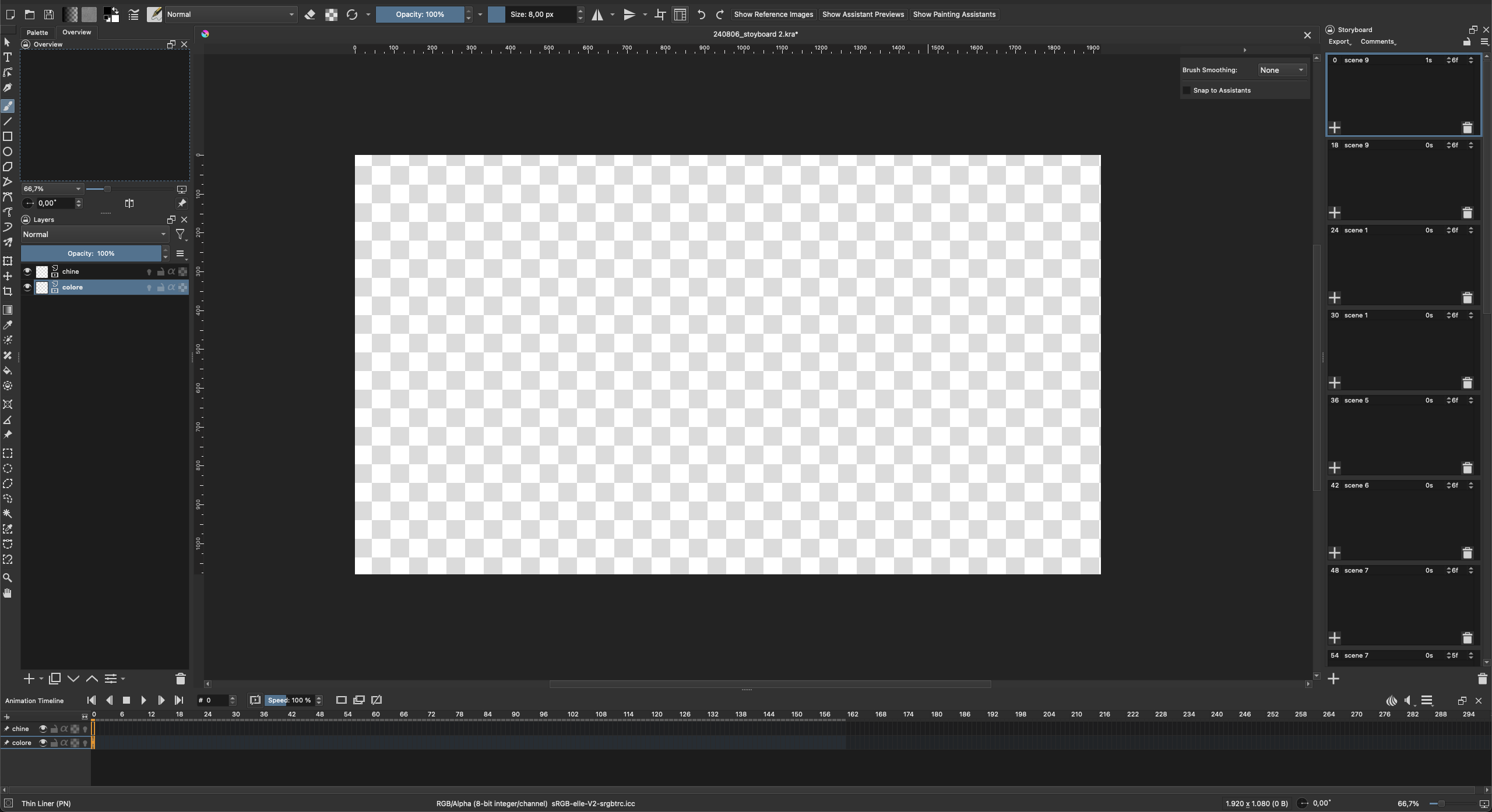
I’m having a very weird issue here. I was working on an animatic using Krita’s Storyboarding workspace, I had about 15 scenes made, when I noticed that the images in the storyboard sidebar went transparent (chequer pattern). I closed the document, then reopened it but now everything is gone, including all the keyframes in the timeline.
Opening the backup save also gives me the same.
Tried to open the document on another computer, but no dice.
If lost content are not in backup files, it means that between last backup file and crash, work wasn’t saved.
There’s no possibility to to recover lost data in this case.
Can’t confirm if your empty content in story board means frame content was lost or if it was just a preview bug… ?
Ideally, a “save as” before closing would have been a thing to do (but not sure it would have been a solution to not loose frames content…)
Somehow keyframe data seems to still be there, even if no keyframes are being displayed in the timeline. When I click on a scene thumbnail n the sidebar, the timeline jumps to the correct frame.
Also, doing a quick view on MacOS shows a preview of the animation (the frame I was on when I last saved I think).
Yes I’ve noticed some strange bugs. For example reordering scenes when displaying them as a grid will crash Krita, but is fine when displaying them as a list.
But I’ve been making several storyboards without any issues in the past as well.