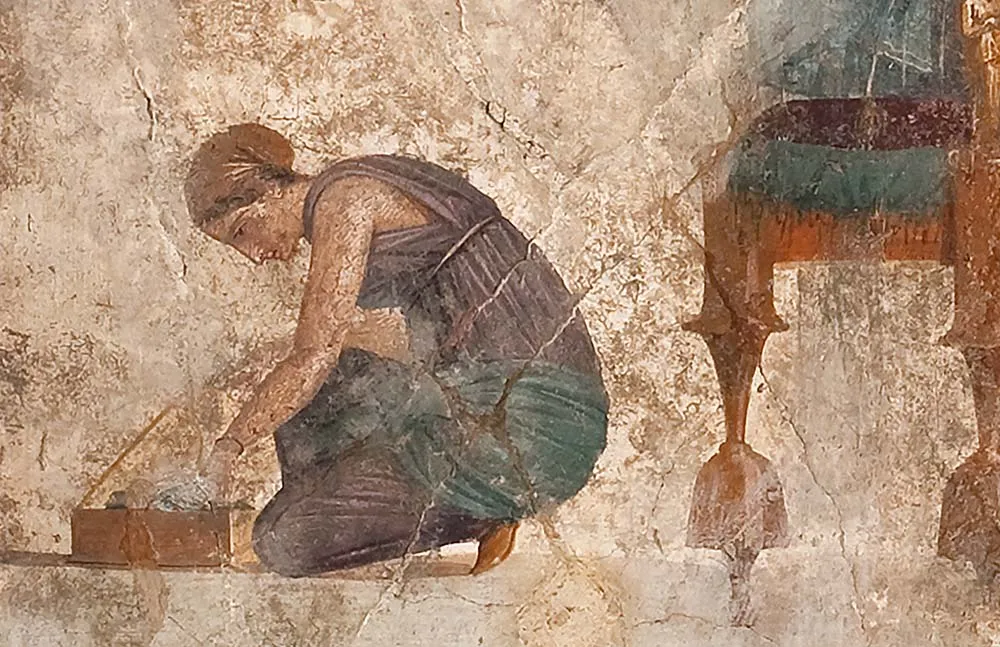
I know the art is faded, but you can see the texture of the artwork and was wondering what brush would work well for this art style.
Thanks.
Reference:
I know the art is faded, but you can see the texture of the artwork and was wondering what brush would work well for this art style.
Thanks.
Reference:
This might have pictures you can use as a base or top layer to create the cracks. https://www.pexels.com/search/Cracked%20plaster/
I am not sure if a single brush can replicate this style,but you can try out some brushes from RGBA and Memileo360light bundle.
Also just like @tachiko suggested,if you add some intersting texture,you may get results close to this.
@DeuxV3 If you didn’t paint that image shown in your post then you must give credit to the artist/photographer/website by providing a link to it so please do that soon.
You might be interested in this forum member’s art:
This is a good set for textures
https://krita-artists.org/t/dry-dirty-bundle/82826
That’s an interesting challenge! I never painted anything like this, but I think you will need at least a few layers of textures, like cracks, peeling paint, etc. and vary their strength of application with an alpha mask or something.
The layer with the actual paint (where the characters are) could probably be done with usual brushes, nothing too fancy.
Cause I cant find the option to edit the post
here is the link
i added the link in a comment cause i cant find an option to edit the post
Is there no pencil icon at the bottom of the post?
no not at all
If I’m not mistaken, basic users can do this only the first 24 hours after opening a new topic.
Michelist
I overlooked the development of this. I’ve added the reference link to the first post.