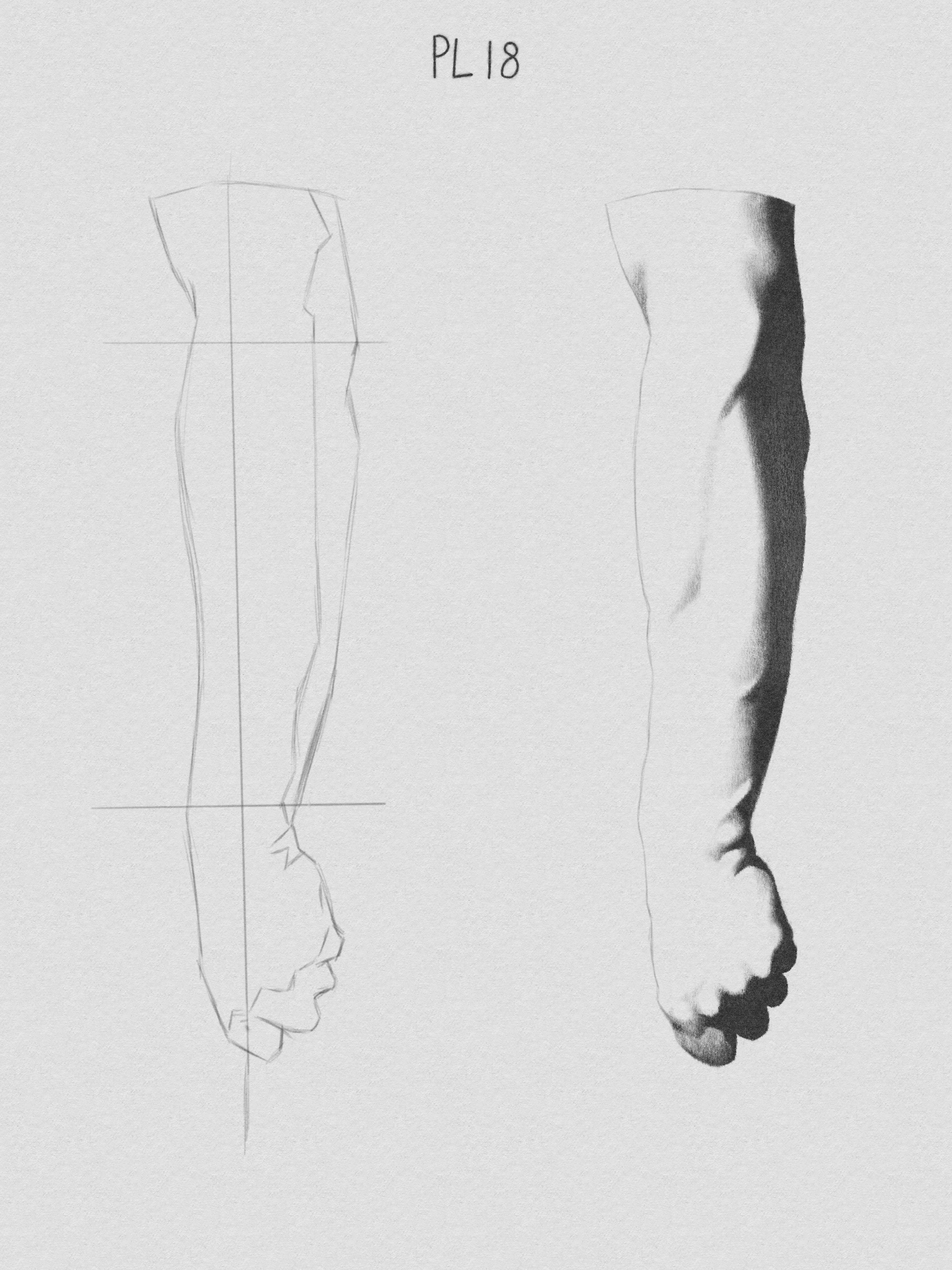
the brushes I use for sketches are primarily SK2-03 2B Shader and SK2-01 2B Details from the Sketch V2 Pack
amazing looks natural and traditional, I dont know why I dont have this specific brush I need to install that brush pack again,
amazing work
I will change my favorite charcoal for this, I hope my skill helps me in the journey
I dont have that brush pack I will immediatly add it, thanks again, amazing work
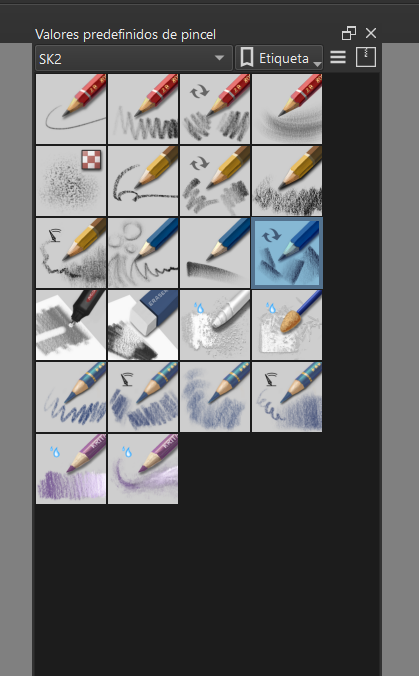
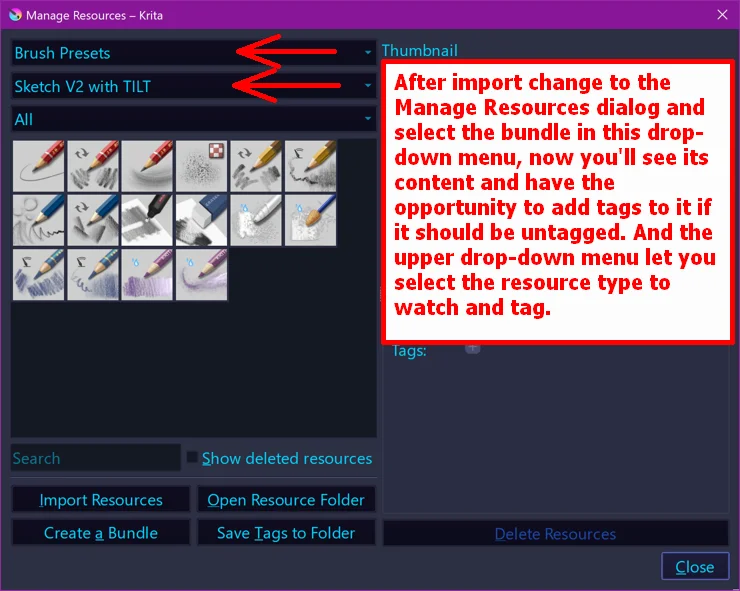
After import change to the Manage Resources dialog and select the bundle in the second drop-down menu, now you’ll see its content and have the opportunity to add tags to it if it should be untagged. And the upper drop-down menu let you select the resource type to watch and tag.
Michelist
thanks a lot my man @Michelist Im already enjoying the brushes, I got to thank Ramon for this also
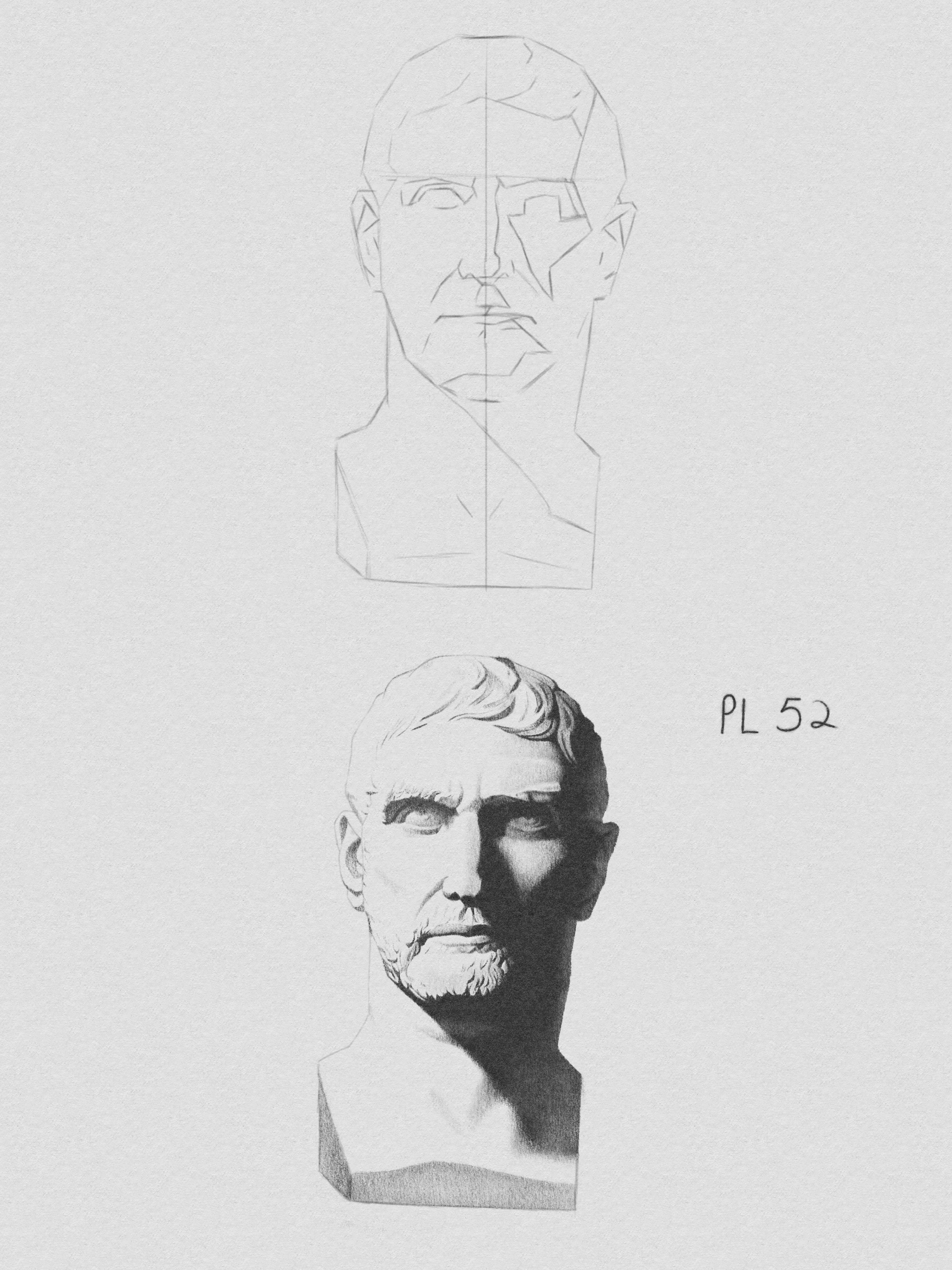
Nice work! I like practicing with the Bargue Plates too. The Sketch bundle by Ramon are great!
thank you!
Yes, that’s the whole pack as far as I’m aware
definitely, that bundle feels really natural, especially because I’m still much more familiar with traditional drawing
I am too, and that’s how I do things in Krita, as if it is traditional. I don’t do layers as much as others do, they get confusing and harder for me to blend areas (for example, eye areas)
Same, I’m too stubborn to learn new stuff sometimes, lol
You will love to know that i have more pencils in mind 

And Im just knowing this SK2 brush pack, let’s see! this are amazing, Thanks a lot.
Fantasting study, the shading is perfect, you will be aproved no doubt.
thank you!
cant wait to see those pencils!
I did the ones I was most interested in first. I’ll probably do them in order as intended after this
@Devin_Lopez:
Unfortunately, you haven’t reached the needed user level to be allowed changing the thumbnail yourself right now, that is, because so far you were to infrequently using the forum. When you participate more frequently in the forum, which you are currently doing, you should relatively soon reach the user-level “member” and then will be able to change the topics thumbnail yourself. Currently, you have to ask our moderators to change it for you.
So if you want our moderators to change your topic preview image, please ask them to do so in a post in this topic by pinging them with an @ sign before their username, as I did with your username at the beginning of this post. This will ensure they receive your message and can change the preview image.
In case you don’t know, user-levels are granted upon participation/interaction with the forum, which means communicating with us like you do, so post and answer postings, only reading along isn’t enough if I’m not mistaken. Up to a certain level granted user-levels can’t be revoked, but from the “regular” level on, it can be revoked depending on certain conditions.
And when you have reached that user-level, the forum will inform you about the fact.
Then, in order to change the thumbnail, you first need to click on your topic headline and then on the then revealed button Select Thumbnail which will allow you selecting your thumbnail freely.
Michelist