Note: This is not a driver/tablet issue. Reproduces identically with a plain mouse (no tablet involved at all). Also tested with a Huion tablet (kamvas 13) on both the OEM driver (even after checking for updates — last major update was in 2025) and OpenTabletDriver, with the same result in all cases.
**
Type of device:** Not applicable / N/A (issue also reproduces with a mouse, no tablet involved)
Brand and version of the device: Apple Magic Mouse / trackpad (built-in), also tested — issue not device-specific
System: macOS 27.0 (Kernel 27.0.0), arm64 (Apple M4), Krita 5.3.4 (git e7e52a7)
Description of the issue:
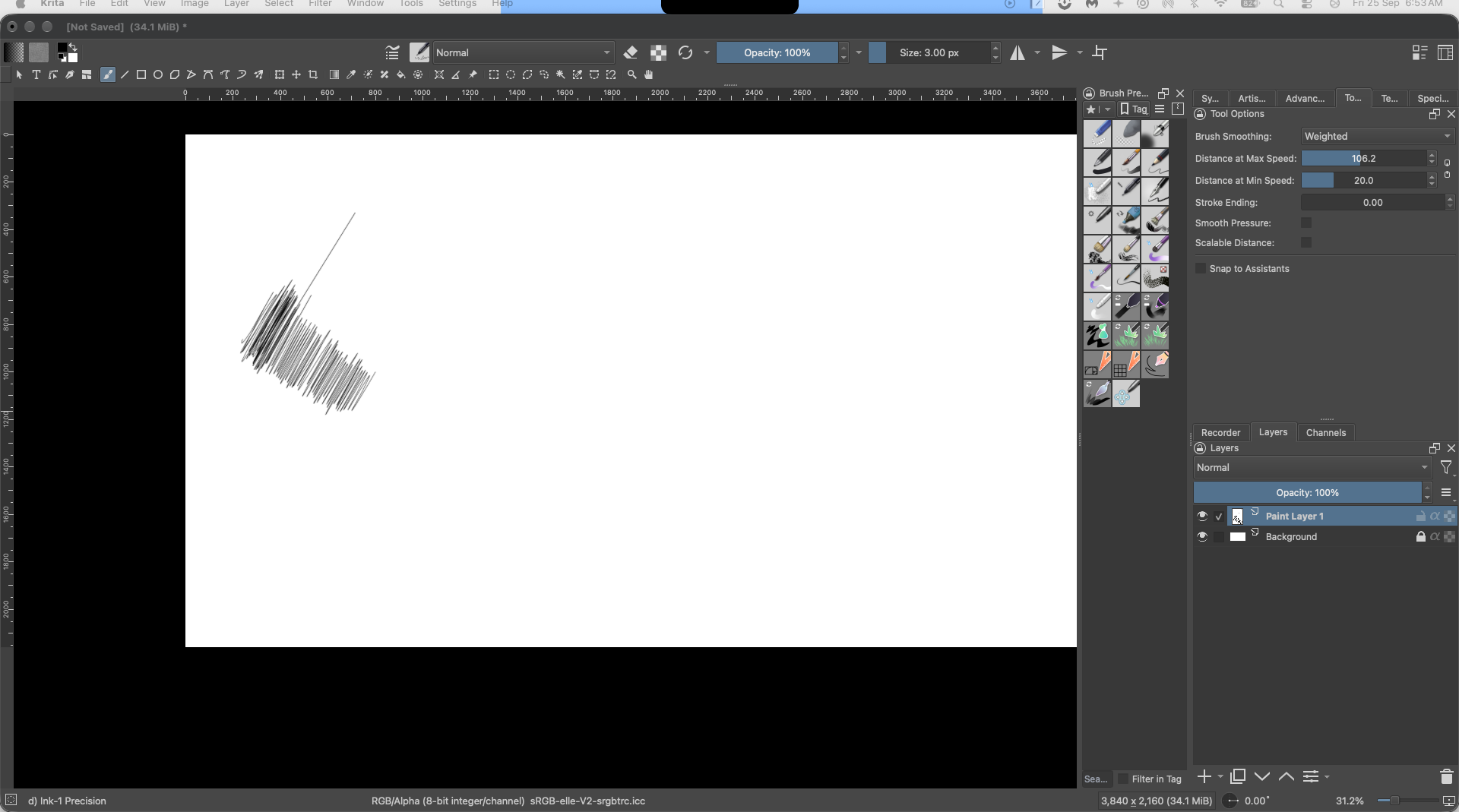
When drawing with Brush Smoothing set to “Basic” or “Weighted,” strokes intermittently render with erratic jagged/zigzag artifacts instead of following the input path (see screenshot). This is not tied to a specific brush — reproduces across multiple presets. It’s random and rare, not reliably reproducible on demand, and affected stroke length/location varies each time.
Smoothing mode comparison:
- None: issue does not occur
- Basic: occurs
- Weighted: occurs
- Stabilizer (Delay off): straight strokes are clean, but circular/curved motions produce jagged lines
Confirmed not input-device related — happens with both mouse and tablet.
Screenshot attached showing the artifact and the active tool options (Weighted smoothing, Distance at Max Speed: 106.2, Distance at Min Speed: 20.0).