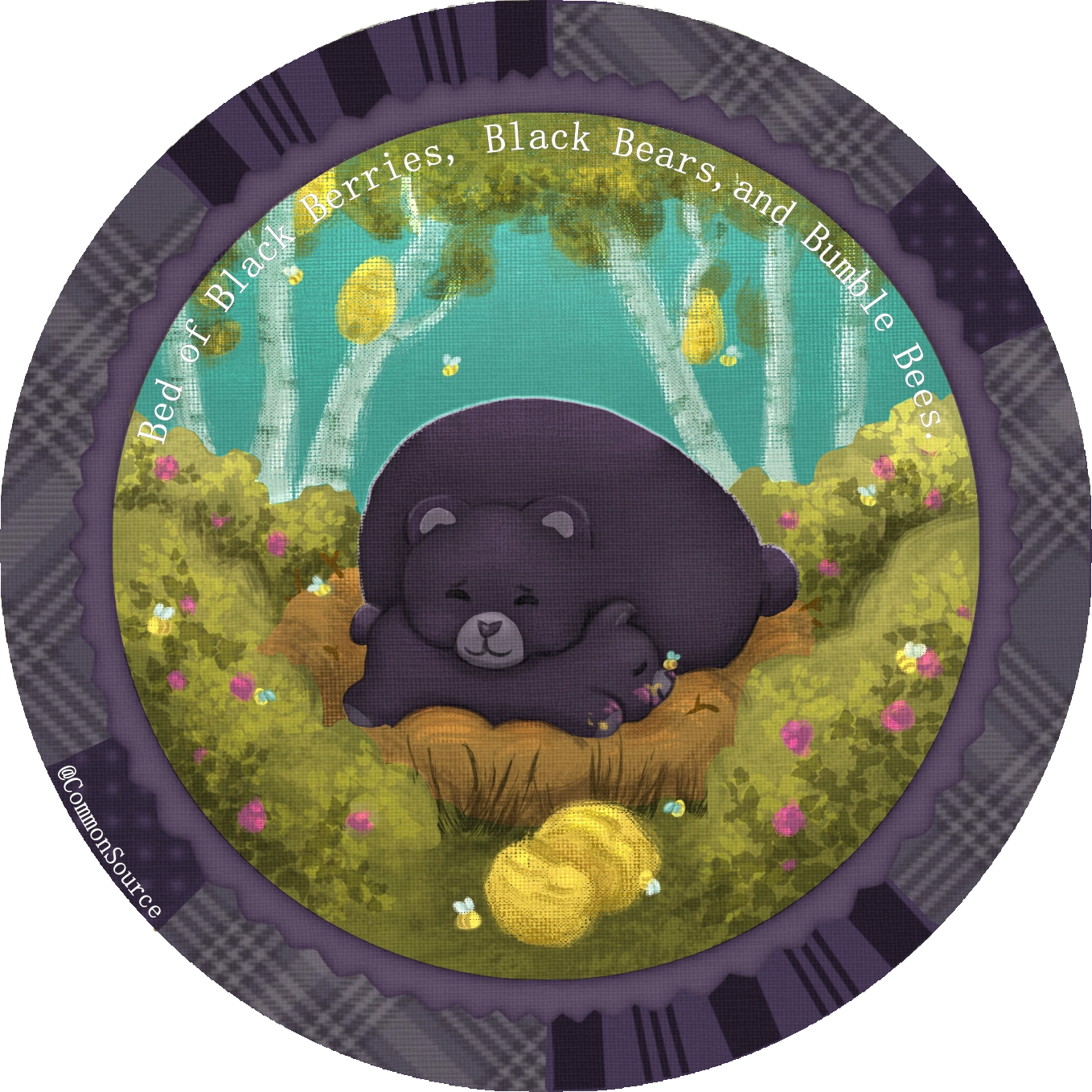
How cute 
I love it.
I’m a simple man. I see a bear, I hit the like button. 
Congratulations on winning the monthly art challenge. Your winning artwork is now featured on the Krita-Artists artwork banner.
May I have your permission to post this image on Krita’s social accounts (Mastodon, reddit, X, and the new Facebook group) and on Krita.org? If yes, I will credit your user name (or another name if you specify one). You are free to specify which places (if any) you allow us to post your image.
Please write a brief description of the visual art that will allow unsighted people using a text reader to understand the image.
Good Alt Text Examples (click to read)
- A herd of black and white cows graze in a distant field. There are yellow flowers in the foreground and the sun is shining.
–OR– - Full-length portrait of a knight in armor. The knight is standing next to a white horse. Behind them are a number of soldiers tending to their animals.
Please type @sooz in your reply so I get pinged.
Super cute!
oh i love this . I wanted to achieve the texture but don’t know which brush to use
so cute ^^
How so cute
You can totally do this!
Any brush in krita can have this texture using the brush editor.
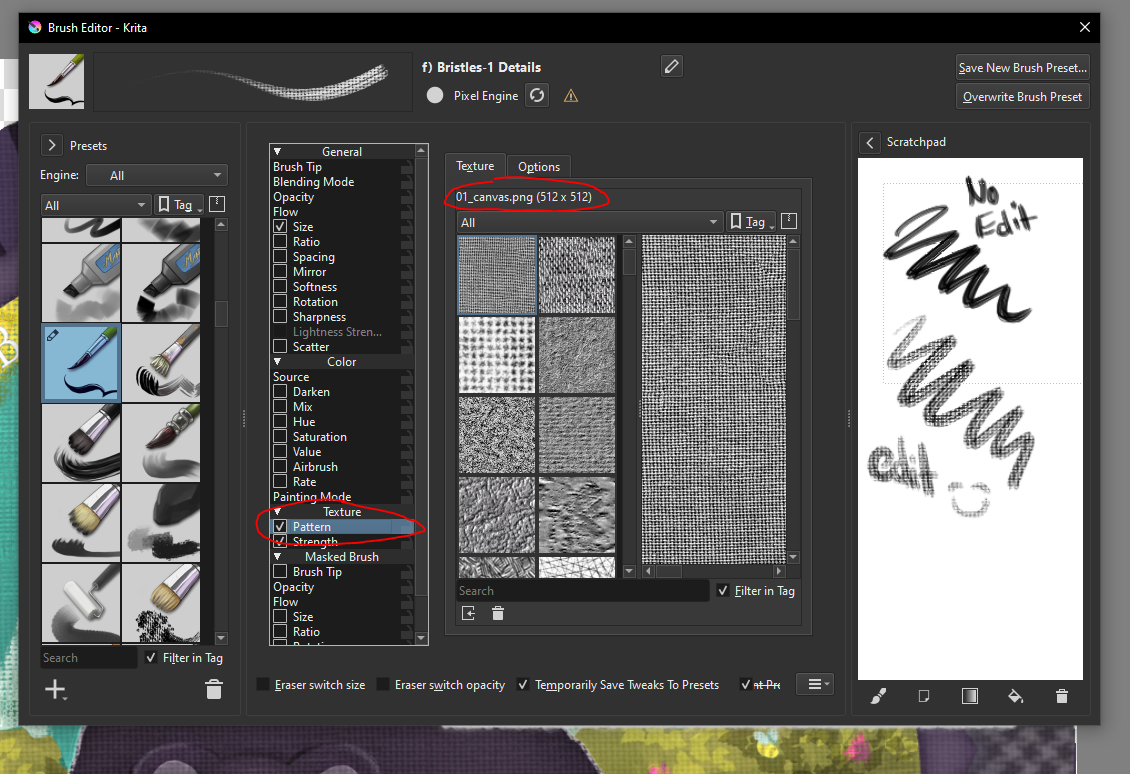
Just need to click that texture option, and the first one it defaults to should be the texture I used for my brushes. I mostly used “F) Bristles 1-Details” and “G) Dry textured Creases” with the same pattern modifier. Otherwise it was default digital brushes with no edits.
You can also add a Pattern Fill Layer that will give your entire image the canvas look that’s even easier to do, no brush editing needed. However, it will wash out the image and make picking colors a hassle while you draw because it wont match what you put down and you need to play with the transparency of the layer. I mainly used this shortcut and had to do some color filter adjustments at the end to bring back the vibrancy.
With the fill layer Without the fill layer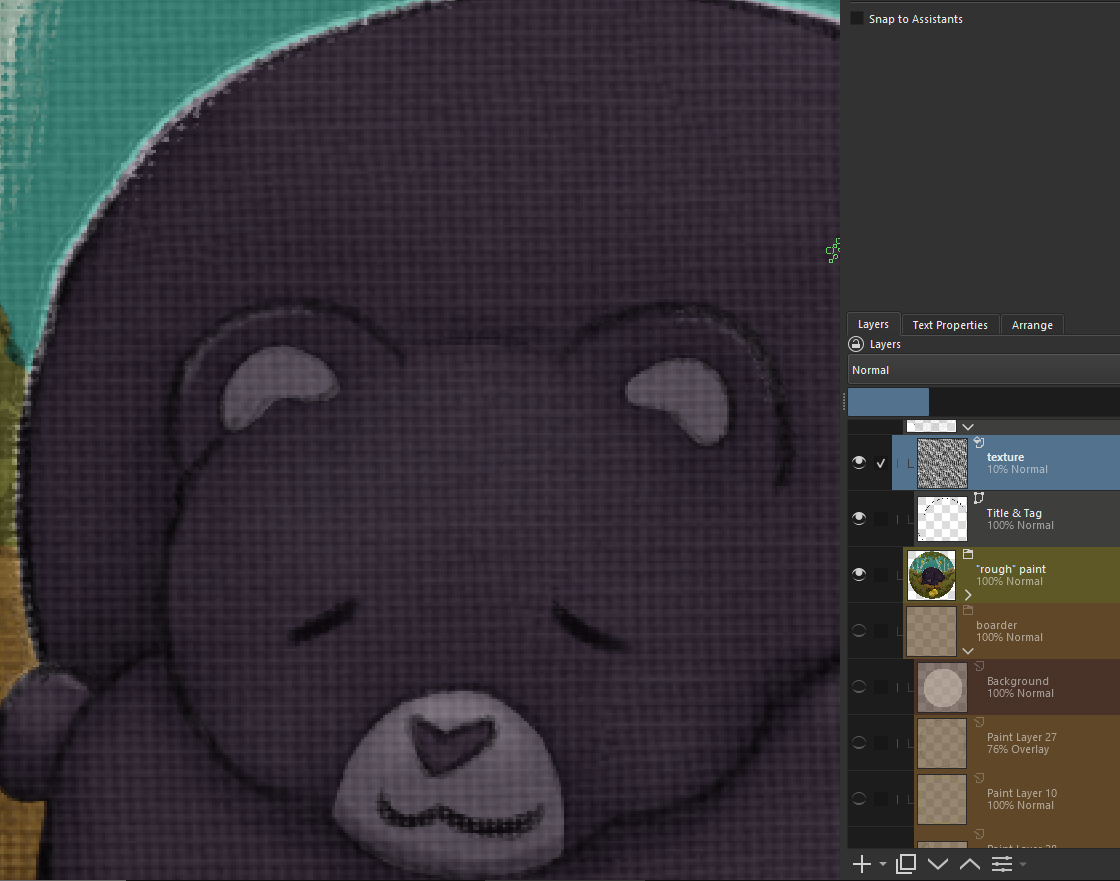
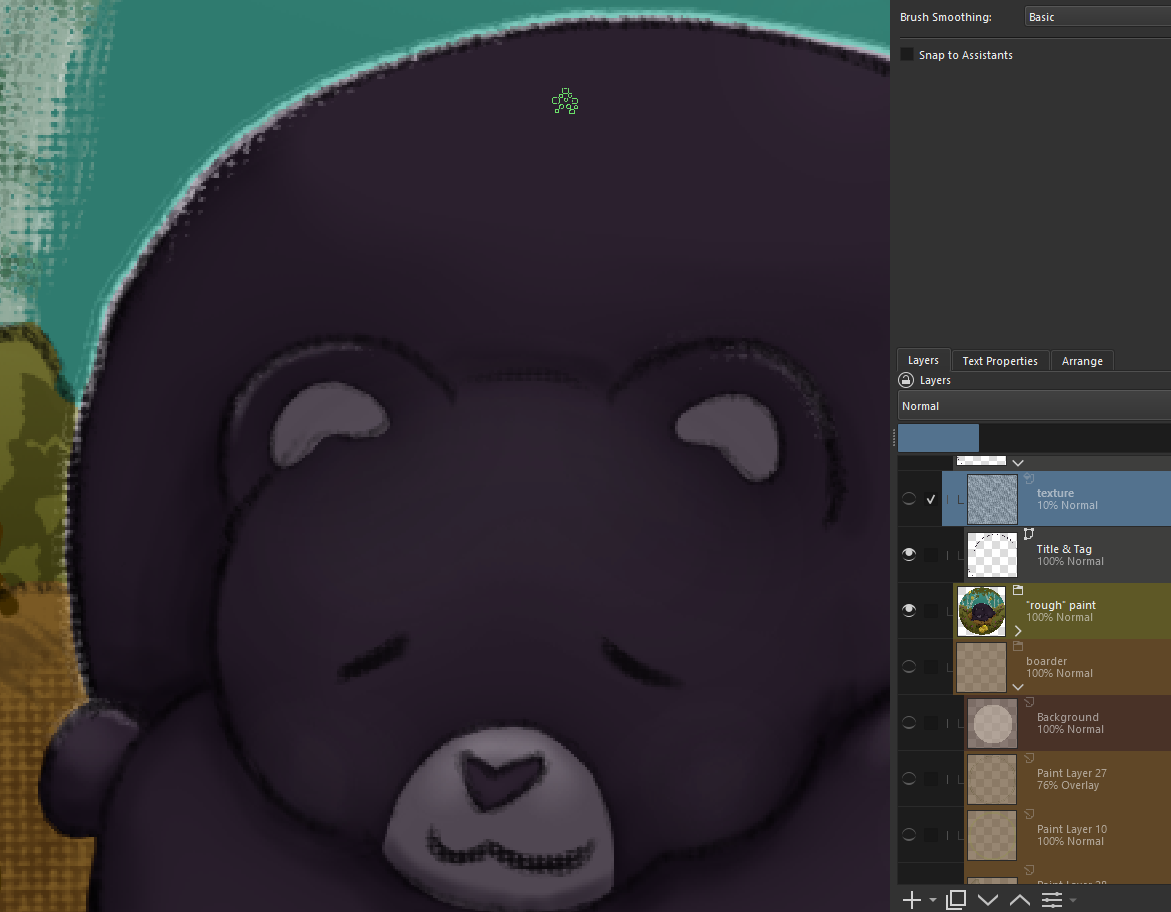
If I was going to do this again, I would record the scale that I did the fill pattern at, so I can match it with the brush edits. You can can see on the mouth that the canvas texture is way too small and doesn’t match the fill layer.
@sooz You have my permission, “CommonSource” is the credited name I’d prefer.
Alt. Text:
A cartoon baby and mother black bear sleep snuggled up together surrounded by blackberry bushes, bumble bees, and a single cracked beehive in front of them.
so sweet of you  thank you
  . it is very helpful and i will surly try it. i am used to photoshop soo much that in new software i forget what to do and how but you help a lot thank you