Hello fellow artists. I’m painting digitally for years now and for some time now my workflow is that I start with a grayscale image first, and add colors later. Over the years I tried many approaches some worked
better than others some worse but none were really satisfying.
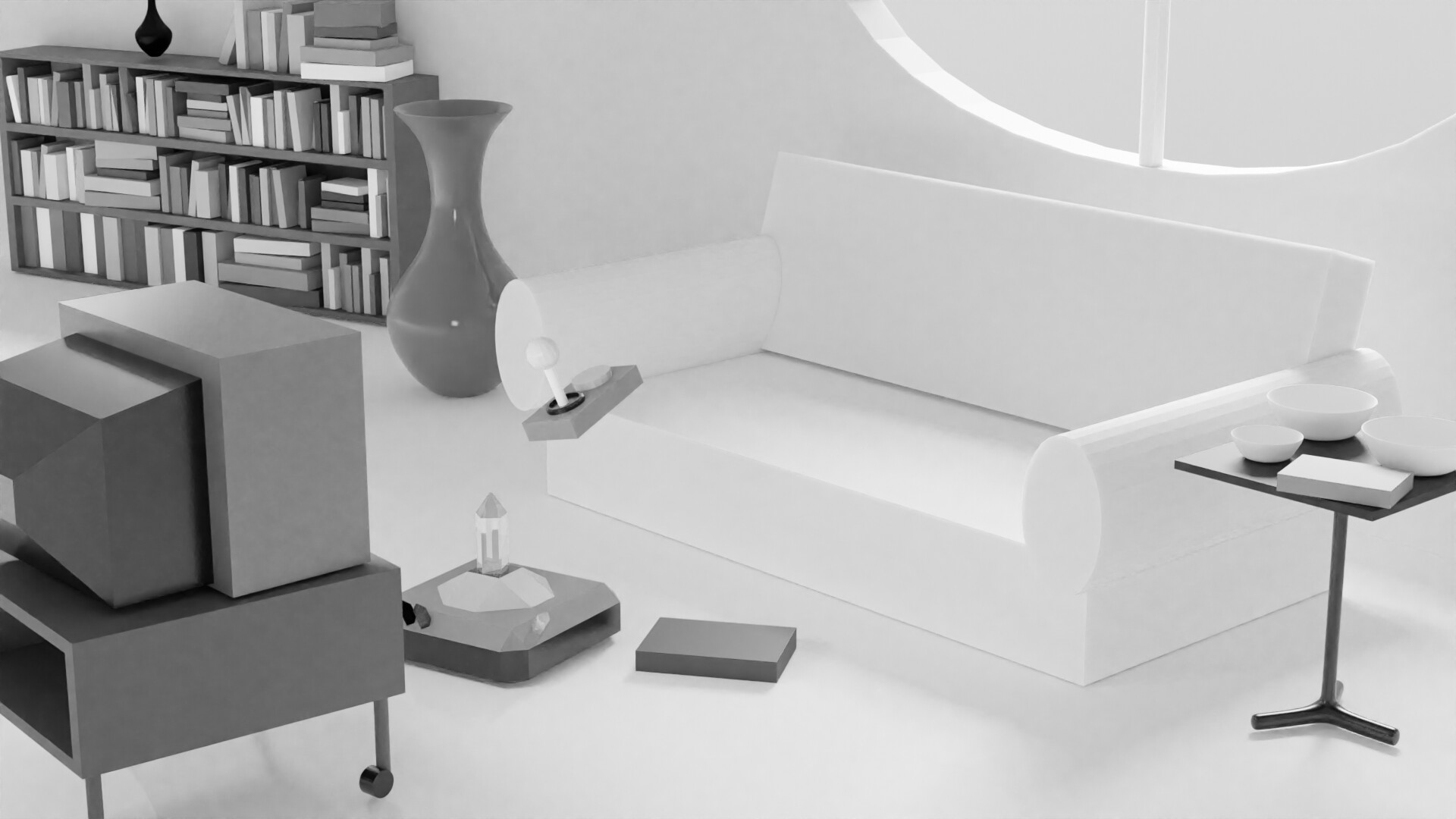
Usually a grayscale image looks like this when done

This is of course just a 3D render but after my first step this is pretty much how it would look like when painted too. As you can see everything is shaded as it would be a plain white object, there are no values of the local colors yet, no reflections, no highlights (sometimes not even all the shadows). I do it that way because I have a hard time figuring out shading when there is already color, my eye seems not able to see value differences when there is color involved at the shading stage. so that’s why I do this first.
Years ago I would do an intermediate step to add the just the values of the local colors, at this point. I don’t do it anymore now but for completeness I add it here.
This was usually the part where I also gave things materials like when things shine or reflect a lot. Nowadays I skip it completely because of the fact that I most of the time, decide for the colors of things as I go and that I am very bad at guessing what colors have which values.
When doing this second step, adding color was of course pretty easy because then I only had to ad a color layer set to Color blending mode. But as mentioned I’m very bad ad guessing the value of colors so I usually was (negatively) surprised by the outcome and hat to do so much adjustment I basically had to repaint everything.
So know I go to step 3 directly, the coloring. I take the grayscale image from step one and use layer blending modes to get the color on top (or behind) basically using the grayscale image (since it as no values for local colors) as a pure shadow/light map. Since I still need the value of the colors I pick, Color blending mode is not an option as it would in step 2. I tried other blending modes and the results are okayish but I still feel there is maybe a better way.
So my question is basically, is there a good way to get from step 1 to this:

Currently I add a layer on top of the grayscale and set it to Hard Light or Overlay and paint with the colors on that to keep both the colors and the values. This is also the stage where I add/remove highlights and stuff. I don’t expect a perfect result like my examples I did with Blender just your input on how to work quicker or more correct with less fixing afterwards.
Looking forward to hearing your input on this.